
Back to Home Networking & Wi-Fi
UK buying shortlist
Best Secure Home Routers with Auto Firmware Updates in the UK (2026)
Written by Home Technology Desk Home technology editorial desk · Home Networking & Wi-Fi beat · reviewed 29/08/2026
Four exact current UK router records whose official specifications explicitly publish Auto Firmware Update, compared by network fit, ports and ownership checks rather than price or commission.
Quick answer · Top 4
Compare all four options
Open a product to review its fit, limitations and buying checks before choosing a retailer.
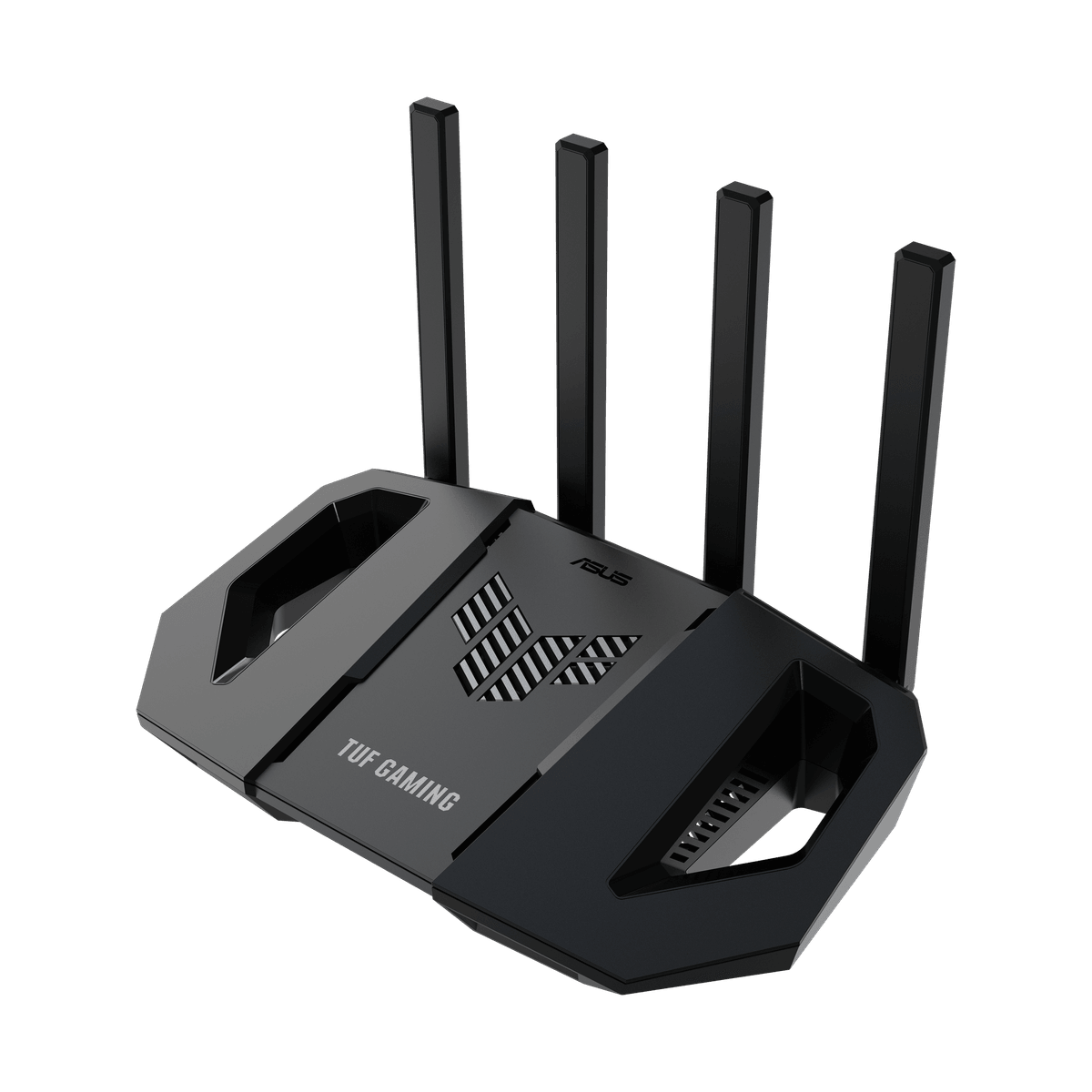
Pick 1 - WiFi 7 and mixed-port starting point
ASUS TUF Gaming BE3600 Dual-Band WiFi 7 Router
At a glance:WiFi 7 and mixed-port starting point
Trade-off:The published auto-update option is not proof that it is enabled, that every update installs successfully or that firmware support will continue for a particular ownership period.
Official reference; not an affiliate buying link.
Compare all 4 picks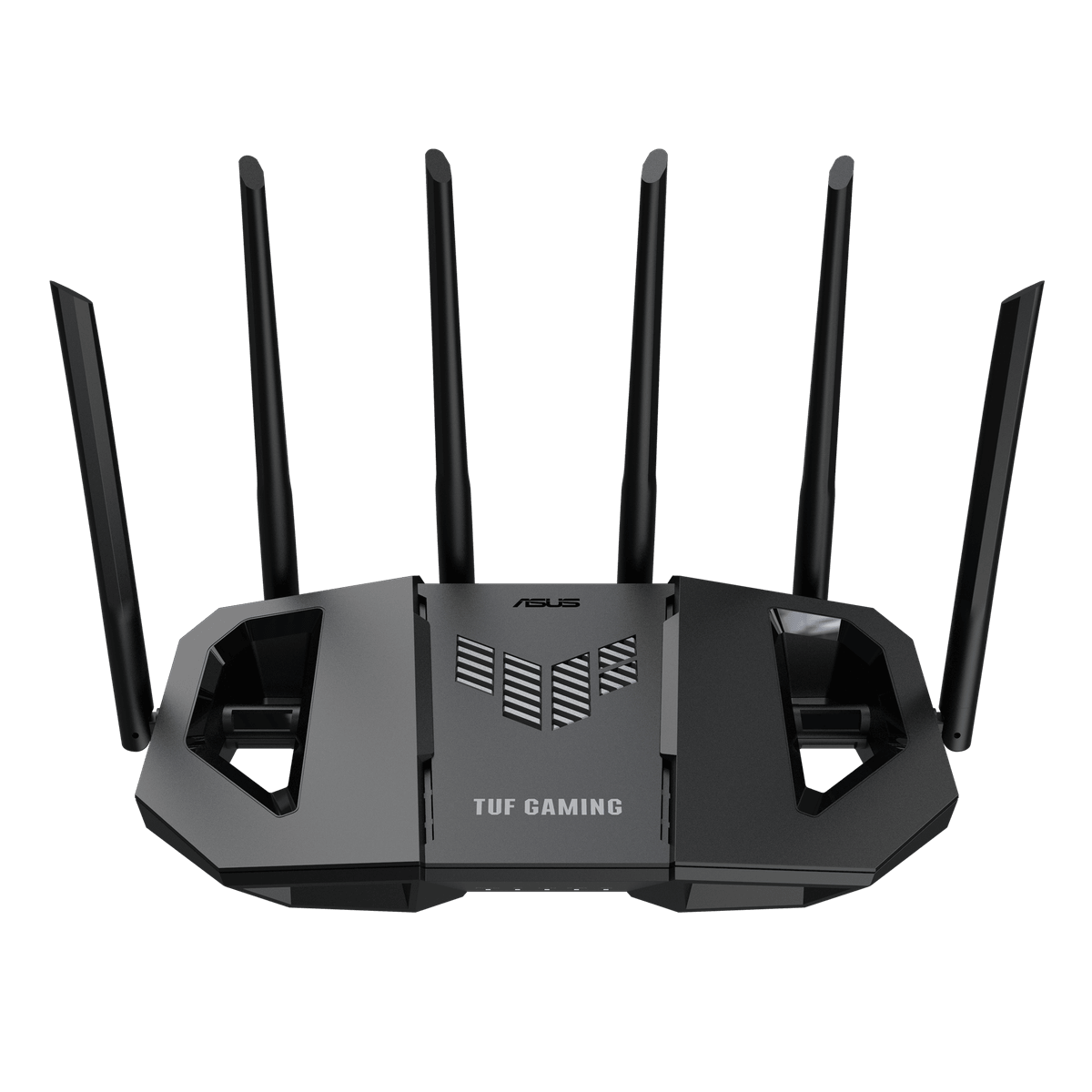
Pick 2 - Multi-gigabit wired-network step-up
ASUS TUF Gaming BE6500 Dual-Band WiFi 7 Router
At a glance:Multi-gigabit wired-network step-up
Trade-off:Multiple 2.5GbE ports and an auto-update option do not prove ISP compatibility, end-to-end multi-gigabit performance, automatic recovery or indefinite security support.
Official reference; not an affiliate buying link.
Compare all 4 picks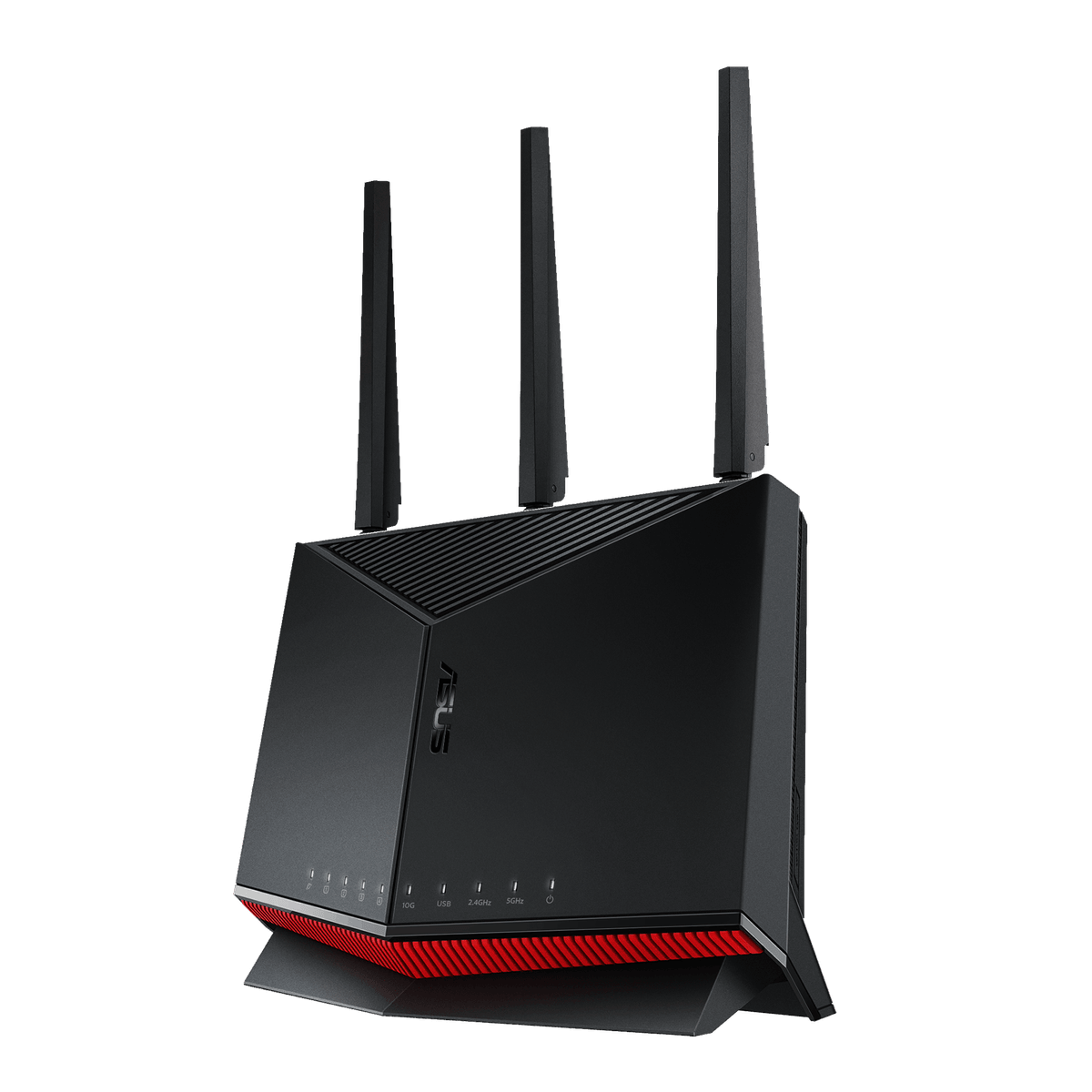
Pick 3 - 10G and multi-gigabit dual-band step-up
ASUS RT-BE86U Dual-Band WiFi 7 Router
At a glance:10G and multi-gigabit dual-band step-up
Trade-off:High-speed port labels and an auto-update option do not prove ISP compatibility, end-to-end throughput, safe configuration, automatic recovery or indefinite security support.
Official reference; not an affiliate buying link.
Compare all 4 picks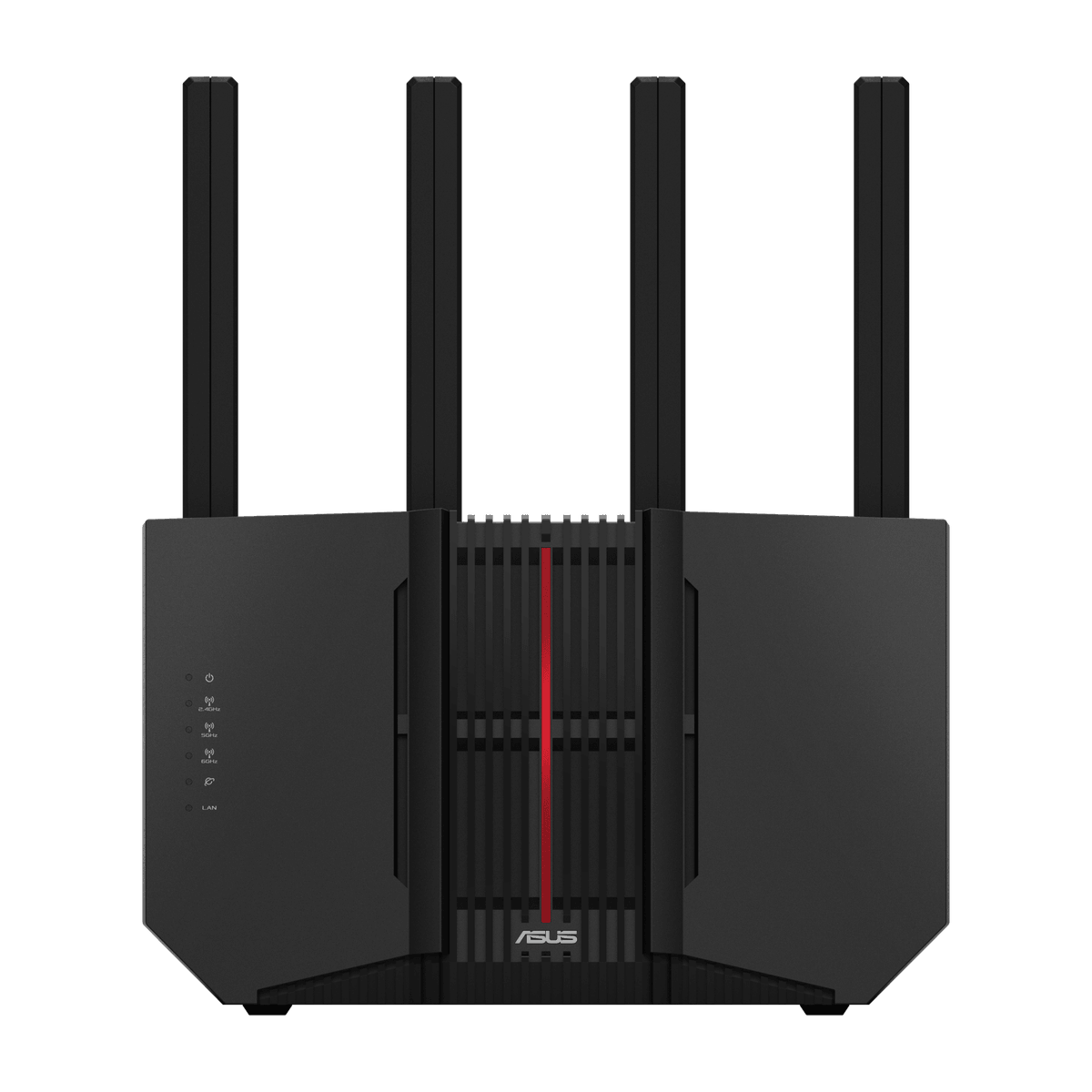
Pick 4 - 6GHz tri-band and 10G step-up
ASUS RT-BE92U Tri-Band WiFi 7 Router
At a glance:6GHz tri-band and 10G step-up
Trade-off:The 6GHz band requires compatible clients and local conditions; high-speed port and auto-update labels do not guarantee coverage, threat prevention, recovery or a future support duration.
Official reference; not an affiliate buying link.
Compare all 4 picksHome Technology Desk: before you choose: Check the exact connection, account, mounting or installation requirement before opening a retailer link.
Decision checks: compatibility · setup and accounts · realistic use context
Compare the four configurations and rule out a poor fit before choosing a retailer.
Compare all fourThe shortlist
Four options, with the trade-offs visible
Use the fit, limitations and checkout checks before opening a retailer page. Confirm the current price, stock, delivery and returns with the retailer.
Pick 1
First comparison point
WiFi 7 and mixed-port starting point
ASUS TUF Gaming BE3600 Dual-Band WiFi 7 Router
dual-band WiFi 7, AiProtection, login CAPTCHA and an Administration option labelled Auto Firmware Update. The published auto-update option is not proof that it is enabled, that every update installs successfully or that firmware support will continue for a particular ownership period. Confirm exact TUF-BE3600, enabled firmware settings, ISP fit, current retailer identity and returns.
Highlights
- Exact current ASUS specification and UK retailer record: dual-band WiFi 7, AiProtection, login CAPTCHA and an Administration option labelled Auto Firmware Update.
Drawbacks
- The published auto-update option is not proof that it is enabled, that every update installs successfully or that firmware support will continue for a particular ownership period.
Buyer fit
Best for
- WiFi 7 and mixed-port starting point
Not for you if
- Buyers who need guaranteed security outcomes, managed installation, automatic failover or an ISP-supported voice replacement.
Check before buying
- Confirm exact TUF-BE3600, current retailer availability, ISP handoff, firmware status and auto-update setting, ports, warranty and returns.
Pick 2
Multi-gigabit wired-network step-up
ASUS TUF Gaming BE6500 Dual-Band WiFi 7 Router
dual-band WiFi 7, AiProtection Pro, four 2.5GbE ports and an Administration option labelled Auto Firmware Update. Multiple 2.5GbE ports and an auto-update option do not prove ISP compatibility, end-to-end multi-gigabit performance, automatic recovery or indefinite security support. Confirm exact TUF-BE6500, enabled firmware settings, ISP fit, current retailer identity and returns.
Highlights
- Exact current ASUS specification and UK retailer record: dual-band WiFi 7, AiProtection Pro, four 2.5GbE ports and an Administration option labelled Auto Firmware Update.
Drawbacks
- Multiple 2.5GbE ports and an auto-update option do not prove ISP compatibility, end-to-end multi-gigabit performance, automatic recovery or indefinite security support.
Buyer fit
Best for
- Multi-gigabit wired-network step-up
Not for you if
- Buyers who need guaranteed security outcomes, managed installation, automatic failover or an ISP-supported voice replacement.
Check before buying
- Confirm exact TUF-BE6500, current retailer availability, ISP handoff, firmware status and auto-update setting, ports, warranty and returns.
Pick 3
10G and multi-gigabit dual-band step-up
ASUS RT-BE86U Dual-Band WiFi 7 Router
dual-band WiFi 7, one 10G WAN/LAN port, four 2.5G-capable ports and an Administration option labelled Auto Firmware Update. High-speed port labels and an auto-update option do not prove ISP compatibility, end-to-end throughput, safe configuration, automatic recovery or indefinite security support. Confirm exact RT-BE86U, enabled firmware settings, ISP fit, current retailer identity and returns.
Highlights
- Exact current ASUS specification and UK retailer record: dual-band WiFi 7, one 10G WAN/LAN port, four 2.5G-capable ports and an Administration option labelled Auto Firmware Update.
Drawbacks
- High-speed port labels and an auto-update option do not prove ISP compatibility, end-to-end throughput, safe configuration, automatic recovery or indefinite security support.
Buyer fit
Best for
- 10G and multi-gigabit dual-band step-up
Not for you if
- Buyers who need guaranteed security outcomes, managed installation, automatic failover or an ISP-supported voice replacement.
Check before buying
- Confirm exact RT-BE86U, current retailer availability, ISP handoff, firmware status and auto-update setting, ports, warranty and returns.
Pick 4
6GHz tri-band and 10G step-up
ASUS RT-BE92U Tri-Band WiFi 7 Router
tri-band WiFi 7 with 6GHz, one 10Gbps WAN/LAN port, four 2.5Gbps-capable ports and an Administration option labelled Auto Firmware Update. The 6GHz band requires compatible clients and local conditions; high-speed port and auto-update labels do not guarantee coverage, threat prevention, recovery or a future support duration. Confirm exact RT-BE92U, enabled firmware settings, ISP fit, current retailer identity and returns.
Highlights
- Exact current ASUS specification and UK retailer record: tri-band WiFi 7 with 6GHz, one 10Gbps WAN/LAN port, four 2.5Gbps-capable ports and an Administration option labelled Auto Firmware Update.
Drawbacks
- The 6GHz band requires compatible clients and local conditions; high-speed port and auto-update labels do not guarantee coverage, threat prevention, recovery or a future support duration.
Buyer fit
Best for
- 6GHz tri-band and 10G step-up
Not for you if
- Buyers who need guaranteed security outcomes, managed installation, automatic failover or an ISP-supported voice replacement.
Check before buying
- Confirm exact RT-BE92U, current retailer availability, ISP handoff, firmware status and auto-update setting, ports, warranty and returns.
Top 4 comparison
Compare the useful differences, trade-offs and final checks side by side.
Before you compare
Check these first
- 1Confirm the exact model code
- 2Confirm Auto Firmware Update exists and is enabled after setup
- 3Install any pending firmware before normal use
Your four roles
View specs & trade-offs
Trade-off:The published auto-update option is not proof that it is enabled, that every update installs successfully or that firmware support will continue for a particular ownership period.
Not ideal for:Buyers who need guaranteed security outcomes, managed installation, automatic failover or an ISP-supported voice replacement.
Check:Confirm exact TUF-BE3600, current retailer availability, ISP handoff, firmware status and auto-update setting, ports, warranty and returns.
Warranty and support:Confirm the current UK guarantee and returns for exact TUF-BE3600. • Exact ASUS specification and Scan UK product record checked 2026-08-29.
Sources:https://www.asus.com/uk/networking-iot-servers/wifi-routers/asus-gaming-routers/tuf-gaming-be3600/.
View specs & trade-offs
Trade-off:Multiple 2.5GbE ports and an auto-update option do not prove ISP compatibility, end-to-end multi-gigabit performance, automatic recovery or indefinite security support.
Not ideal for:Buyers who need guaranteed security outcomes, managed installation, automatic failover or an ISP-supported voice replacement.
Check:Confirm exact TUF-BE6500, current retailer availability, ISP handoff, firmware status and auto-update setting, ports, warranty and returns.
Warranty and support:Confirm the current UK guarantee and returns for exact TUF-BE6500. • Exact ASUS specification and Scan UK product record checked 2026-08-29.
Sources:https://www.asus.com/uk/networking-iot-servers/wifi-routers/asus-gaming-routers/tuf-gaming-be6500/.
View specs & trade-offs
Trade-off:High-speed port labels and an auto-update option do not prove ISP compatibility, end-to-end throughput, safe configuration, automatic recovery or indefinite security support.
Not ideal for:Buyers who need guaranteed security outcomes, managed installation, automatic failover or an ISP-supported voice replacement.
Check:Confirm exact RT-BE86U, current retailer availability, ISP handoff, firmware status and auto-update setting, ports, warranty and returns.
Warranty and support:Confirm the current UK guarantee and returns for exact RT-BE86U. • Exact ASUS specification and Scan UK product record checked 2026-08-29.
Sources:https://www.asus.com/uk/networking-iot-servers/wifi-routers/asus-wifi-routers/rt-be86u/.
View specs & trade-offs
Trade-off:The 6GHz band requires compatible clients and local conditions; high-speed port and auto-update labels do not guarantee coverage, threat prevention, recovery or a future support duration.
Not ideal for:Buyers who need guaranteed security outcomes, managed installation, automatic failover or an ISP-supported voice replacement.
Check:Confirm exact RT-BE92U, current retailer availability, ISP handoff, firmware status and auto-update setting, ports, warranty and returns.
Warranty and support:Confirm the current UK guarantee and returns for exact RT-BE92U. • Exact ASUS specification and Scan UK product record checked 2026-08-29.
Sources:https://www.asus.com/uk/networking-iot-servers/wifi-7/all-series/asus-rt-be92u/.
| Pick | Pick role | Best for | Avoid if | Key trade-off | Check before buying | Warranty/support status | Review/evidence basis |
|---|---|---|---|---|---|---|---|
| 1. ASUS TUF Gaming BE3600 Dual-Band WiFi 7 Router | WiFi 7 and mixed-port starting point | WiFi 7 and mixed-port starting point | Buyers who need guaranteed security outcomes, managed installation, automatic failover or an ISP-supported voice replacement. | The published auto-update option is not proof that it is enabled, that every update installs successfully or that firmware support will continue for a particular ownership period. | Confirm exact TUF-BE3600, current retailer availability, ISP handoff, firmware status and auto-update setting, ports, warranty and returns. | Confirm the current UK guarantee and returns for exact TUF-BE3600. • Exact ASUS specification and Scan UK product record checked 2026-08-29. | https://www.asus.com/uk/networking-iot-servers/wifi-routers/asus-gaming-routers/tuf-gaming-be3600/ |
| 2. ASUS TUF Gaming BE6500 Dual-Band WiFi 7 Router | Multi-gigabit wired-network step-up | Multi-gigabit wired-network step-up | Buyers who need guaranteed security outcomes, managed installation, automatic failover or an ISP-supported voice replacement. | Multiple 2.5GbE ports and an auto-update option do not prove ISP compatibility, end-to-end multi-gigabit performance, automatic recovery or indefinite security support. | Confirm exact TUF-BE6500, current retailer availability, ISP handoff, firmware status and auto-update setting, ports, warranty and returns. | Confirm the current UK guarantee and returns for exact TUF-BE6500. • Exact ASUS specification and Scan UK product record checked 2026-08-29. | https://www.asus.com/uk/networking-iot-servers/wifi-routers/asus-gaming-routers/tuf-gaming-be6500/ |
| 3. ASUS RT-BE86U Dual-Band WiFi 7 Router | 10G and multi-gigabit dual-band step-up | 10G and multi-gigabit dual-band step-up | Buyers who need guaranteed security outcomes, managed installation, automatic failover or an ISP-supported voice replacement. | High-speed port labels and an auto-update option do not prove ISP compatibility, end-to-end throughput, safe configuration, automatic recovery or indefinite security support. | Confirm exact RT-BE86U, current retailer availability, ISP handoff, firmware status and auto-update setting, ports, warranty and returns. | Confirm the current UK guarantee and returns for exact RT-BE86U. • Exact ASUS specification and Scan UK product record checked 2026-08-29. | https://www.asus.com/uk/networking-iot-servers/wifi-routers/asus-wifi-routers/rt-be86u/ |
| 4. ASUS RT-BE92U Tri-Band WiFi 7 Router | 6GHz tri-band and 10G step-up | 6GHz tri-band and 10G step-up | Buyers who need guaranteed security outcomes, managed installation, automatic failover or an ISP-supported voice replacement. | The 6GHz band requires compatible clients and local conditions; high-speed port and auto-update labels do not guarantee coverage, threat prevention, recovery or a future support duration. | Confirm exact RT-BE92U, current retailer availability, ISP handoff, firmware status and auto-update setting, ports, warranty and returns. | Confirm the current UK guarantee and returns for exact RT-BE92U. • Exact ASUS specification and Scan UK product record checked 2026-08-29. | https://www.asus.com/uk/networking-iot-servers/wifi-7/all-series/asus-rt-be92u/ |
Choose this if / Avoid this if
Rule out poor-fit options before comparing finer details.
Avoid if
- You need guaranteed security coverage throughput or failover
- The ISP replacement procedure is unclear
- Digital voice or managed support depends on the ISP router
- You cannot maintain firmware and administrator access
Dealbreakers
- The exact model differs
- Auto Firmware Update is absent from the current specification or settings
- The WAN handoff or ISP configuration is unsupported
- Replacing the ISP router would remove an essential service
Check before buying
- Confirm the exact model code
- Confirm Auto Firmware Update exists and is enabled after setup
- Install any pending firmware before normal use
- Use a unique administrator password and disable unneeded remote administration
- Record the ONT or modem handoff and ISP settings
- Keep a configuration backup and rollback plan
- Re-check current UK availability warranty and returns
Choose another shortlist if
- Use a mesh route when multi-room coverage is the main problem
- Keep the ISP router when voice or support depends on it
- Use a managed network installer when downtime or configuration risk is unacceptable
When another role fits better
The first option is a useful starting point, not a universal winner. Move another role ahead when its use case, fit or ownership trade-offs match you better.
Known limitations
UK Shortlists has not tested firmware installation coverage throughput security outcomes ISP setup digital voice vulnerability response support longevity or returns.
How we chose
The checks behind the four picks
Eligibility requires an exact official technical specification that says Auto Firmware Update, an exact official image and a current exact UK retailer record. The setting is a buyer check, not a security guarantee.
- Step 1: Exact auto-update wording
- Step 2: Exact current product identity
- Step 3: WiFi generation and band fit
- Step 4: Exact WAN and LAN topology
- Step 5: ISP and firmware ownership boundaries
- Step 6: Current exact UK destination
Disclosure
Last reviewed: 29/08/2026
UK Shortlists may earn a commission when you use some retailer links. This does not increase the price you pay.
As an Amazon Associate we earn from qualifying purchases.
Retailers cannot pay to change which products we recommend or their order.
Prices, stock, delivery and returns can change. Confirm the final details with the retailer before buying.
Read more about how UK Shortlists makes money, retailer checks, and how corrections are handled.
Who checked this shortlist?
- Written / compiled by:
- Home Technology Desk
- Reviewed by:
- UK Shortlists Editorial Team
- Last reviewed:
- 29/08/2026
- Review basis:
- Criteria-based comparison
We compare published product information, retailer details and the buying criteria shown above. UK Shortlists does not currently publish claims based on first-party product use, laboratory testing or long-term testing.
FAQs & alternatives
Does Auto Firmware Update mean the router is secure?
No. It is one maintenance control. Configuration passwords exposed services update delivery vendor response and support duration also matter.
Will automatic updates stay enabled forever?
Do not assume so. Check the setting after setup and periodically confirm the installed firmware and vendor support status.
Why are all four picks from ASUS?
These four exact current UK models passed the same official auto-update image identity and destination contract. The concentration is disclosed and no whole-market claim is made.
Did affiliate commission or temporary price set the order?
No. The checked Scan UK pages are non-affiliate references and order follows network fit and ownership checks.
Also consider
- Keep and harden the supported ISP router
- Add access points or mesh when coverage is the problem
- Use a security gateway managed by a competent installer
- Defer until ISP and firmware requirements are documented
Newsletter
Want the next useful buying check?
Get occasional UK Shortlists updates for decisions like this. Unsubscribe at any time.
Related shortlists
- Best Routers with Parental Controls in the UK (2026)
Use this related shortlist to compare trade-offs before finalising your Top 4 pick.
- Best Standalone Wi-Fi 7 Routers in the UK (2026)
Use this if Wi‑Fi generation upgrades are your first filter before layout-specific routing.
- Best Routers for Vodafone Full Fibre UK 2026: Four Exact V1 Access-Point Options
Use this related shortlist to compare trade-offs before finalising your Top 4 pick.
- Best Travel Routers for Holiday-Rental Wi-Fi in the UK (2026)
Use this if setup speed or compact-layout fixes matter more than full-network replacement.
- Best Routers for Thick Walls in the UK (2026)
Use this if wall layout and signal barriers are the main cause of dropouts.
- Best Travel Routers for Hotels in the UK (2026)
Use this if setup speed or compact-layout fixes matter more than full-network replacement.