
Back to Home Networking & Wi-Fi
UK buying shortlist
Best Routers for Vodafone Full Fibre UK 2026: Four Exact V1 Access-Point Options
Written by Home Technology Desk Home technology editorial desk · Home Networking & Wi-Fi beat · reviewed 30/08/2026
Keep the Vodafone Hub as the supported service edge. These four exact V1 routers are compared only for Ethernet-connected Access Point mode behind it; direct replacement remains plan, network and support dependent.
Quick answer · Top 4
Compare all four options
Open a product to review its fit, limitations and buying checks before choosing a retailer.
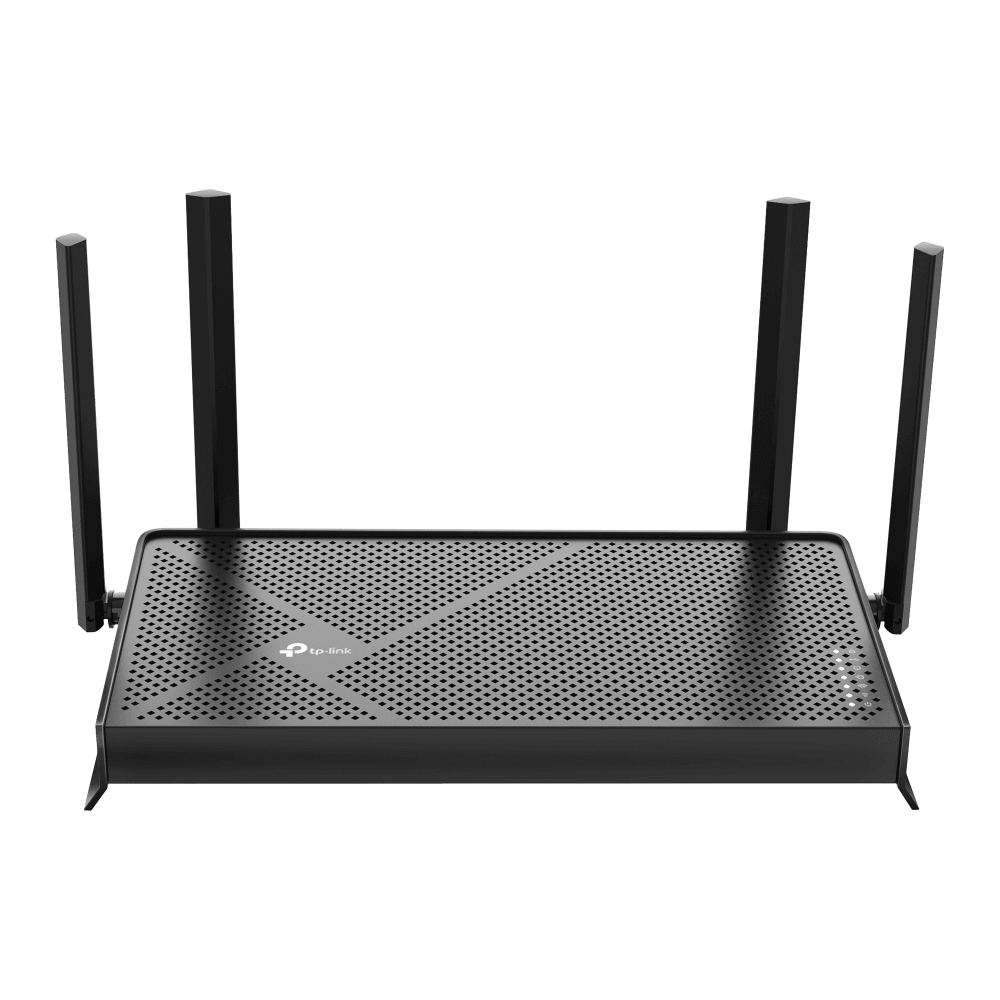
Pick 1 - Best overall
TP-Link Archer BE230 V1 BE3600 Dual-Band Wi-Fi 7 Router
At a glance:Adding a separately managed access point behind a retained Vodafone Hub after checking Ethernet placement and feature loss.
Trade-off:This is the BE3600 family despite the BE230 model name; Wi-Fi 7 and 2.5G labels do not guarantee MLO behaviour, coverage or Vodafone support.
Official reference; not an affiliate buying link.
Compare all 4 picks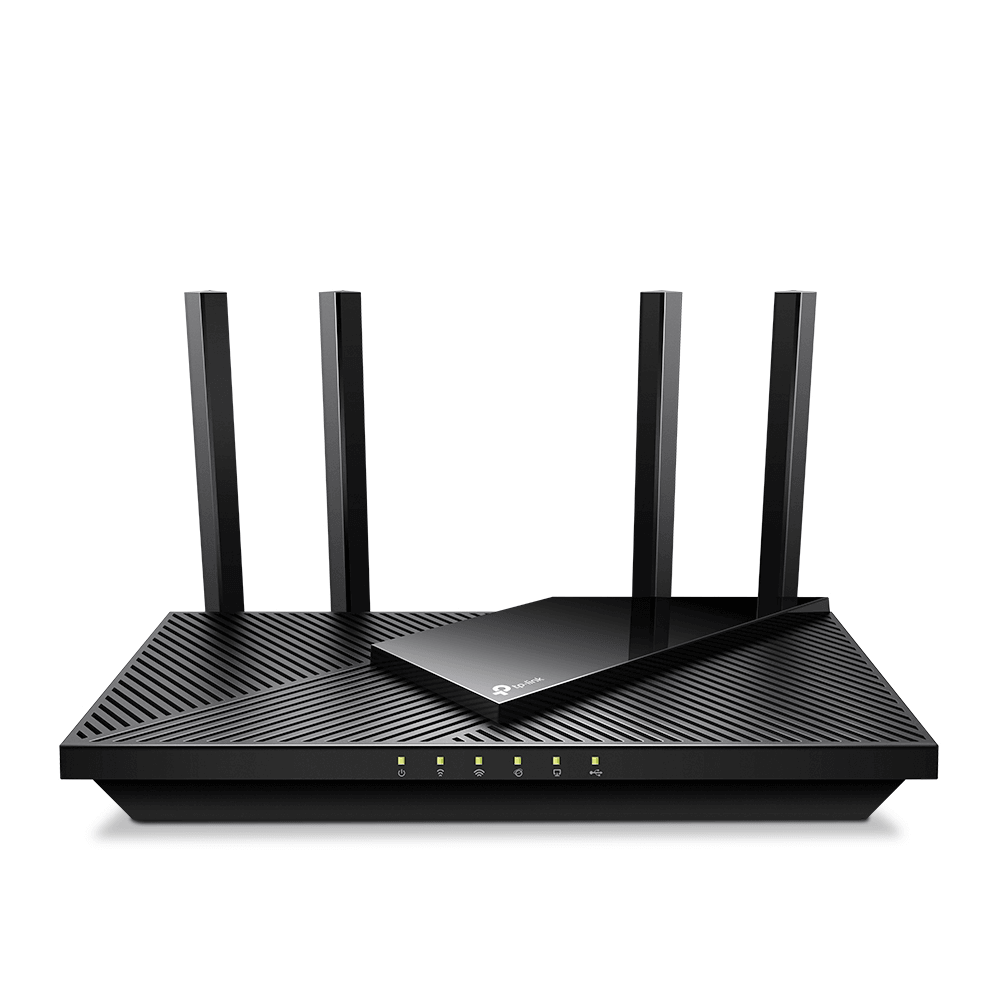
Pick 2 - Best budget
TP-Link Archer AX55 Pro V1 AX3000 Multi-Gigabit Wi-Fi 6 Router
At a glance:Adding a separately managed access point behind a retained Vodafone Hub after checking Ethernet placement and feature loss.
Trade-off:A 2.5G port does not prove Vodafone plan compatibility, line-rate throughput, whole-home coverage or a supported hub replacement.
Official reference; not an affiliate buying link.
Compare all 4 picks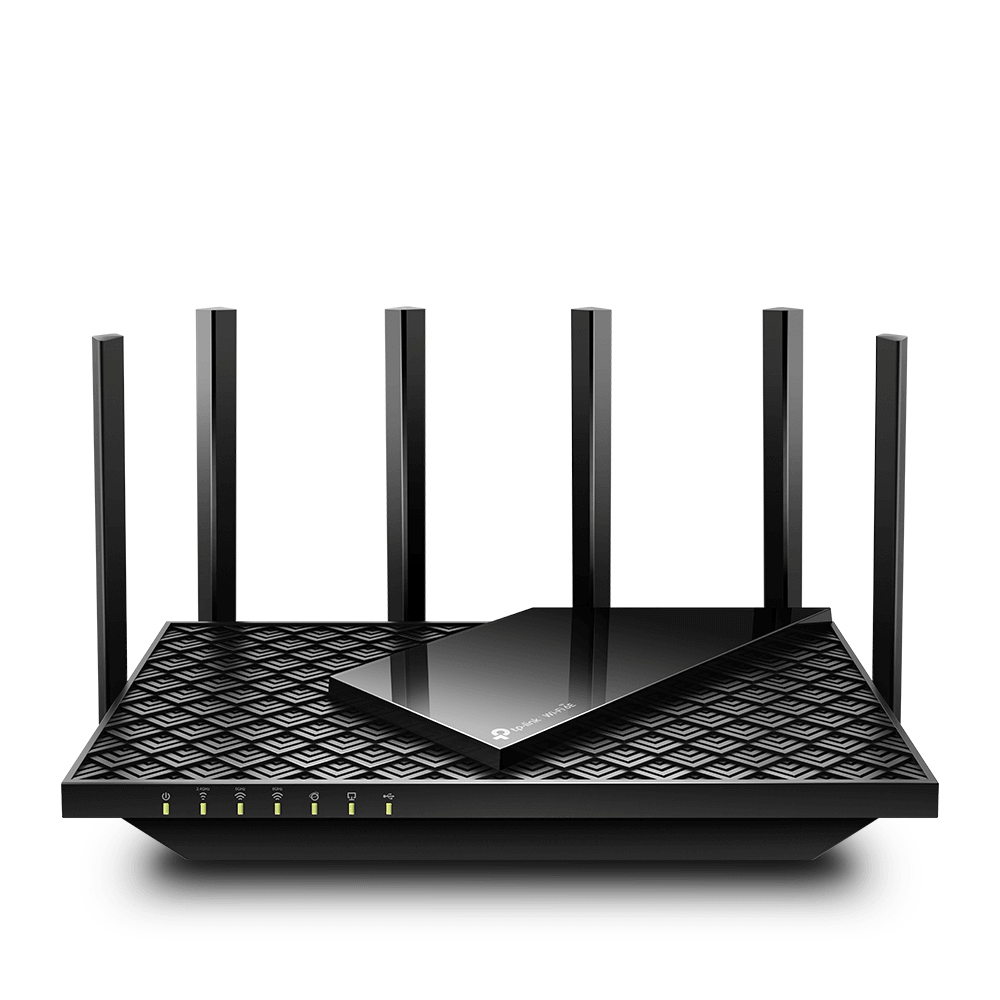
Pick 3 - Best premium
TP-Link Archer AXE75 V1 AXE5400 Tri-Band Gigabit Wi-Fi 6E Router
At a glance:Adding a separately managed access point behind a retained Vodafone Hub after checking Ethernet placement and feature loss.
Trade-off:Its Ethernet handoff remains gigabit, and 6GHz has shorter reach and no benefit for clients that do not support it.
Official reference; not an affiliate buying link.
Compare all 4 picks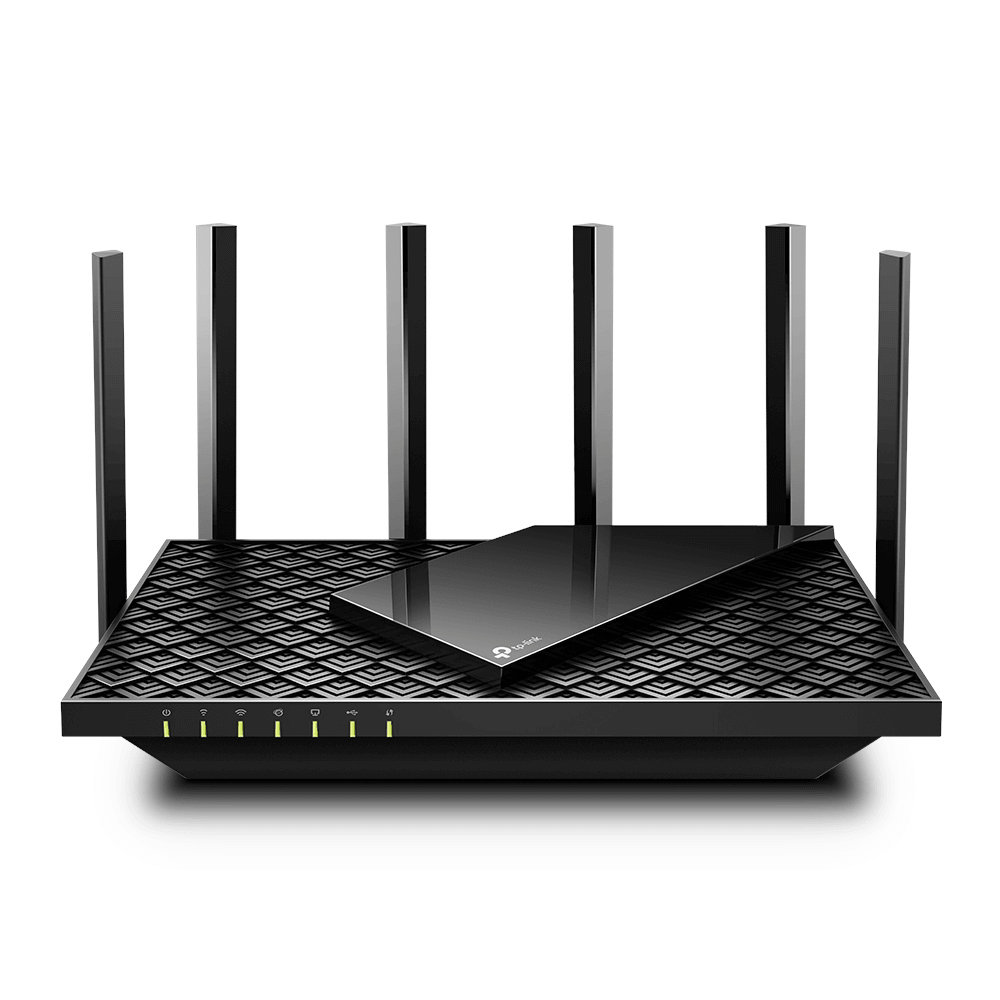
Pick 4 - Best specialist or alternative
TP-Link Archer AX73 V1 AX5400 Dual-Band Gigabit Wi-Fi 6 Router
At a glance:Adding a separately managed access point behind a retained Vodafone Hub after checking Ethernet placement and feature loss.
Trade-off:The one-gigabit WAN topology is the ceiling for the handoff, while six antennas and AX5400 wording do not guarantee coverage or speed in a particular home.
Official reference; not an affiliate buying link.
Compare all 4 picksHome Technology Desk: before you choose: Check the exact connection, account, mounting or installation requirement before opening a retailer link.
Decision checks: compatibility · setup and accounts · realistic use context
Compare the four configurations and rule out a poor fit before choosing a retailer.
Compare all fourThe shortlist
Four options, with the trade-offs visible
Use the fit, limitations and checkout checks before opening a retailer page. Confirm the current price, stock, delivery and returns with the retailer.
Pick 1
First comparison point
Best overall
TP-Link Archer BE230 V1 BE3600 Dual-Band Wi-Fi 7 Router
The strongest all-round starting point when compatible Wi-Fi 7 clients and 2.5G WAN/LAN plus a second 2.5G LAN port are useful behind the hub. This is the BE3600 family despite the BE230 model name; Wi-Fi 7 and 2.5G labels do not guarantee MLO behaviour, coverage or Vodafone support. Confirm exact Archer BE230 V1, behind-hub topology, destination, firmware and returns.
Highlights
- Exact current V1 identity, official image and configuration page: The strongest all-round starting point when compatible Wi-Fi 7 clients and 2.5G WAN/LAN plus a second 2.5G LAN port are useful behind the hub.
Drawbacks
- This is the BE3600 family despite the BE230 model name; Wi-Fi 7 and 2.5G labels do not guarantee MLO behaviour, coverage or Vodafone support.
Buyer fit
Best for
- Adding a separately managed access point behind a retained Vodafone Hub after checking Ethernet placement and feature loss.
Not for you if
- A Vodafone-supported direct hub replacement, guaranteed coverage or an unverified Digital Voice, Pro or 5G Broadband topology.
Check before buying
- Confirm exact Archer BE230 V1, the active destination, Access Point mode, Ethernet layout, feature loss, firmware, warranty and returns.
Pick 2
Best budget
TP-Link Archer AX55 Pro V1 AX3000 Multi-Gigabit Wi-Fi 6 Router
The balanced starting point when a 2.5G-capable Ethernet link and mainstream dual-band Wi-Fi 6 matter behind the Vodafone Hub. A 2.5G port does not prove Vodafone plan compatibility, line-rate throughput, whole-home coverage or a supported hub replacement. Confirm exact Archer AX55 Pro V1, behind-hub topology, destination, firmware and returns.
Highlights
- Exact current V1 identity, official image and configuration page: The balanced starting point when a 2.5G-capable Ethernet link and mainstream dual-band Wi-Fi 6 matter behind the Vodafone Hub.
Drawbacks
- A 2.5G port does not prove Vodafone plan compatibility, line-rate throughput, whole-home coverage or a supported hub replacement.
Buyer fit
Best for
- Adding a separately managed access point behind a retained Vodafone Hub after checking Ethernet placement and feature loss.
Not for you if
- A Vodafone-supported direct hub replacement, guaranteed coverage or an unverified Digital Voice, Pro or 5G Broadband topology.
Check before buying
- Confirm exact Archer AX55 Pro V1, the active destination, Access Point mode, Ethernet layout, feature loss, firmware, warranty and returns.
Pick 3
Best premium
TP-Link Archer AXE75 V1 AXE5400 Tri-Band Gigabit Wi-Fi 6E Router
The specialist choice when compatible 6GHz clients and a tri-band Wi-Fi 6E design matter behind the supported Vodafone service edge. Its Ethernet handoff remains gigabit, and 6GHz has shorter reach and no benefit for clients that do not support it. Confirm exact Archer AXE75 V1, behind-hub topology, destination, firmware and returns.
Highlights
- Exact current V1 identity, official image and configuration page: The specialist choice when compatible 6GHz clients and a tri-band Wi-Fi 6E design matter behind the supported Vodafone service edge.
Drawbacks
- Its Ethernet handoff remains gigabit, and 6GHz has shorter reach and no benefit for clients that do not support it.
Buyer fit
Best for
- Adding a separately managed access point behind a retained Vodafone Hub after checking Ethernet placement and feature loss.
Not for you if
- A Vodafone-supported direct hub replacement, guaranteed coverage or an unverified Digital Voice, Pro or 5G Broadband topology.
Check before buying
- Confirm exact Archer AXE75 V1, the active destination, Access Point mode, Ethernet layout, feature loss, firmware, warranty and returns.
Pick 4
Best specialist or alternative
TP-Link Archer AX73 V1 AX5400 Dual-Band Gigabit Wi-Fi 6 Router
The four-gigabit-LAN alternative when several wired devices matter more than a multi-gigabit uplink or 6GHz band. The one-gigabit WAN topology is the ceiling for the handoff, while six antennas and AX5400 wording do not guarantee coverage or speed in a particular home. Confirm exact Archer AX73 V1, behind-hub topology, destination, firmware and returns.
Highlights
- Exact current V1 identity, official image and configuration page: The four-gigabit-LAN alternative when several wired devices matter more than a multi-gigabit uplink or 6GHz band.
Drawbacks
- The one-gigabit WAN topology is the ceiling for the handoff, while six antennas and AX5400 wording do not guarantee coverage or speed in a particular home.
Buyer fit
Best for
- Adding a separately managed access point behind a retained Vodafone Hub after checking Ethernet placement and feature loss.
Not for you if
- A Vodafone-supported direct hub replacement, guaranteed coverage or an unverified Digital Voice, Pro or 5G Broadband topology.
Check before buying
- Confirm exact Archer AX73 V1, the active destination, Access Point mode, Ethernet layout, feature loss, firmware, warranty and returns.
Top 4 comparison
Compare the useful differences, trade-offs and final checks side by side.
Before you compare
Check these first
- 1Confirm the Vodafone Hub will remain connected as the service edge and identify the Ethernet path and access-point placement.
- 2Confirm exact model plus V1, Access Point mode, disabled router features, firmware, ports, warranty and returns.
- 3Confirm current Vodafone plan, Digital Voice and support implications directly with Vodafone before changing topology.
Your four roles
View specs & trade-offs
Trade-off:This is the BE3600 family despite the BE230 model name; Wi-Fi 7 and 2.5G labels do not guarantee MLO behaviour, coverage or Vodafone support.
Not ideal for:A Vodafone-supported direct hub replacement, guaranteed coverage or an unverified Digital Voice, Pro or 5G Broadband topology.
Check:Confirm exact Archer BE230 V1, the active destination, Access Point mode, Ethernet layout, feature loss, firmware, warranty and returns.
Warranty and support:Confirm the current UK warranty and seller returns for exact Archer BE230 V1. • Exact official TP-Link V1 configuration and current UK destination checked 2026-08-30; Vodafone support is retained only by keeping its hub available.
Sources:https://www.tp-link.com/uk/home-networking/wifi-router/archer-be230/v1/.
View specs & trade-offs
Trade-off:A 2.5G port does not prove Vodafone plan compatibility, line-rate throughput, whole-home coverage or a supported hub replacement.
Not ideal for:A Vodafone-supported direct hub replacement, guaranteed coverage or an unverified Digital Voice, Pro or 5G Broadband topology.
Check:Confirm exact Archer AX55 Pro V1, the active destination, Access Point mode, Ethernet layout, feature loss, firmware, warranty and returns.
Warranty and support:Confirm the current UK warranty and seller returns for exact Archer AX55 Pro V1. • Exact official TP-Link V1 configuration and current UK destination checked 2026-08-30; Vodafone support is retained only by keeping its hub available.
Sources:https://www.tp-link.com/uk/home-networking/wifi-router/archer-ax55-pro/v1/.
View specs & trade-offs
Trade-off:Its Ethernet handoff remains gigabit, and 6GHz has shorter reach and no benefit for clients that do not support it.
Not ideal for:A Vodafone-supported direct hub replacement, guaranteed coverage or an unverified Digital Voice, Pro or 5G Broadband topology.
Check:Confirm exact Archer AXE75 V1, the active destination, Access Point mode, Ethernet layout, feature loss, firmware, warranty and returns.
Warranty and support:Confirm the current UK warranty and seller returns for exact Archer AXE75 V1. • Exact official TP-Link V1 configuration and current UK destination checked 2026-08-30; Vodafone support is retained only by keeping its hub available.
Sources:https://www.tp-link.com/uk/home-networking/wifi-router/archer-axe75/v1/.
View specs & trade-offs
Trade-off:The one-gigabit WAN topology is the ceiling for the handoff, while six antennas and AX5400 wording do not guarantee coverage or speed in a particular home.
Not ideal for:A Vodafone-supported direct hub replacement, guaranteed coverage or an unverified Digital Voice, Pro or 5G Broadband topology.
Check:Confirm exact Archer AX73 V1, the active destination, Access Point mode, Ethernet layout, feature loss, firmware, warranty and returns.
Warranty and support:Confirm the current UK warranty and seller returns for exact Archer AX73 V1. • Exact official TP-Link V1 configuration and current UK destination checked 2026-08-30; Vodafone support is retained only by keeping its hub available.
Sources:https://www.tp-link.com/uk/home-networking/wifi-router/archer-ax73/v1/.
| Pick | Pick role | Best for | Avoid if | Key trade-off | Check before buying | Warranty/support status | Review/evidence basis |
|---|---|---|---|---|---|---|---|
| 1. TP-Link Archer BE230 V1 BE3600 Dual-Band Wi-Fi 7 Router | Best overall | Adding a separately managed access point behind a retained Vodafone Hub after checking Ethernet placement and feature loss. | A Vodafone-supported direct hub replacement, guaranteed coverage or an unverified Digital Voice, Pro or 5G Broadband topology. | This is the BE3600 family despite the BE230 model name; Wi-Fi 7 and 2.5G labels do not guarantee MLO behaviour, coverage or Vodafone support. | Confirm exact Archer BE230 V1, the active destination, Access Point mode, Ethernet layout, feature loss, firmware, warranty and returns. | Confirm the current UK warranty and seller returns for exact Archer BE230 V1. • Exact official TP-Link V1 configuration and current UK destination checked 2026-08-30; Vodafone support is retained only by keeping its hub available. | https://www.tp-link.com/uk/home-networking/wifi-router/archer-be230/v1/ |
| 2. TP-Link Archer AX55 Pro V1 AX3000 Multi-Gigabit Wi-Fi 6 Router | Best budget | Adding a separately managed access point behind a retained Vodafone Hub after checking Ethernet placement and feature loss. | A Vodafone-supported direct hub replacement, guaranteed coverage or an unverified Digital Voice, Pro or 5G Broadband topology. | A 2.5G port does not prove Vodafone plan compatibility, line-rate throughput, whole-home coverage or a supported hub replacement. | Confirm exact Archer AX55 Pro V1, the active destination, Access Point mode, Ethernet layout, feature loss, firmware, warranty and returns. | Confirm the current UK warranty and seller returns for exact Archer AX55 Pro V1. • Exact official TP-Link V1 configuration and current UK destination checked 2026-08-30; Vodafone support is retained only by keeping its hub available. | https://www.tp-link.com/uk/home-networking/wifi-router/archer-ax55-pro/v1/ |
| 3. TP-Link Archer AXE75 V1 AXE5400 Tri-Band Gigabit Wi-Fi 6E Router | Best premium | Adding a separately managed access point behind a retained Vodafone Hub after checking Ethernet placement and feature loss. | A Vodafone-supported direct hub replacement, guaranteed coverage or an unverified Digital Voice, Pro or 5G Broadband topology. | Its Ethernet handoff remains gigabit, and 6GHz has shorter reach and no benefit for clients that do not support it. | Confirm exact Archer AXE75 V1, the active destination, Access Point mode, Ethernet layout, feature loss, firmware, warranty and returns. | Confirm the current UK warranty and seller returns for exact Archer AXE75 V1. • Exact official TP-Link V1 configuration and current UK destination checked 2026-08-30; Vodafone support is retained only by keeping its hub available. | https://www.tp-link.com/uk/home-networking/wifi-router/archer-axe75/v1/ |
| 4. TP-Link Archer AX73 V1 AX5400 Dual-Band Gigabit Wi-Fi 6 Router | Best specialist or alternative | Adding a separately managed access point behind a retained Vodafone Hub after checking Ethernet placement and feature loss. | A Vodafone-supported direct hub replacement, guaranteed coverage or an unverified Digital Voice, Pro or 5G Broadband topology. | The one-gigabit WAN topology is the ceiling for the handoff, while six antennas and AX5400 wording do not guarantee coverage or speed in a particular home. | Confirm exact Archer AX73 V1, the active destination, Access Point mode, Ethernet layout, feature loss, firmware, warranty and returns. | Confirm the current UK warranty and seller returns for exact Archer AX73 V1. • Exact official TP-Link V1 configuration and current UK destination checked 2026-08-30; Vodafone support is retained only by keeping its hub available. | https://www.tp-link.com/uk/home-networking/wifi-router/archer-ax73/v1/ |
Choose this if / Avoid this if
Rule out poor-fit options before comparing finer details.
Avoid if
- You want to remove the Vodafone Hub without exact written confirmation that your plan, access network, Digital Voice and support route permit it.
- You cannot run Ethernet from the Vodafone Hub to the separate access point or accept the features disabled in Access Point mode.
- The seller page does not bind the exact model and V1 hardware revision.
Dealbreakers
- The intended setup is Pro Broadband, 5G Broadband or Digital Voice and depends on removing Vodafone hardware.
- Access Point mode, exact V1 identity or the current UK destination cannot be verified.
- A sibling model, conflicting catalogue record or unsupported replacement claim appears at checkout.
Check before buying
- Confirm the Vodafone Hub will remain connected as the service edge and identify the Ethernet path and access-point placement.
- Confirm exact model plus V1, Access Point mode, disabled router features, firmware, ports, warranty and returns.
- Confirm current Vodafone plan, Digital Voice and support implications directly with Vodafone before changing topology.
Choose another shortlist if
- Use Vodafone-supported boosters or Super WiFi when provider-owned support matters more than router control.
- Use a mesh shortlist when multiple nodes and dead-zone coverage, not one wired access point, are the main decision.
- Use a competent network installer when phone, accessibility, alarm or business continuity makes downtime unacceptable.
Detailed buyer guidance
Keep the Vodafone Hub as the service edge
The broadly supportable path is simple: leave the Vodafone Hub connected to the broadband service, run Ethernet from it to the exact router, and configure that second device in Access Point mode. TP-Link’s current Vodafone guide says this avoids the double-NAT arrangement produced by putting a second router in router mode, although Access Point mode also removes some router-mode features.
Vodafone’s current consumer guidance requires Vodafone hardware for Pro Broadband, 5G Broadband and Digital Voice plans. Other plans still require an Openreach-approved replacement plus credentials from Vodafone, and the hub may need to be reconnected for support. That is why this page does not recommend a direct replacement path for CityFibre, Digital Voice, Pro, 5G or any line whose exact access network and approval are unknown.
Who this is for
Use this comparison when the Vodafone Hub will remain connected, you can run Ethernet to a separate access point, and you want to compare exact V1 wired-port and radio options without losing the provider rollback route.
Who this is not for
Do not use it as approval to replace the Vodafone Hub, preserve Digital Voice, configure an unknown CityFibre or Openreach handoff, or guarantee speed and coverage. Those decisions require current line-specific Vodafone and network evidence.
Quick decision
- Choose Archer BE230 V1 for the balanced dual-2.5G Wi-Fi 7 starting point.
- Choose Archer AX55 Pro V1 for the lower-cost dual-band Wi-Fi 6 and 2.5G-capable option.
- Choose Archer AXE75 V1 when compatible 6GHz clients justify tri-band Wi-Fi 6E.
- Choose Archer AX73 V1 when four gigabit LAN ports and mature Wi-Fi 6 matter more than 2.5G or 6GHz.
Top 4 evidence and trade-offs
1. TP-Link Archer BE230 V1 — Balanced dual-2.5G Wi-Fi 7 option
The strongest all-round starting point when compatible Wi-Fi 7 clients and 2.5G WAN/LAN plus a second 2.5G LAN port are useful behind the hub.
The exact TP-Link V1 page publishes Access Point Mode, PPPoE, IGMP Proxy, IGMP Snooping, Bridge and Tag VLAN controls. This is the BE3600 family despite the BE230 model name; Wi-Fi 7 and 2.5G labels do not guarantee MLO behaviour, coverage or Vodafone support.
The checked action is an exact non-affiliate UK seller reference. Re-check exact Archer BE230 V1, availability, the behind-hub topology, firmware, warranty and returns before purchase.
2. TP-Link Archer AX55 Pro V1 — Lower-cost 2.5G access-point option
The balanced starting point when a 2.5G-capable Ethernet link and mainstream dual-band Wi-Fi 6 matter behind the Vodafone Hub.
The exact TP-Link V1 page publishes Access Point Mode, PPPoE, IGMP Proxy, IGMP Snooping, Bridge and Tag VLAN controls. A 2.5G port does not prove Vodafone plan compatibility, line-rate throughput, whole-home coverage or a supported hub replacement.
The checked action is an exact non-affiliate UK seller reference. Re-check exact Archer AX55 Pro V1, availability, the behind-hub topology, firmware, warranty and returns before purchase.
3. TP-Link Archer AXE75 V1 — Premium 6GHz client option
The specialist choice when compatible 6GHz clients and a tri-band Wi-Fi 6E design matter behind the supported Vodafone service edge.
The exact TP-Link V1 page publishes Access Point Mode, PPPoE, IGMP Proxy, IGMP Snooping, Bridge and Tag VLAN controls. Its Ethernet handoff remains gigabit, and 6GHz has shorter reach and no benefit for clients that do not support it.
The checked action is an exact non-affiliate UK seller reference. Re-check exact Archer AXE75 V1, availability, the behind-hub topology, firmware, warranty and returns before purchase.
4. TP-Link Archer AX73 V1 — Gigabit wired-device alternative
The four-gigabit-LAN alternative when several wired devices matter more than a multi-gigabit uplink or 6GHz band.
The exact TP-Link V1 page publishes Access Point Mode, PPPoE, IGMP Proxy, IGMP Snooping, Bridge and Tag VLAN controls. The one-gigabit WAN topology is the ceiling for the handoff, while six antennas and AX5400 wording do not guarantee coverage or speed in a particular home.
The checked action is an exact non-affiliate UK seller reference. Re-check exact Archer AX73 V1, availability, the behind-hub topology, firmware, warranty and returns before purchase.
What the controls prove — and what they do not
All four exact V1 pages publish Access Point mode, PPPoE, IGMP Proxy, IGMP Snooping, Bridge and Tag VLAN. Those are useful configuration facts. They do not prove that a particular Vodafone line uses PPPoE or a specific VLAN, that Digital Voice survives, that Vodafone or Openreach approves the hardware, or that support continues after the hub is removed. Never hardcode credentials or a VLAN value from this shortlist.
What would change the order
The order changes with the Ethernet run, service speed, client radio support, number of wired devices, 6GHz need, home layout, disabled access-point features and seller support. A current exact router from another brand can join a future cohort after passing the same V1 identity, official-image, configuration, destination and Vodafone-boundary proof. Temporary price and commission did not establish this order.
Check again before buying
Re-open the exact TP-Link V1 page, current UK seller and Vodafone guidance. Confirm the Vodafone Hub stays available, exact model and revision, Ethernet placement, Access Point mode, feature loss, firmware, warranty and returns. Stop if a seller substitutes a sibling model, the V1 revision disappears or the intended setup depends on an unproved direct replacement.
What would change the winner?
The lead pick remains the right starting point only while this shortlist matches your priorities. Reconsider it when a different use case or fit requirement matters more.
Known limitations
UK Shortlists did not install these routers on a Vodafone line; evidence is limited to official provider guidance, exact manufacturer specifications and current destination checks.
How we chose
The checks behind the four picks
We required one exact V1 identity, official image, current UK destination and published Access Point, PPPoE and VLAN/IPTV controls, then ranked wired and radio fit rather than price or commission.
- Step 1: Retain the Vodafone Hub as the supported service edge
- Step 2: Exact V1 Access Point and Ethernet setup
- Step 3: Exact PPPoE and VLAN/IPTV controls without claiming replacement eligibility
- Step 4: Wired-port and radio-generation fit
- Step 5: Current exact UK product destination
Disclosure
Last reviewed: 30/08/2026
UK Shortlists may earn a commission when you use some retailer links. This does not increase the price you pay.
As an Amazon Associate we earn from qualifying purchases.
Retailers cannot pay to change which products we recommend or their order.
Prices, stock, delivery and returns can change. Confirm the final details with the retailer before buying.
Read more about how UK Shortlists makes money, retailer checks, and how corrections are handled.
Who checked this shortlist?
- Written / compiled by:
- Home Technology Desk
- Reviewed by:
- UK Shortlists Editorial Team
- Last reviewed:
- 30/08/2026
- Review basis:
- Criteria-based comparison
We compare published product information, retailer details and the buying criteria shown above. UK Shortlists does not currently publish claims based on first-party product use, laboratory testing or long-term testing.
FAQs & alternatives
Are these routers approved to replace the Vodafone Hub?
No. This shortlist compares Access Point mode behind the retained hub. Vodafone's own guidance makes replacement eligibility dependent on the plan, access network, Digital Voice and provider credentials.
Why publish PPPoE and Tag VLAN if this is an access-point comparison?
They prove the exact router exposes relevant controls and make future setup checks more transparent; they do not prove the current Vodafone line should use them or that replacement is supported.
Does Access Point mode avoid double NAT?
TP-Link documents Access Point mode as the way to avoid the double-NAT router-behind-router arrangement, but some router-mode features are then unavailable. Confirm the exact feature loss before purchase.
Also consider
- Keep the Vodafone Hub and use provider-supported WiFi hardware.
- Compare /shortlists/best-mesh-wifi-for-large-houses-uk-2026 when several wired or wireless nodes are required.
- Compare /shortlists/best-routers-for-full-fibre-gigabit-uk-2026 for a provider-neutral full-fibre screen.
Newsletter
Want the next useful buying check?
Get occasional UK Shortlists updates for decisions like this. Unsubscribe at any time.
Related shortlists
- Best Routers for Thick Walls in the UK (2026)
Use this if wall layout and signal barriers are the main cause of dropouts.
- Best Routers with Parental Controls in the UK (2026)
Use this related shortlist to compare trade-offs before finalising your Top 4 pick.
- Best Routers for Smart Homes in the UK (2026)
Use this related shortlist to compare trade-offs before finalising your Top 4 pick.
- Best Secure Home Routers with Auto Firmware Updates in the UK (2026)
Use this related shortlist to compare trade-offs before finalising your Top 4 pick.
- Best Routers for Home Working in the UK (2026)
Use this related shortlist to compare trade-offs before finalising your Top 4 pick.
- Best Standalone Wi-Fi 7 Routers in the UK (2026)
Use this if Wi‑Fi generation upgrades are your first filter before layout-specific routing.