
UK buying shortlist
Best Webcams for Low-Light Home Offices in the UK (2026)
Written by Everyday Technology Desk Everyday technology editorial desk · Audio & Creator Gear beat · reviewed 12/09/2026
Four exact, commission-linked webcam routes for home workers deciding whether camera hardware can help a dim desk, with lighting, placement and software checks kept ahead of unsupported low-light promises.
Quick answer · Top 4
Compare all four options
Affiliate links may earn commission. Check current price, stock, delivery, returns and fit on the retailer page before buying.
Pick 1 - Best budget
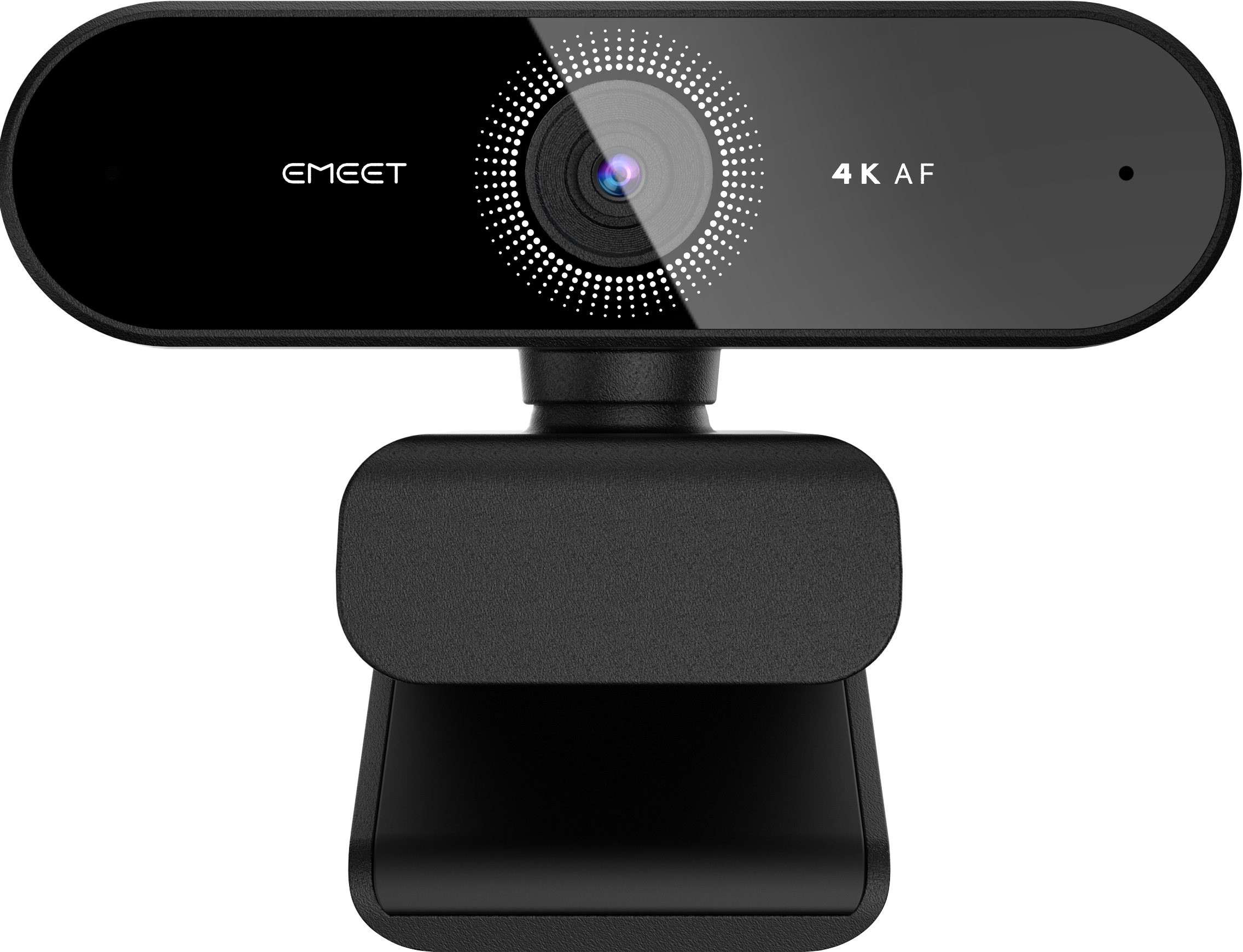
EMEET Nova 4K Webcam E3131
Check price on AmazonAt a glance:A straightforward 4K webcam comparison where exact listing identity is the first requirement.
Trade-off:Lighting, software, mounting and microphone performance remain setup-dependent.
Pick 2 - Best overall
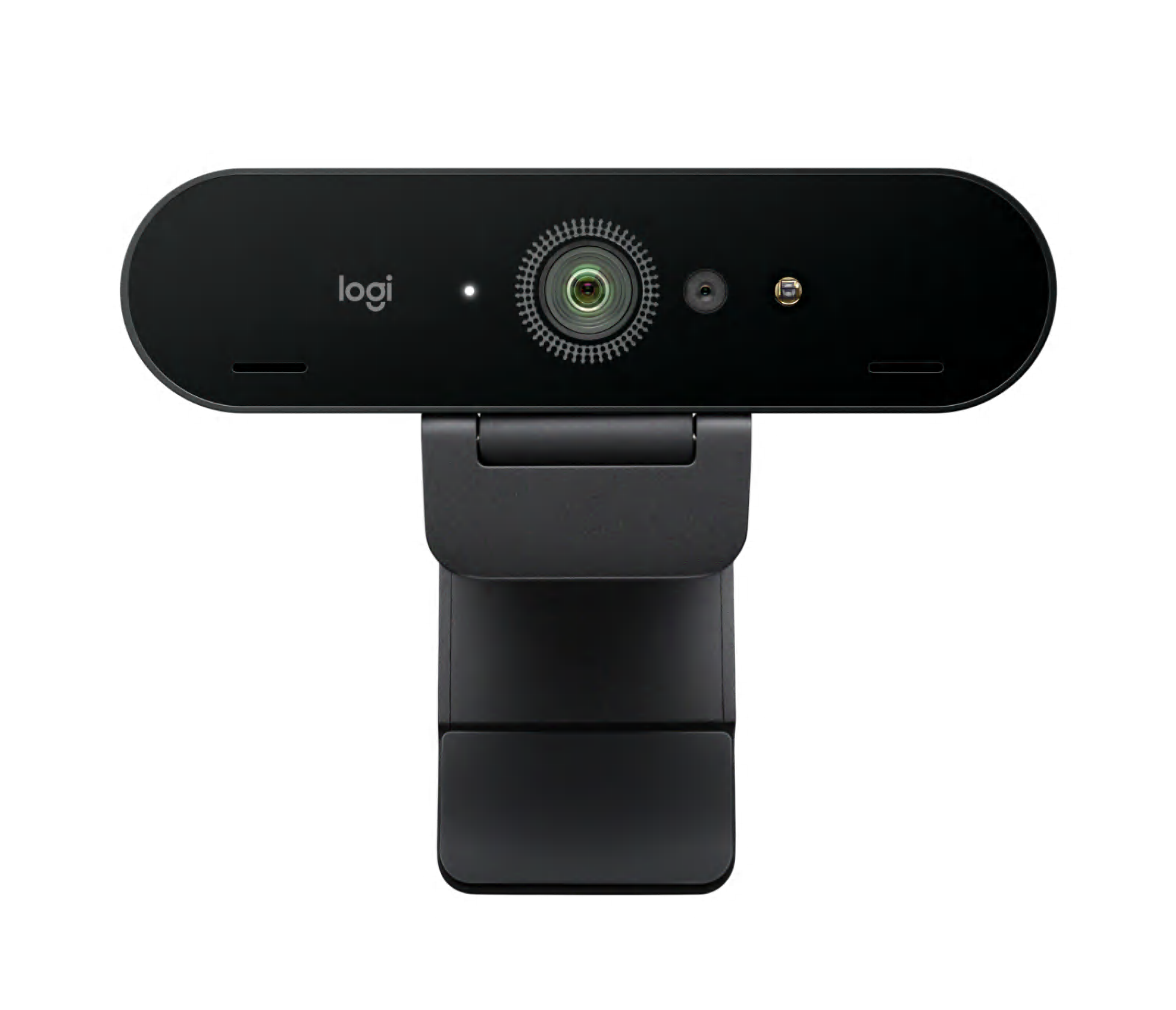
Logitech Brio 4K Webcam 960-001718
Check price on AmazonAt a glance:Buyers who value clear published setup documentation for a 4K webcam.
Trade-off:4K capture depends on the host USB connection and compatible software, so it is not a plug-and-forget result.
Pick 3 - Best premium
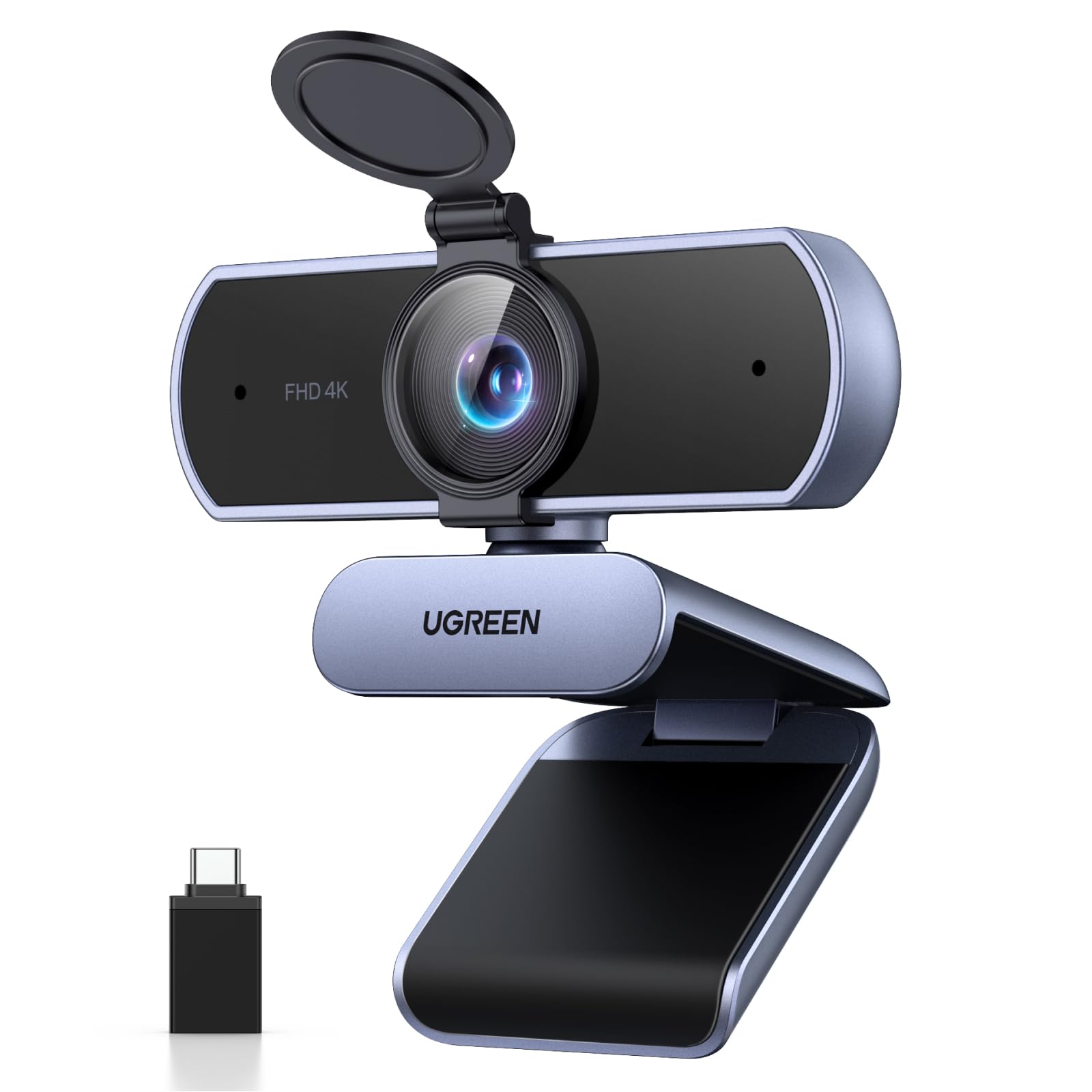
UGREEN 4K Webcam 65381
Check price on AmazonAt a glance:Buyers who want a published privacy-cover and adapter arrangement checked against their desk setup.
Trade-off:Check your display mount, host USB port and software rather than assuming universal compatibility.

Pick 4 - Best specialist or alternative
IPEVO V4K PRO 120 USB Visualiser 5-924-2-08-00
Check price on AmazonAt a glance:Hybrid workers who need to show documents, objects or a wider area in addition to video calls.
Trade-off:Its document-camera form factor and 120-degree field of view may be unnecessary for an ordinary single-person desk call.
Everyday Technology Desk: before you choose: Check the exact device, port, app, operating-system and warranty fit before checkout.
Decision checks: device and port fit · portability · support and warranty
The shortlist
Four options, with the trade-offs visible
Use the fit, limitations and checkout checks before opening a retailer page. Confirm the current price, stock, delivery and returns with the retailer.
Pick 1
Best budget
EMEET Nova 4K Webcam E3131
The lower-commitment exact 4K comparison point. Choose it only after checking whether a front light and better camera height solve the problem without new hardware.
Affiliate retailer link. Check current price, stock, delivery and returns before buying.
Highlights
- Current 4K webcam candidate for buyers who first want exact model and connection continuity.
Drawbacks
- Lighting, software, mounting and microphone performance remain setup-dependent.
Buyer fit
Best for
- A straightforward 4K webcam comparison where exact listing identity is the first requirement.
Not for you if
- Buyers who need a proven conference-room or specialist document-camera workflow.
Check before buying
- Verify USB connection, monitor fit, privacy shutter, software support and return terms.
Pick 2
Overall winner
Best overall
Logitech Brio 4K Webcam 960-001718
The strongest documented starting point because Logitech identifies the exact part and publishes RightLight 3 for lighting conditions from low light to direct sunlight. That is manufacturer evidence, not our own performance test.
Affiliate retailer link. Check current price, stock, delivery and returns before buying.
Highlights
- Exact part-number documentation covers resolution modes, cable, mounting and connection checks.
Drawbacks
- 4K capture depends on the host USB connection and compatible software, so it is not a plug-and-forget result.
Buyer fit
Best for
- Buyers who value clear published setup documentation for a 4K webcam.
Not for you if
- Buyers who need a dedicated wide-room or document-camera format.
Check before buying
- Check USB port type, camera placement, field of view, privacy shutter, software and seller terms.
Pick 3
Best premium
UGREEN 4K Webcam 65381
A setup-led alternative when the published privacy cover, adapter and narrow 70-degree field of view fit the desk. No measured low-light advantage is claimed.
Affiliate retailer link. Check current price, stock, delivery and returns before buying.
Highlights
- Documented model-specific features make it a useful setup-led alternative to a more conventional webcam.
Drawbacks
- Check your display mount, host USB port and software rather than assuming universal compatibility.
Buyer fit
Best for
- Buyers who want a published privacy-cover and adapter arrangement checked against their desk setup.
Not for you if
- Buyers needing a specialist document camera or a claim of measured low-light superiority.
Check before buying
- Confirm USB-A or USB-C route, monitor thickness, privacy-cover use, software support and returns.
Pick 4
Best specialist or alternative
IPEVO V4K PRO 120 USB Visualiser 5-924-2-08-00
The specialist option for showing documents or a wider work area as well as your face. Its adjustable arm solves a different job and should not be bought as a generic low-light upgrade.
Affiliate retailer link. Check current price, stock, delivery and returns before buying.
Highlights
- A differentiated specialist route for people who need document, tabletop or wide-angle framing as well as calls.
Drawbacks
- Its document-camera form factor and 120-degree field of view may be unnecessary for an ordinary single-person desk call.
Buyer fit
Best for
- Hybrid workers who need to show documents, objects or a wider area in addition to video calls.
Not for you if
- Buyers who only need a compact monitor-mounted webcam.
Check before buying
- Confirm desk footprint, document-capture need, USB compatibility, mounting angle and seller return terms.
Top 4 comparison
Compare the useful differences, trade-offs and final checks side by side.
Before you compare
Check these first
- 1Make one test call with a lamp or window in front of you and the camera at eye height before deciding hardware is the constraint.
- 2Confirm the exact E3131, 960-001718, 65381 or 5-924-2-08-00 identity on the live product page.
- 3Check USB port and dock compatibility, cable reach, monitor mounting, privacy needs and supported software.
Your four roles
View specs & trade-offs
Trade-off:Lighting, software, mounting and microphone performance remain setup-dependent.
Not ideal for:Buyers who need a proven conference-room or specialist document-camera workflow.
Check:Verify USB connection, monitor fit, privacy shutter, software support and return terms.
Warranty and support:Check the current seller and EMEET support terms for the exact E3131 variant. • Use the maker documentation and current seller listing to confirm setup and support details.
Sources:EMEET Nova product page checked 2026-08-07 provides maker context for the Nova webcam family: https://emeet.com/products/webcam-nova.
View specs & trade-offs
Trade-off:4K capture depends on the host USB connection and compatible software, so it is not a plug-and-forget result.
Not ideal for:Buyers who need a dedicated wide-room or document-camera format.
Check:Check USB port type, camera placement, field of view, privacy shutter, software and seller terms.
Warranty and support:Check current Logitech and retailer warranty terms for the exact regional SKU. • Logitech publishes setup and support material for the exact 960-001718 model.
Sources:Logitech Brio 4K product page checked 2026-08-07 identifies part 960-001718 and its documented resolutions, mounting and USB requirements: https://www.logitech.com/en-ae/products/webcams/brio-4k.960-001718.html.
View specs & trade-offs
Trade-off:Check your display mount, host USB port and software rather than assuming universal compatibility.
Not ideal for:Buyers needing a specialist document camera or a claim of measured low-light superiority.
Check:Confirm USB-A or USB-C route, monitor thickness, privacy-cover use, software support and returns.
Warranty and support:Check current UGREEN and seller warranty terms for SKU 65381. • Use UGREEN documentation and the exact live retailer listing to confirm setup support.
Sources:UGREEN product page checked 2026-08-07 identifies SKU 65381, its published 4K/30 and 1080p/60 modes, privacy cover, adapter and field of view: https://www.ugreen.com/en-ca/products/ca-65381.
View specs & trade-offs
Trade-off:Its document-camera form factor and 120-degree field of view may be unnecessary for an ordinary single-person desk call.
Not ideal for:Buyers who only need a compact monitor-mounted webcam.
Check:Confirm desk footprint, document-capture need, USB compatibility, mounting angle and seller return terms.
Warranty and support:Check current IPEVO and retailer warranty terms for the exact regional item. • IPEVO publishes setup and support material for the V4K PRO 120.
Sources:IPEVO V4K PRO 120 overview checked 2026-08-07 identifies part 5-924-2-08-00, a 120-degree field of view, 4K document-camera format and adjustable arm: https://us.ipevo.com/pages/v4k-pro-120.
| Pick | Pick role | Best for | Avoid if | Key trade-off | Check before buying | Warranty/support status | Review/evidence basis | Retailer |
|---|---|---|---|---|---|---|---|---|
| 1. EMEET Nova 4K Webcam E3131 | Best budget | A straightforward 4K webcam comparison where exact listing identity is the first requirement. | Buyers who need a proven conference-room or specialist document-camera workflow. | Lighting, software, mounting and microphone performance remain setup-dependent. | Verify USB connection, monitor fit, privacy shutter, software support and return terms. | Check the current seller and EMEET support terms for the exact E3131 variant. • Use the maker documentation and current seller listing to confirm setup and support details. | EMEET Nova product page checked 2026-08-07 provides maker context for the Nova webcam family: https://emeet.com/products/webcam-nova. | Check retailer price |
| 2. Logitech Brio 4K Webcam 960-001718 | Best overall | Buyers who value clear published setup documentation for a 4K webcam. | Buyers who need a dedicated wide-room or document-camera format. | 4K capture depends on the host USB connection and compatible software, so it is not a plug-and-forget result. | Check USB port type, camera placement, field of view, privacy shutter, software and seller terms. | Check current Logitech and retailer warranty terms for the exact regional SKU. • Logitech publishes setup and support material for the exact 960-001718 model. | Logitech Brio 4K product page checked 2026-08-07 identifies part 960-001718 and its documented resolutions, mounting and USB requirements: https://www.logitech.com/en-ae/products/webcams/brio-4k.960-001718.html. | Check winner price |
| 3. UGREEN 4K Webcam 65381 | Best premium | Buyers who want a published privacy-cover and adapter arrangement checked against their desk setup. | Buyers needing a specialist document camera or a claim of measured low-light superiority. | Check your display mount, host USB port and software rather than assuming universal compatibility. | Confirm USB-A or USB-C route, monitor thickness, privacy-cover use, software support and returns. | Check current UGREEN and seller warranty terms for SKU 65381. • Use UGREEN documentation and the exact live retailer listing to confirm setup support. | UGREEN product page checked 2026-08-07 identifies SKU 65381, its published 4K/30 and 1080p/60 modes, privacy cover, adapter and field of view: https://www.ugreen.com/en-ca/products/ca-65381. | Check retailer price |
| 4. IPEVO V4K PRO 120 USB Visualiser 5-924-2-08-00 | Best specialist or alternative | Hybrid workers who need to show documents, objects or a wider area in addition to video calls. | Buyers who only need a compact monitor-mounted webcam. | Its document-camera form factor and 120-degree field of view may be unnecessary for an ordinary single-person desk call. | Confirm desk footprint, document-capture need, USB compatibility, mounting angle and seller return terms. | Check current IPEVO and retailer warranty terms for the exact regional item. • IPEVO publishes setup and support material for the V4K PRO 120. | IPEVO V4K PRO 120 overview checked 2026-08-07 identifies part 5-924-2-08-00, a 120-degree field of view, 4K document-camera format and adjustable arm: https://us.ipevo.com/pages/v4k-pro-120. | Check retailer price |
Choose this if / Avoid this if
Rule out poor-fit options before comparing finer details.
Avoid if
- A small front light, better camera height or lower background brightness fixes the call.
- You need independent measured low-light results or guaranteed compatibility with a particular employer setup.
Dealbreakers
- The current listing does not show the exact recorded model, part or ASIN.
- Your managed laptop, dock or meeting software cannot use the camera without an unapproved driver or adapter.
Check before buying
- Make one test call with a lamp or window in front of you and the camera at eye height before deciding hardware is the constraint.
- Confirm the exact E3131, 960-001718, 65381 or 5-924-2-08-00 identity on the live product page.
- Check USB port and dock compatibility, cable reach, monitor mounting, privacy needs and supported software.
- Verify current seller, bundle, delivery, warranty and return terms before checkout.
Choose another shortlist if
- Choose a lighting route when the existing camera is acceptable once your face is lit from the front.
- Choose a USB microphone route when echo or voice clarity is the real issue.
- Choose the broader 4K webcam route when resolution and framing matter more than dim-room setup.
Detailed buyer guidance
Fix the light before replacing the camera
A webcam cannot create useful light that is not there. Before opening a product page, make one call from the desk you actually use. Put a lamp or window in front of you, reduce a very bright background and raise the camera near eye level. If that fixes the picture, keep your current camera.
If the image remains poor and the camera is the limiting part, use the four roles as different paths rather than a promise that every newer webcam performs better in every dim room.
- EMEET Nova E3131 is the lower-commitment exact 4K comparison.
- Logitech Brio 4K 960-001718 is the evidence-led starting point because Logitech explicitly publishes a lighting-correction feature for conditions including low light.
- UGREEN 65381 is the privacy- and setup-led alternative, with a published cover, adapter and 70-degree field of view.
- IPEVO V4K PRO 120 is a specialist adjustable document-camera route, not a default desk-call upgrade.
Use a two-call decision check
First, record or join a short call with the current camera after improving the light direction and camera height. Then write down the remaining problem: excessive darkness, distracting background, poor framing, unreliable connection or weak voice capture.
Only compare webcams if the remaining problem is visual and camera-related. If voice is the problem, compare a microphone. If your face is still dark while the background is bright, change the room setup before spending.
For a shortlisted webcam, check:
- The exact model or part number is visible on the Amazon page.
- Your laptop or dock has the required USB route and your employer permits the device.
- The camera can sit at a useful height without covering the screen.
- Your actual meeting application can select it and use the intended resolution.
- The seller, bundle, cable, delivery, warranty and return terms are acceptable.
What the evidence does and does not prove
The product identities and setup facts come from current manufacturer pages. Each product button uses the exact Amazon UK ASIN recorded for that model and a commission-paying UK Shortlists tracking tag. The product images also come from official manufacturer surfaces.
That evidence does not prove which image you will prefer. UK Shortlists has not run a controlled low-light test, and we do not use ratings, review counts, temporary prices or stock claims to manufacture certainty. Logitech’s low-light wording is a manufacturer statement and is treated as such.
If resolution and normal home-office framing are the larger concern, compare 4K webcams for home offices. If better light is the missing piece, use desk lamps for video calls. If colleagues struggle to hear you, move to USB microphones for Zoom and Teams.
What would change the winner?
The lead pick remains the right starting point only while this shortlist matches your priorities. Reconsider it when a different use case or fit requirement matters more.
Known limitations
UK Shortlists has not performed a controlled webcam or low-light comparison. The Logitech lighting statement is attributed to its manufacturer; the other roles are based on exact identity and documented setup fit.
How we chose
The checks behind the four picks
Rebuilt on 12 September 2026 from exact manufacturer identities, official setup evidence and four live Amazon UK product-detail destinations. We rank documented fit for the low-light buying decision; we do not claim a measured image-quality winner.
- Step 1: Exact model, part or SKU and a current UK product-detail destination
- Step 2: Officially published lighting, connection, mounting and framing evidence
- Step 3: Whether a camera change addresses the real bottleneck rather than masking poor light placement
- Step 4: Desk fit, software support, privacy, return-option and specialist-workflow trade-offs
Disclosure
Last reviewed: 12/09/2026
UK Shortlists may earn a commission when you use some retailer links. This does not increase the price you pay.
As an Amazon Associate we earn from qualifying purchases.
Retailers cannot pay to change which products we recommend or their order.
Prices, stock, delivery and returns can change. Confirm the final details with the retailer before buying.
Read more about how UK Shortlists makes money, retailer checks, and how corrections are handled.
Who checked this shortlist?
- Written / compiled by:
- Everyday Technology Desk
- Reviewed by:
- UK Shortlists Editorial Team
- Last reviewed:
- 12/09/2026
- Review basis:
- Criteria-based comparison
We compare published product information, retailer details and the buying criteria shown above. UK Shortlists does not currently publish claims based on first-party product use, laboratory testing or long-term testing.
FAQs & alternatives
Will a new webcam definitely fix a dark video call?
No. First change light direction, camera height and background brightness. A webcam can only help within the limits of the room, host connection and software.
Why is the Logitech the starting point?
Its exact manufacturer page explicitly documents RightLight 3 across lighting conditions including low light. UK Shortlists has not independently measured that performance.
Are all four product buttons affiliate links?
Yes. Each current product action goes to an exact Amazon UK product-detail page carrying a registered UK Shortlists Associates tag.
Newsletter
Want the next useful buying check?
Get occasional UK Shortlists updates for decisions like this. Unsubscribe at any time.
Related shortlists
- Best Webcams for Video Calls in the UK (2026)
Use this related shortlist to compare trade-offs before finalising your Top 4 pick.
- Best Webcams for Small Meeting Rooms at Home in the UK (2026)
Use this related shortlist to compare trade-offs before finalising your Top 4 pick.
- Best USB-C Office Headsets in the UK (2026)
Use this related shortlist to compare trade-offs before finalising your Top 4 pick.
- Best USB Microphones in the UK (2026): Four Recording Setups
Use this related shortlist to compare trade-offs before finalising your Top 4 pick.
- Best Wireless Earbuds for Busy Train Commutes in the UK (2026)
Use this related shortlist to compare trade-offs before finalising your Top 4 pick.
- Best USB Microphones for Kitchen-Table Podcasts in the UK (2026)
Use this related shortlist to compare trade-offs before finalising your Top 4 pick.