
UK buying shortlist
Best Ultrawide Monitors for Multitasking and Spreadsheet Work in the UK (2026)
Written by Everyday Technology Desk Everyday technology editorial desk · Monitors & Displays beat · reviewed 05/09/2026
Choose this guide if you are comparing ultrawide monitors for multitasking and spreadsheet work and want a UK-first Top 4 with verified specifications, trade-offs and checkout checks.
Quick answer · Top 4
Compare all four options
Retailer buttons are affiliate links and may earn commission. Official references and product details explain identity, specifications and buying checks; they do not confirm live price, stock or universal fit.
Pick 1 - Best overall
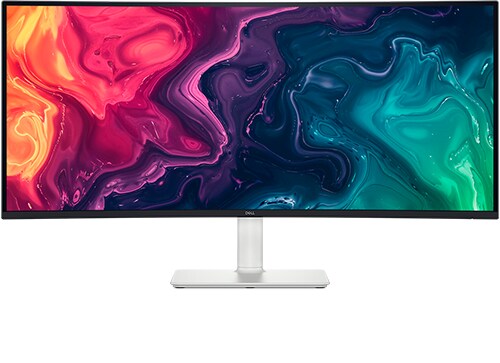
Dell S3425DW 34-inch Curved Ultrawide Monitor
Check price on AmazonAt a glance:Spreadsheet and multi-window office productivity with 65W USB-C laptop connectivity
Trade-off:Stand supports height, tilt and slant adjustments, but does not swivel or pivot.
Pick 2 - Best budget
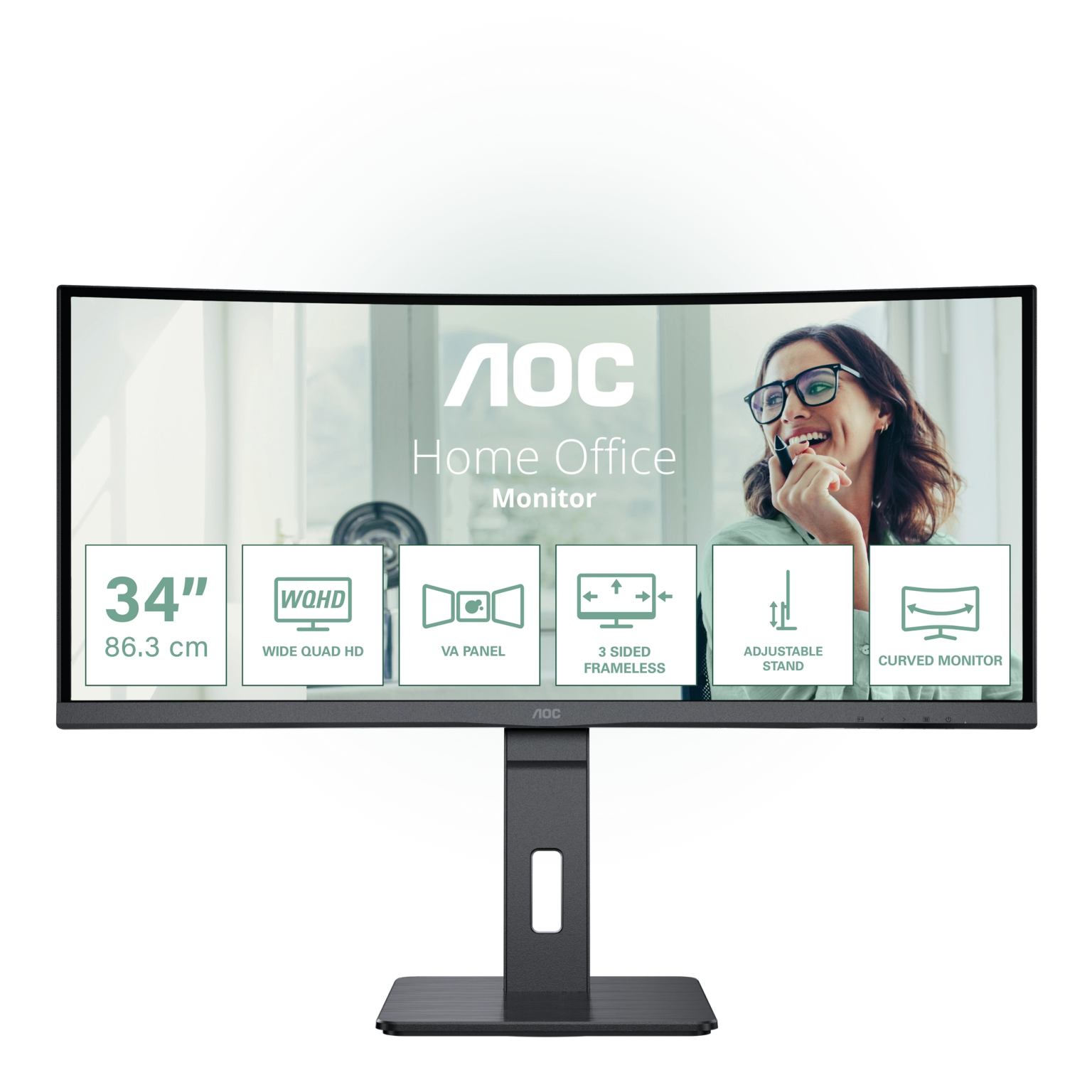
AOC CU34P3CV 34-inch Curved Ultrawide Monitor
At a glance:Ultrawide desk productivity needing USB-C docking with 65W PD and RJ45 Ethernet
Trade-off:EAN differences exist across regional distributions; seller plug type and warranty terms must be verified prior to purchase.
Official reference; not an affiliate buying link.
Compare all 4 picks
Pick 3 - Best premium
Philips 346B1C/00 34-inch Curved Ultrawide Monitor
At a glance:Desk setups wanting an ultrawide docking monitor with built-in KVM, RJ45 and 180mm height/swivel stand
Trade-off:USB-C at 3440×1440 defaults to 60Hz in USB 3.2 hub mode; reaching 100Hz requires switching to USB 2.0 mode in OSD.
Official reference; not an affiliate buying link.
Compare all 4 picks
Pick 4 - Best specialist or alternative
Samsung Odyssey G5 LC34G55TWWPXXU 34-inch Curved Ultrawide Monitor
At a glance:Desktop PC users wanting a 1000R curved ultrawide with up to 165Hz refresh for work and gaming
Trade-off:Does not feature USB-C input or laptop charging; separate display cable and laptop charger required.
Official reference; not an affiliate buying link.
Compare all 4 picksEveryday Technology Desk: before you choose: Check the exact device, port, app, operating-system and warranty fit before checkout.
Decision checks: device and port fit · portability · support and warranty
The shortlist
Four options, with the trade-offs visible
Use the fit, limitations and checkout checks before opening a retailer page. Confirm the current price, stock, delivery and returns with the retailer.
Pick 1
First comparison point
Best overall
Dell S3425DW 34-inch Curved Ultrawide Monitor
Dell S3425DW 34-inch Curved Ultrawide Monitor is the lead all-rounder pick for ultrawide spreadsheet and multi-window productivity, offering 65W USB-C power delivery and 120Hz refresh, with the main trade-off being stand adjustments include height, tilt and slant but no swivel. Check exact part 210-BQWR, included cables and laptop USB-C DP Alt Mode/PD compatibility before buying.
Affiliate retailer link. Check current price, stock, delivery and returns before buying.
Highlights
- 3440×1440 resolution provides extra horizontal workspace for side-by-side windows.
- USB-C port supplies video and up to 65W laptop power delivery via suitable cable.
- Supports up to 120Hz refresh rate across HDMI and USB-C inputs.
Drawbacks
- Stand supports height, tilt and slant adjustments, but does not swivel or pivot.
- 65W USB-C power delivery may not supply full-speed charging for power-hungry workstation laptops under heavy load.
Buyer fit
Best for
- Spreadsheet and multi-window office productivity with 65W USB-C laptop connectivity
- Desks needing 130mm stand height adjustment and 1800R curved display
Not for you if
- Workstations requiring 90W+ laptop charging or full stand swivel adjustment
Check before buying
- Confirm exact part 210-BQWR, included cables, laptop USB-C DP Alt Mode and PD charging specs, and seller return terms before checkout.
Pick 2
Best budget
AOC CU34P3CV 34-inch Curved Ultrawide Monitor
AOC CU34P3CV 34-inch Curved Ultrawide Monitor is assigned to the budget-conscious lane for ultrawide multitasking with 65W USB-C, RJ45 Ethernet and 150mm height/swivel adjustment, with the main trade-off being seller plug type and warranty terms must be verified prior to purchase due to regional distribution differences. Compare current total seller prices and verify exact SKU CU34P3CV, EAN 4038986110730 and seller warranty terms before buying.
Highlights
- 3440×1440 ultrawide VA panel with 1500R curve for multi-document productivity.
- USB-C connectivity with 65W power delivery and integrated RJ45 Ethernet.
- Stand with 150mm height, tilt and swivel adjustments.
Drawbacks
- EAN differences exist across regional distributions; seller plug type and warranty terms must be verified prior to purchase.
Buyer fit
Best for
- Ultrawide desk productivity needing USB-C docking with 65W PD and RJ45 Ethernet
- Setups requiring a 150mm height, tilt and swivel adjustable stand
Not for you if
- Buyers requiring a 3-year seller-guaranteed UK warranty or confirmed UK plug without pre-purchase check
Check before buying
- Confirm exact manufacturer SKU CU34P3CV, EAN 4038986110730, included power cable/plug type and 24-month warranty details with seller before purchasing.
Pick 3
Best premium
Philips 346B1C/00 34-inch Curved Ultrawide Monitor
Philips 346B1C/00 34-inch Curved Ultrawide Monitor is the premium docking lane with up to 90W USB-C Power Delivery, integrated KVM switch, RJ45 Ethernet and 180mm height/swivel stand, with the main trade-off being USB-C defaults to 60Hz in USB 3.2 hub mode and requires OSD toggle to USB 2.0 for 100Hz. Check exact variant 346B1C/00, stand footprint and seller delivery terms before buying.
Highlights
- 3440×1440 curved VA panel with integrated USB-C docking providing up to 90W Power Delivery, KVM switch and RJ45 Ethernet.
- 180mm height adjustment with -180/+180° swivel and -5/+30° tilt.
- MultiView PIP/PBP support for multi-device workflows.
Drawbacks
- USB-C at 3440×1440 defaults to 60Hz in USB 3.2 hub mode; reaching 100Hz requires switching to USB 2.0 mode in OSD.
- USB-C and HDMI inputs cannot be used simultaneously for PIP/PBP mode.
Buyer fit
Best for
- Desk setups wanting an ultrawide docking monitor with built-in KVM, RJ45 and 180mm height/swivel stand
- Multi-device productivity where switching between laptop and desktop is needed
Not for you if
- Buyers expecting simultaneous USB-C and HDMI PIP/PBP side-by-side display
- Setups expecting 100Hz refresh rate while using high-speed USB 3.2 hub data transfers
Check before buying
- Confirm exact variant 346B1C/00, laptop USB-C DP Alt Mode/PD compatibility, stand footprint (807x601x250mm, 11.49kg) and seller delivery/return terms before checkout.
Pick 4
Best specialist or alternative
Samsung Odyssey G5 LC34G55TWWPXXU 34-inch Curved Ultrawide Monitor
Samsung Odyssey G5 LC34G55TWWPXXU 34-inch Curved Ultrawide Monitor is the high-refresh bonus pick with a 1000R curve, maximum 165Hz refresh rate and DisplayPort 1.4 plus HDMI 2.0 inputs, with the main trade-off being it lacks USB-C laptop charging and its stand offers tilt adjustment only. Check exact UK model LC34G55TWWPXXU, lack of USB-C PD and tilt-only stand dimensions before buying.
Highlights
- 3440×1440 UWQHD panel with 1000R curve supporting up to 165Hz refresh rate.
- Includes HDMI 2.0 and DisplayPort 1.4 inputs.
- Supports Picture-by-Picture (PBP) and 75×75 VESA wall mounting.
Drawbacks
- Does not feature USB-C input or laptop charging; separate display cable and laptop charger required.
- Stand supports tilt adjustment only (-2/+18°); lacks height adjustment or swivel.
Buyer fit
Best for
- Desktop PC users wanting a 1000R curved ultrawide with up to 165Hz refresh for work and gaming
- Setups where VESA 75×75 monitor arm mounting or fixed desk height is used
Not for you if
- Single-cable USB-C laptop docking setups needing laptop power delivery
- Desks needing stand height or swivel adjustment without a monitor arm
Check before buying
- Confirm exact UK model LC34G55TWWPXXU, lack of USB-C PD, tilt-only stand dimensions (806.6x475.3x272.6mm, 5.6kg) and seller return terms before checkout.
Top 4 comparison
Compare the useful differences, trade-offs and final checks side by side.
Before you compare
Check these first
- 1Confirm the exact model number, included video/power cables, seller warranty terms and UK plug type before paying.
- 2Verify exact stand dimensions and footprint against your desk surface area before checkout.
- 3When selecting a USB-C monitor, verify laptop USB-C DisplayPort Alt Mode and required charging wattage against your specific laptop model.
Your four roles
View specs & trade-offs
Trade-off:Stand supports height, tilt and slant adjustments, but does not swivel or pivot.
Not ideal for:Workstations requiring 90W+ laptop charging or full stand swivel adjustment
Check:Confirm exact part 210-BQWR, included cables, laptop USB-C DP Alt Mode and PD charging specs, and seller return terms before checkout.
Warranty and support:Warranty details must be verified against the current UK seller or manufacturer page before checkout. • Support route must be verified against the current UK seller or manufacturer page before checkout.
Sources:Product identity, 34-inch VA 1800R curved 3440x1440 panel, WQHD 120Hz, USB-C 65W PD and 130mm height stand verified from official Dell support/resources manuals: https://www.dell.com/support/product-details/en-us/product/s3425dw-monitor/resources/manuals and store page.
View specs & trade-offs
Trade-off:EAN differences exist across regional distributions; seller plug type and warranty terms must be verified prior to purchase.
Not ideal for:Buyers requiring a 3-year seller-guaranteed UK warranty or confirmed UK plug without pre-purchase check
Check:Confirm exact manufacturer SKU CU34P3CV, EAN 4038986110730, included power cable/plug type and 24-month warranty details with seller before purchasing.
Warranty and support:Warranty details must be verified against the current UK seller or manufacturer page before checkout. • Support route must be verified against the current UK seller or manufacturer page before checkout.
Sources:Product identity, 34-inch 1500R VA 3440x1440 100Hz panel, USB-C 65W PD and 150mm height stand verified from official AOC product page: https://www.aoc.com/uk/monitors/cu34p3cv and English leaflet.
View specs & trade-offs
Trade-off:USB-C at 3440×1440 defaults to 60Hz in USB 3.2 hub mode; reaching 100Hz requires switching to USB 2.0 mode in OSD.
Not ideal for:Buyers expecting simultaneous USB-C and HDMI PIP/PBP side-by-side display
Check:Confirm exact variant 346B1C/00, laptop USB-C DP Alt Mode/PD compatibility, stand footprint (807x601x250mm, 11.49kg) and seller delivery/return terms before checkout.
Warranty and support:Warranty details must be verified against the current UK seller or manufacturer page before checkout. • Support route must be verified against the current UK seller or manufacturer page before checkout.
Sources:Product identity, 34-inch VA 1500R 3440x1440 panel, 180mm height stand, KVM, RJ45 and USB-C refresh constraints verified from official Philips UK 346B1C/00 product page and PDF datasheet: https://www.philips.co.uk/c-p/346B1C_00/curved-ultrawide-lcd-monitor-with-usb-c and https://www.documents.philips.com/assets/20230613/e086cab1b63b46b5bf77b0200129a41e.pdf.
View specs & trade-offs
Trade-off:Does not feature USB-C input or laptop charging; separate display cable and laptop charger required.
Not ideal for:Single-cable USB-C laptop docking setups needing laptop power delivery
Check:Confirm exact UK model LC34G55TWWPXXU, lack of USB-C PD, tilt-only stand dimensions (806.6x475.3x272.6mm, 5.6kg) and seller return terms before checkout.
Warranty and support:Warranty details must be verified against the current UK seller or manufacturer page before checkout. • Support route must be verified against the current UK seller or manufacturer page before checkout.
Sources:Product identity, 34-inch VA 1000R 3440x1440 165Hz panel, DP 1.4, HDMI 2.0, tilt-only stand and lack of USB-C charging verified from official Samsung UK product page: https://www.samsung.com/uk/monitors/gaming/odyssey-g5-34-inch-165hz-curved-ultra-wqhd-lc34g55twwpxxu/.
| Pick | Pick role | Best for | Avoid if | Key trade-off | Check before buying | Warranty/support status | Review/evidence basis | Retailer |
|---|---|---|---|---|---|---|---|---|
| 1. Dell S3425DW 34-inch Curved Ultrawide Monitor | Best overall | Spreadsheet and multi-window office productivity with 65W USB-C laptop connectivity | Workstations requiring 90W+ laptop charging or full stand swivel adjustment | Stand supports height, tilt and slant adjustments, but does not swivel or pivot. | Confirm exact part 210-BQWR, included cables, laptop USB-C DP Alt Mode and PD charging specs, and seller return terms before checkout. | Warranty details must be verified against the current UK seller or manufacturer page before checkout. • Support route must be verified against the current UK seller or manufacturer page before checkout. | Product identity, 34-inch VA 1800R curved 3440x1440 panel, WQHD 120Hz, USB-C 65W PD and 130mm height stand verified from official Dell support/resources manuals: https://www.dell.com/support/product-details/en-us/product/s3425dw-monitor/resources/manuals and store page. | Check winner price |
| 2. AOC CU34P3CV 34-inch Curved Ultrawide Monitor | Best budget | Ultrawide desk productivity needing USB-C docking with 65W PD and RJ45 Ethernet | Buyers requiring a 3-year seller-guaranteed UK warranty or confirmed UK plug without pre-purchase check | EAN differences exist across regional distributions; seller plug type and warranty terms must be verified prior to purchase. | Confirm exact manufacturer SKU CU34P3CV, EAN 4038986110730, included power cable/plug type and 24-month warranty details with seller before purchasing. | Warranty details must be verified against the current UK seller or manufacturer page before checkout. • Support route must be verified against the current UK seller or manufacturer page before checkout. | Product identity, 34-inch 1500R VA 3440x1440 100Hz panel, USB-C 65W PD and 150mm height stand verified from official AOC product page: https://www.aoc.com/uk/monitors/cu34p3cv and English leaflet. | No retailer link |
| 3. Philips 346B1C/00 34-inch Curved Ultrawide Monitor | Best premium | Desk setups wanting an ultrawide docking monitor with built-in KVM, RJ45 and 180mm height/swivel stand | Buyers expecting simultaneous USB-C and HDMI PIP/PBP side-by-side display | USB-C at 3440×1440 defaults to 60Hz in USB 3.2 hub mode; reaching 100Hz requires switching to USB 2.0 mode in OSD. | Confirm exact variant 346B1C/00, laptop USB-C DP Alt Mode/PD compatibility, stand footprint (807x601x250mm, 11.49kg) and seller delivery/return terms before checkout. | Warranty details must be verified against the current UK seller or manufacturer page before checkout. • Support route must be verified against the current UK seller or manufacturer page before checkout. | Product identity, 34-inch VA 1500R 3440x1440 panel, 180mm height stand, KVM, RJ45 and USB-C refresh constraints verified from official Philips UK 346B1C/00 product page and PDF datasheet: https://www.philips.co.uk/c-p/346B1C_00/curved-ultrawide-lcd-monitor-with-usb-c and https://www.documents.philips.com/assets/20230613/e086cab1b63b46b5bf77b0200129a41e.pdf | No retailer link |
| 4. Samsung Odyssey G5 LC34G55TWWPXXU 34-inch Curved Ultrawide Monitor | Best specialist or alternative | Desktop PC users wanting a 1000R curved ultrawide with up to 165Hz refresh for work and gaming | Single-cable USB-C laptop docking setups needing laptop power delivery | Does not feature USB-C input or laptop charging; separate display cable and laptop charger required. | Confirm exact UK model LC34G55TWWPXXU, lack of USB-C PD, tilt-only stand dimensions (806.6x475.3x272.6mm, 5.6kg) and seller return terms before checkout. | Warranty details must be verified against the current UK seller or manufacturer page before checkout. • Support route must be verified against the current UK seller or manufacturer page before checkout. | Product identity, 34-inch VA 1000R 3440x1440 165Hz panel, DP 1.4, HDMI 2.0, tilt-only stand and lack of USB-C charging verified from official Samsung UK product page: https://www.samsung.com/uk/monitors/gaming/odyssey-g5-34-inch-165hz-curved-ultra-wqhd-lc34g55twwpxxu/ | No retailer link |
Choose this if / Avoid this if
Rule out poor-fit options before comparing finer details.
Avoid if
- You need a flat IPS display with specific color calibration guarantees.
- Your laptop requires higher USB-C power delivery than your chosen USB-C monitor supplies (e.g. >65W for Dell/AOC or >90W for Philips) without using its dedicated charger.
- Your workspace cannot accommodate the exact width and stand depth of a 34-inch curved monitor.
Dealbreakers
- The seller listing does not match the exact manufacturer model code (e.g. part 210-BQWR, CU34P3CV, 346B1C/00 or LC34G55TWWPXXU).
- Your laptop lacks USB-C DisplayPort Alt Mode support when selecting a single-cable USB-C monitor option.
- Included accessories, UK plug type, or seller warranty terms are unverified prior to checkout.
Check before buying
- Confirm the exact model number, included video/power cables, seller warranty terms and UK plug type before paying.
- Verify exact stand dimensions and footprint against your desk surface area before checkout.
- When selecting a USB-C monitor, verify laptop USB-C DisplayPort Alt Mode and required charging wattage against your specific laptop model.
Choose another shortlist if
- You require standard 16:9 4K resolution rather than 21:9 ultrawide layout.
- You need independent measurements of colour accuracy or response time; this comparison is based on published specifications.
- Your workspace cannot accommodate an 80cm wide display footprint.
What would change the winner?
The lead pick remains the right starting point only while this shortlist matches your priorities. Reconsider it when a different use case or fit requirement matters more.
Known limitations
this guide is a structured desk shortlist. UK Shortlists did not run a direct-use laboratory evaluation of every ultrawide monitor candidate.
How we chose
The checks behind the four picks
We prioritised 34-inch 3440×1440 ultrawide monitors for spreadsheet and multi-window work, evaluating laptop USB-C power delivery, stand dimensions and host inputs across Budget, All-Rounder, Premium and Bonus roles.
- Step 1: Direct fit for ultrawide desk productivity where app layout and desk depth checks matter
- Step 2: Product-family correctness: four genuine 34-inch 3440×1440 ultrawide displays
- Step 3: Explicit setup and compatibility guidance: laptop power delivery, stand adjustability and host inputs
- Step 4: Restraint on claims: no unsupported price, stock, rating or universal compatibility assertions
Disclosure
Last reviewed: 05/09/2026
UK Shortlists may earn a commission when you use some retailer links. This does not increase the price you pay.
As an Amazon Associate we earn from qualifying purchases.
Retailers cannot pay to change which products we recommend or their order.
Prices, stock, delivery and returns can change. Confirm the final details with the retailer before buying.
Read more about how UK Shortlists makes money, retailer checks, and how corrections are handled.
Who checked this shortlist?
- Written / compiled by:
- Everyday Technology Desk
- Reviewed by:
- UK Shortlists Editorial Team
- Last reviewed:
- 05/09/2026
- Review basis:
- Source-backed comparison
We compare published product information, retailer details and the buying criteria shown above. UK Shortlists does not currently publish claims based on first-party product use, laboratory testing or long-term testing.
FAQs & alternatives
Is this a direct-use evaluation of ultrawide monitors for multitasking and spreadsheet work?
No. This is a structured desk shortlist based on verified manufacturer datasheets, user manuals and direct retailer listings. We do not claim direct-use laboratory evaluation.
Will a USB-C monitor charge my laptop while working on large spreadsheets?
Laptop charging depends on the exact power requirement of your specific laptop model and the power delivery rating of the monitor. The Philips 346B1C/00 supplies up to 90W USB-C PD, while the Dell S3425DW and AOC CU34P3CV supply up to 65W USB-C PD. Check your laptop manufacturer's input wattage requirements prior to purchase.
What is the difference between 60Hz and higher refresh rates for spreadsheet work?
Higher refresh rates produce smoother cursor movement and window dragging across wide financial sheets. Note that some monitors (like the Philips 346B1C) require toggling USB hub data mode to USB 2.0 in the OSD menu to achieve 100Hz over USB-C.
What should I check regarding desk footprint and stand dimensions before buying?
Check the exact manufacturer stand footprint for your chosen model: Dell S3425DW (130mm height adjustment, 1800R curve), AOC CU34P3CV (150mm height adjustment, 1500R curve), Philips 346B1C/00 (807mm W × 601mm H × 250mm D with stand, 11.49kg, 180mm height adjustment), or Samsung LC34G55TWWPXXU (806.6mm W × 475.3mm H × 272.6mm D with stand, 5.6kg, tilt-only stand). Measure your desk depth to ensure comfortable viewing distance.
Also consider
- If your main requirement is a dual-monitor setup rather than a single ultrawide panel, see Best Monitors for Dual Monitor Setups.
- If you require full 100W USB-C laptop power delivery, see Best Desktop Monitors with 100W USB-C Power Delivery.
Newsletter
Want the next useful buying check?
Get occasional UK Shortlists updates for decisions like this. Unsubscribe at any time.
Related shortlists
- Best Monitors for Student Rooms in the UK (2026)
Compare the student-room formats when an ultrawide footprint may be too large for the measured desk.
- Best Ultrawide Monitors for Home Finance Spreadsheets in the UK (2026)
Use this related shortlist to compare trade-offs before finalising your Top 4 pick.
- Best Ultrawide Monitors in the UK (2026)
Use this related shortlist to compare trade-offs before finalising your Top 4 pick.
- Best QHD Office Monitors with USB-C Connectivity in the UK (2026)
Use this if single-cable laptop compatibility matters more than maximum refresh rate.
- Best USB-C Docking Monitors for Laptop Desks in the UK (2026)
Use this if single-cable laptop compatibility matters more than maximum refresh rate.
- Best QHD Office Monitors with RJ45 Ethernet in the UK (2026)
Use this related shortlist to compare trade-offs before finalising your Top 4 pick.