
Back to Home Networking & Wi-Fi
UK buying shortlist
Best WiFi 7 Routers for Smaller UK Homes (2026)
Written by Home Technology Desk Home technology editorial desk · Home Networking & Wi-Fi beat · reviewed 29/08/2026
Four exact current single-router WiFi 7 options compared by band and wired-network fit, with placement, construction and dead-zone checks kept ahead of any coverage assumption.
Quick answer · Top 4
Compare all four options
Open a product to review its fit, limitations and buying checks before choosing a retailer.
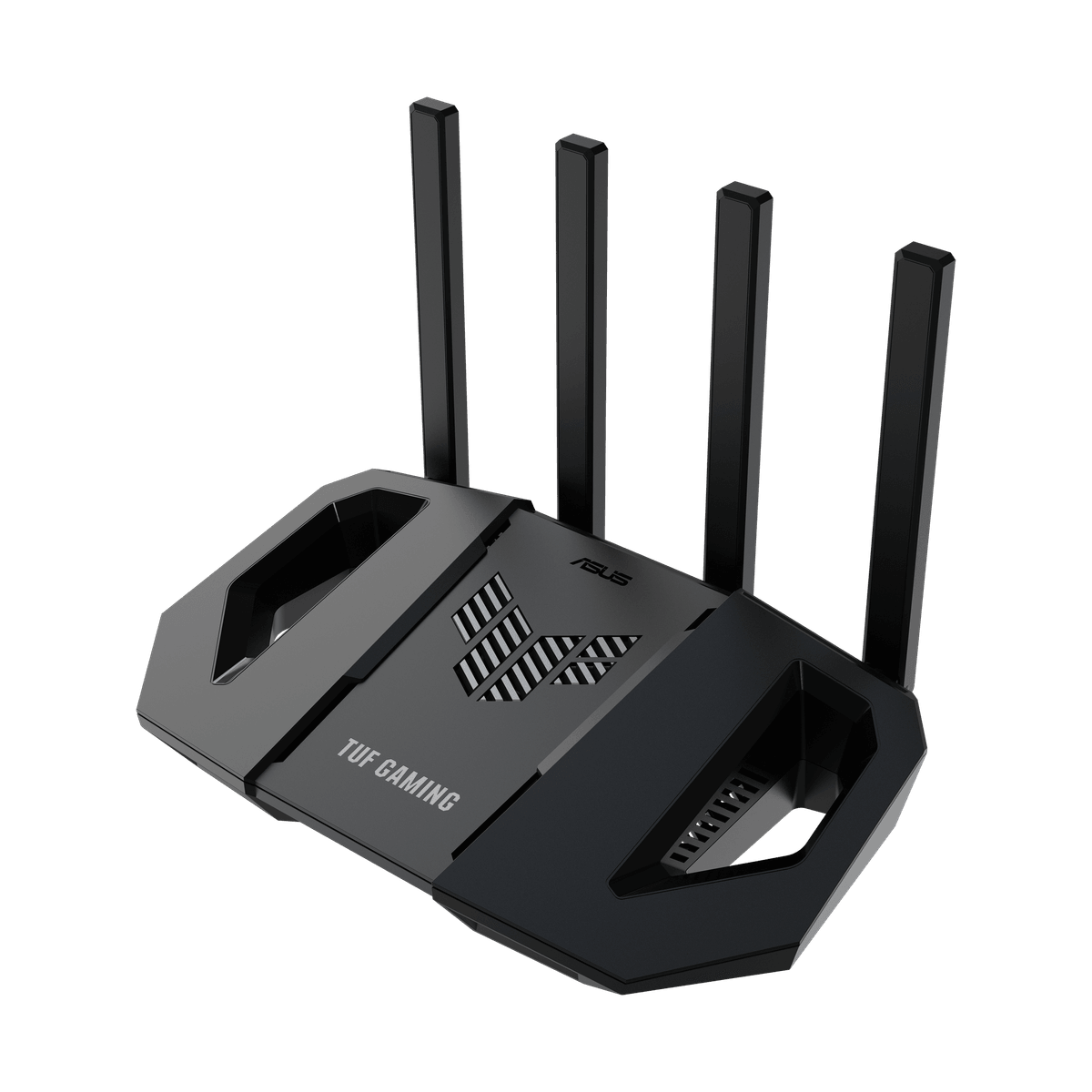
Pick 1 - Straightforward dual-band starting point
ASUS TUF Gaming BE3600 Dual-Band WiFi 7 Router
At a glance:WiFi 7 and mixed-port starting point
Trade-off:The published auto-update option is not proof that it is enabled, that every update installs successfully or that firmware support will continue for a particular ownership period.
Official reference; not an affiliate buying link.
Compare all 4 picks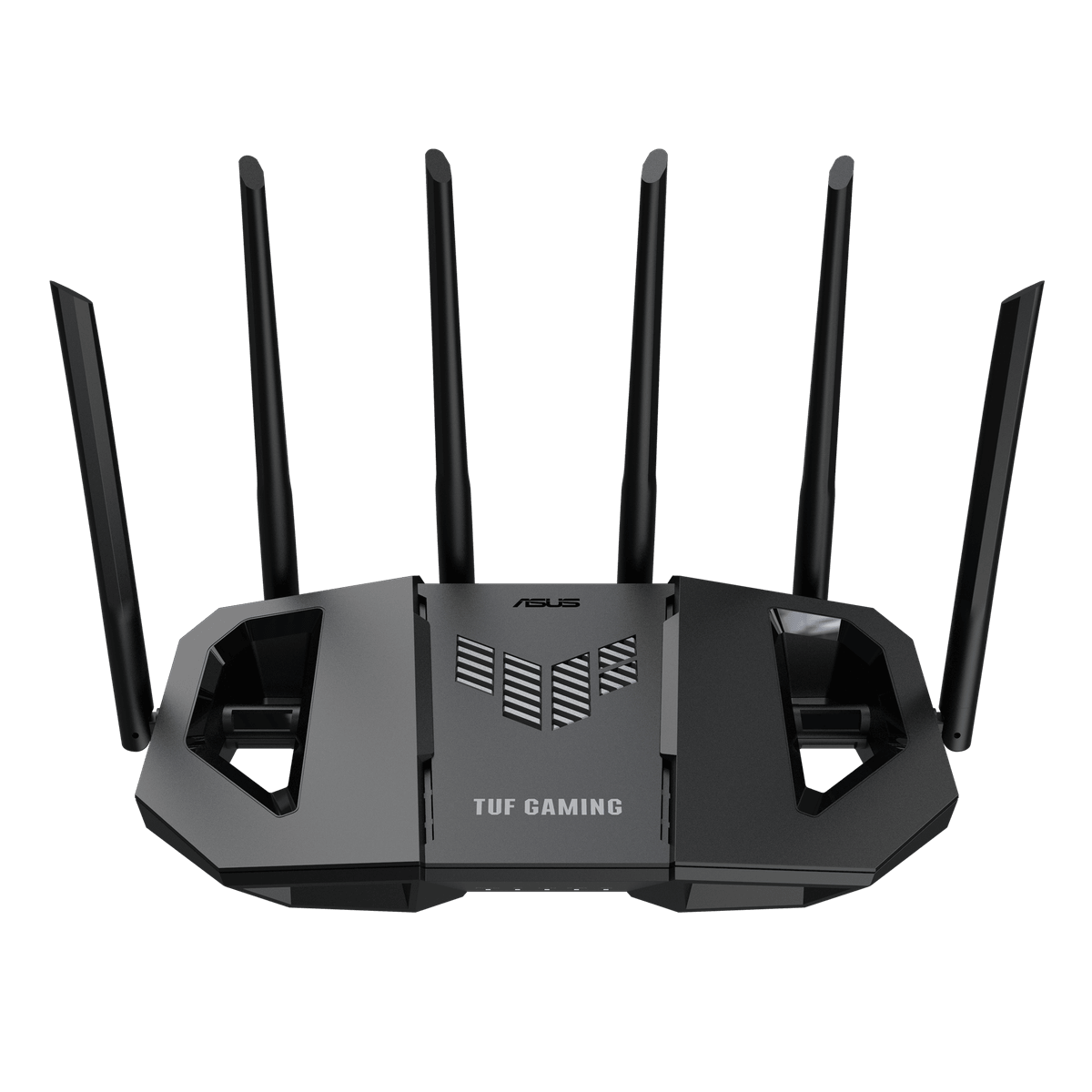
Pick 2 - More 5GHz and multi-gigabit wired capacity
ASUS TUF Gaming BE6500 Dual-Band WiFi 7 Router
At a glance:Multi-gigabit wired-network step-up
Trade-off:Multiple 2.5GbE ports and an auto-update option do not prove ISP compatibility, end-to-end multi-gigabit performance, automatic recovery or indefinite security support.
Official reference; not an affiliate buying link.
Compare all 4 picks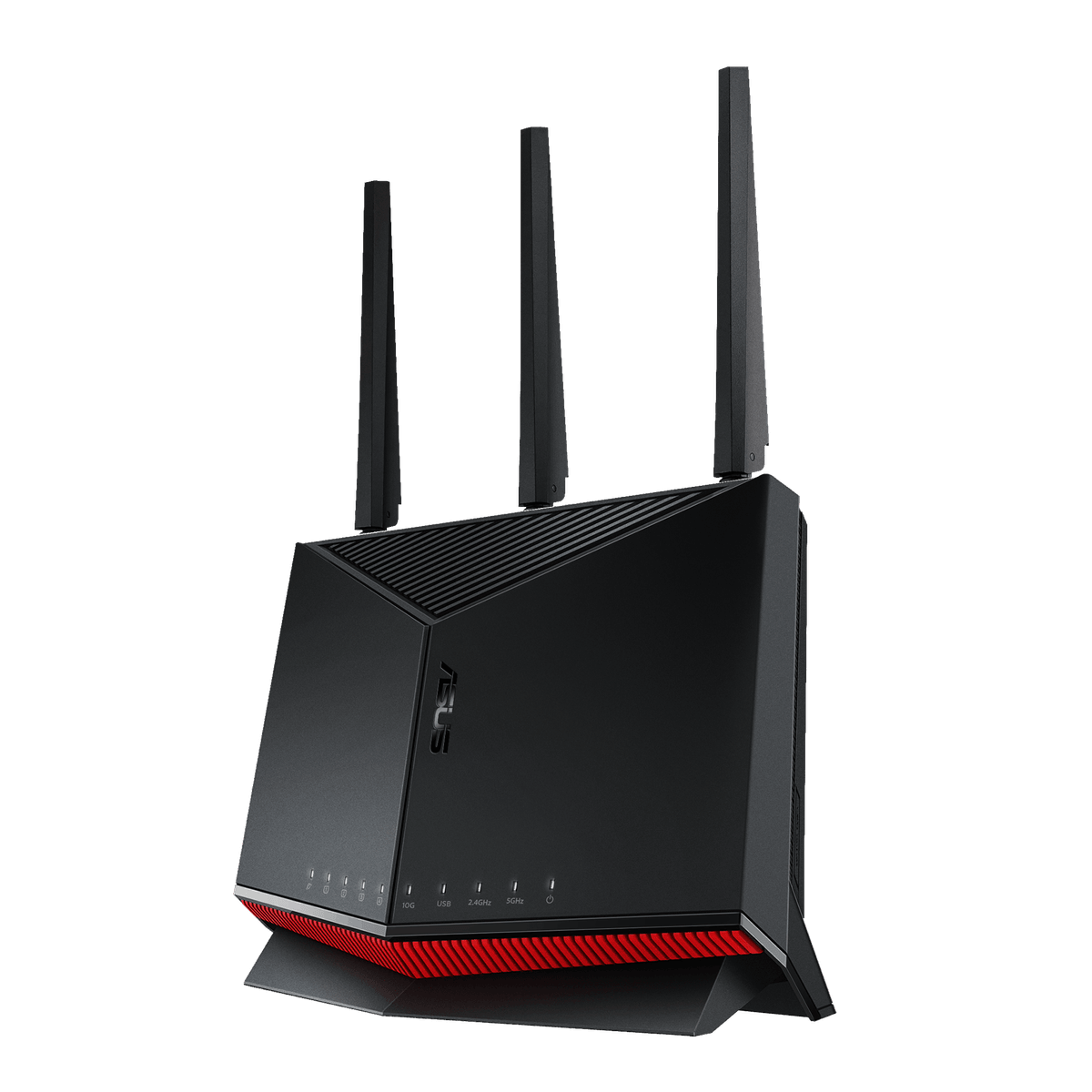
Pick 3 - 10G and multi-gigabit wired step-up
ASUS RT-BE86U Dual-Band WiFi 7 Router
At a glance:10G and multi-gigabit dual-band step-up
Trade-off:High-speed port labels and an auto-update option do not prove ISP compatibility, end-to-end throughput, safe configuration, automatic recovery or indefinite security support.
Official reference; not an affiliate buying link.
Compare all 4 picks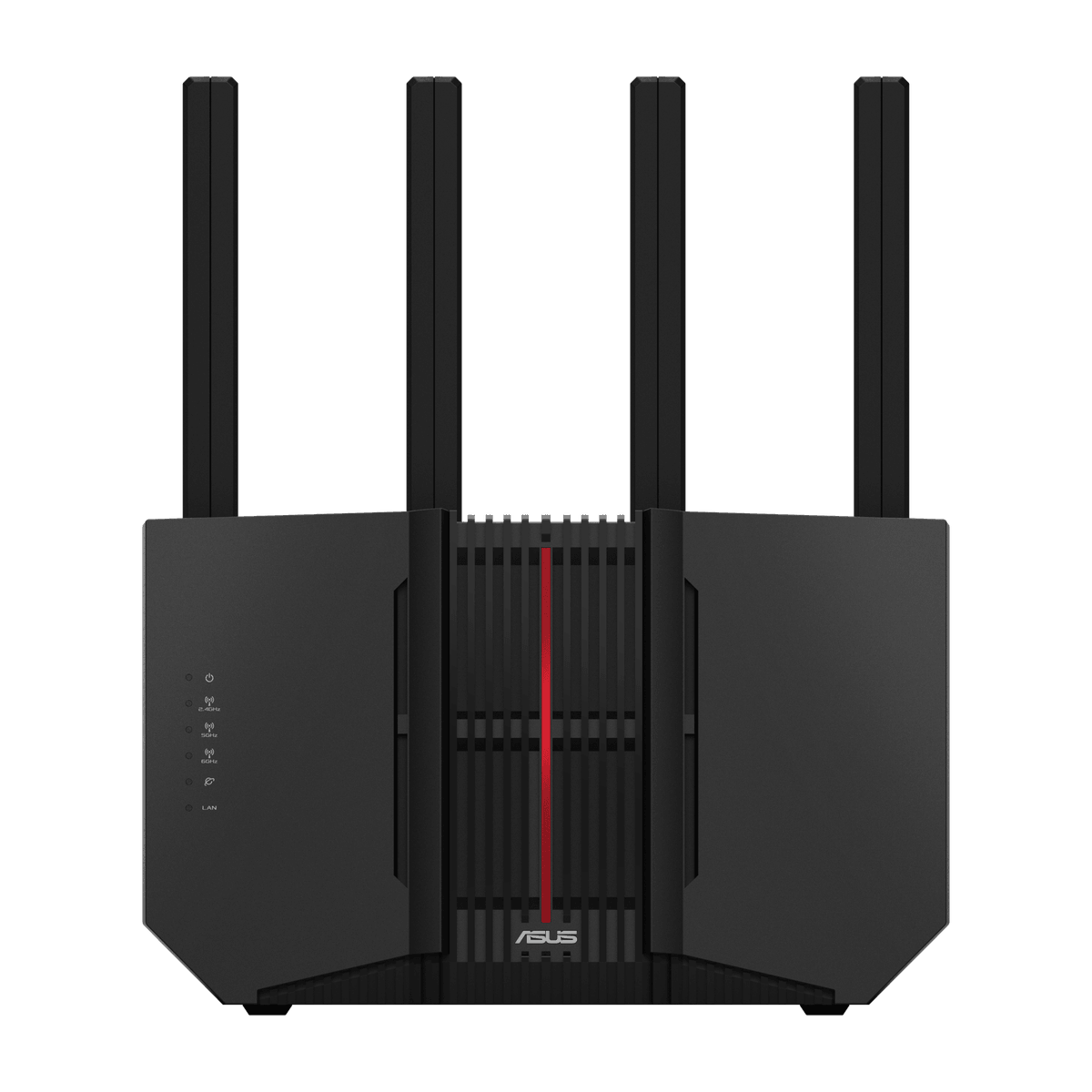
Pick 4 - Tri-band 6GHz option for compatible clients
ASUS RT-BE92U Tri-Band WiFi 7 Router
At a glance:6GHz tri-band and 10G step-up
Trade-off:The 6GHz band requires compatible clients and local conditions; high-speed port and auto-update labels do not guarantee coverage, threat prevention, recovery or a future support duration.
Official reference; not an affiliate buying link.
Compare all 4 picksHome Technology Desk: before you choose: Check the exact connection, account, mounting or installation requirement before opening a retailer link.
Decision checks: compatibility · setup and accounts · realistic use context
Compare the four configurations and rule out a poor fit before choosing a retailer.
Compare all fourThe shortlist
Four options, with the trade-offs visible
Use the fit, limitations and checkout checks before opening a retailer page. Confirm the current price, stock, delivery and returns with the retailer.
Pick 1
First comparison point
Straightforward dual-band starting point
ASUS TUF Gaming BE3600 Dual-Band WiFi 7 Router
dual-band WiFi 7, AiProtection, login CAPTCHA and an Administration option labelled Auto Firmware Update. Use this as a single-router starting point only; placement, construction, interference and client mix can still make mesh or access points the better answer. Confirm exact TUF-BE3600, ISP handoff, current retailer identity and returns.
Highlights
- Exact current ASUS specification and UK retailer record: dual-band WiFi 7, AiProtection, login CAPTCHA and an Administration option labelled Auto Firmware Update.
Drawbacks
- The published auto-update option is not proof that it is enabled, that every update installs successfully or that firmware support will continue for a particular ownership period.
Buyer fit
Best for
- WiFi 7 and mixed-port starting point
Not for you if
- Buyers who need guaranteed security outcomes, managed installation, automatic failover or an ISP-supported voice replacement.
Check before buying
- Confirm exact TUF-BE3600, current retailer availability, ISP handoff, firmware status and auto-update setting, ports, warranty and returns.
Pick 2
More 5GHz and multi-gigabit wired capacity
ASUS TUF Gaming BE6500 Dual-Band WiFi 7 Router
dual-band WiFi 7, AiProtection Pro, four 2.5GbE ports and an Administration option labelled Auto Firmware Update. Use this as a single-router starting point only; placement, construction, interference and client mix can still make mesh or access points the better answer. Confirm exact TUF-BE6500, ISP handoff, current retailer identity and returns.
Highlights
- Exact current ASUS specification and UK retailer record: dual-band WiFi 7, AiProtection Pro, four 2.5GbE ports and an Administration option labelled Auto Firmware Update.
Drawbacks
- Multiple 2.5GbE ports and an auto-update option do not prove ISP compatibility, end-to-end multi-gigabit performance, automatic recovery or indefinite security support.
Buyer fit
Best for
- Multi-gigabit wired-network step-up
Not for you if
- Buyers who need guaranteed security outcomes, managed installation, automatic failover or an ISP-supported voice replacement.
Check before buying
- Confirm exact TUF-BE6500, current retailer availability, ISP handoff, firmware status and auto-update setting, ports, warranty and returns.
Pick 3
10G and multi-gigabit wired step-up
ASUS RT-BE86U Dual-Band WiFi 7 Router
dual-band WiFi 7, one 10G WAN/LAN port, four 2.5G-capable ports and an Administration option labelled Auto Firmware Update. Use this as a single-router starting point only; placement, construction, interference and client mix can still make mesh or access points the better answer. Confirm exact RT-BE86U, ISP handoff, current retailer identity and returns.
Highlights
- Exact current ASUS specification and UK retailer record: dual-band WiFi 7, one 10G WAN/LAN port, four 2.5G-capable ports and an Administration option labelled Auto Firmware Update.
Drawbacks
- High-speed port labels and an auto-update option do not prove ISP compatibility, end-to-end throughput, safe configuration, automatic recovery or indefinite security support.
Buyer fit
Best for
- 10G and multi-gigabit dual-band step-up
Not for you if
- Buyers who need guaranteed security outcomes, managed installation, automatic failover or an ISP-supported voice replacement.
Check before buying
- Confirm exact RT-BE86U, current retailer availability, ISP handoff, firmware status and auto-update setting, ports, warranty and returns.
Pick 4
Tri-band 6GHz option for compatible clients
ASUS RT-BE92U Tri-Band WiFi 7 Router
tri-band WiFi 7 with 6GHz, one 10Gbps WAN/LAN port, four 2.5Gbps-capable ports and an Administration option labelled Auto Firmware Update. Use this as a single-router starting point only; placement, construction, interference and client mix can still make mesh or access points the better answer. Confirm exact RT-BE92U, ISP handoff, current retailer identity and returns.
Highlights
- Exact current ASUS specification and UK retailer record: tri-band WiFi 7 with 6GHz, one 10Gbps WAN/LAN port, four 2.5Gbps-capable ports and an Administration option labelled Auto Firmware Update.
Drawbacks
- The 6GHz band requires compatible clients and local conditions; high-speed port and auto-update labels do not guarantee coverage, threat prevention, recovery or a future support duration.
Buyer fit
Best for
- 6GHz tri-band and 10G step-up
Not for you if
- Buyers who need guaranteed security outcomes, managed installation, automatic failover or an ISP-supported voice replacement.
Check before buying
- Confirm exact RT-BE92U, current retailer availability, ISP handoff, firmware status and auto-update setting, ports, warranty and returns.
Top 4 comparison
Compare the useful differences, trade-offs and final checks side by side.
Before you compare
Check these first
- 1Map the router position and current dead zones
- 2Note wall and floor construction
- 3List WiFi 7 and 6GHz-capable clients
Your four roles
View specs & trade-offs
Trade-off:The published auto-update option is not proof that it is enabled, that every update installs successfully or that firmware support will continue for a particular ownership period.
Not ideal for:Buyers who need guaranteed security outcomes, managed installation, automatic failover or an ISP-supported voice replacement.
Check:Confirm exact TUF-BE3600, current retailer availability, ISP handoff, firmware status and auto-update setting, ports, warranty and returns.
Warranty and support:Confirm the current UK guarantee and returns for exact TUF-BE3600. • Exact ASUS specification and Scan UK product record checked 2026-08-29.
Sources:https://www.asus.com/uk/networking-iot-servers/wifi-routers/asus-gaming-routers/tuf-gaming-be3600/.
View specs & trade-offs
Trade-off:Multiple 2.5GbE ports and an auto-update option do not prove ISP compatibility, end-to-end multi-gigabit performance, automatic recovery or indefinite security support.
Not ideal for:Buyers who need guaranteed security outcomes, managed installation, automatic failover or an ISP-supported voice replacement.
Check:Confirm exact TUF-BE6500, current retailer availability, ISP handoff, firmware status and auto-update setting, ports, warranty and returns.
Warranty and support:Confirm the current UK guarantee and returns for exact TUF-BE6500. • Exact ASUS specification and Scan UK product record checked 2026-08-29.
Sources:https://www.asus.com/uk/networking-iot-servers/wifi-routers/asus-gaming-routers/tuf-gaming-be6500/.
View specs & trade-offs
Trade-off:High-speed port labels and an auto-update option do not prove ISP compatibility, end-to-end throughput, safe configuration, automatic recovery or indefinite security support.
Not ideal for:Buyers who need guaranteed security outcomes, managed installation, automatic failover or an ISP-supported voice replacement.
Check:Confirm exact RT-BE86U, current retailer availability, ISP handoff, firmware status and auto-update setting, ports, warranty and returns.
Warranty and support:Confirm the current UK guarantee and returns for exact RT-BE86U. • Exact ASUS specification and Scan UK product record checked 2026-08-29.
Sources:https://www.asus.com/uk/networking-iot-servers/wifi-routers/asus-wifi-routers/rt-be86u/.
View specs & trade-offs
Trade-off:The 6GHz band requires compatible clients and local conditions; high-speed port and auto-update labels do not guarantee coverage, threat prevention, recovery or a future support duration.
Not ideal for:Buyers who need guaranteed security outcomes, managed installation, automatic failover or an ISP-supported voice replacement.
Check:Confirm exact RT-BE92U, current retailer availability, ISP handoff, firmware status and auto-update setting, ports, warranty and returns.
Warranty and support:Confirm the current UK guarantee and returns for exact RT-BE92U. • Exact ASUS specification and Scan UK product record checked 2026-08-29.
Sources:https://www.asus.com/uk/networking-iot-servers/wifi-7/all-series/asus-rt-be92u/.
| Pick | Pick role | Best for | Avoid if | Key trade-off | Check before buying | Warranty/support status | Review/evidence basis |
|---|---|---|---|---|---|---|---|
| 1. ASUS TUF Gaming BE3600 Dual-Band WiFi 7 Router | Straightforward dual-band starting point | WiFi 7 and mixed-port starting point | Buyers who need guaranteed security outcomes, managed installation, automatic failover or an ISP-supported voice replacement. | The published auto-update option is not proof that it is enabled, that every update installs successfully or that firmware support will continue for a particular ownership period. | Confirm exact TUF-BE3600, current retailer availability, ISP handoff, firmware status and auto-update setting, ports, warranty and returns. | Confirm the current UK guarantee and returns for exact TUF-BE3600. • Exact ASUS specification and Scan UK product record checked 2026-08-29. | https://www.asus.com/uk/networking-iot-servers/wifi-routers/asus-gaming-routers/tuf-gaming-be3600/ |
| 2. ASUS TUF Gaming BE6500 Dual-Band WiFi 7 Router | More 5GHz and multi-gigabit wired capacity | Multi-gigabit wired-network step-up | Buyers who need guaranteed security outcomes, managed installation, automatic failover or an ISP-supported voice replacement. | Multiple 2.5GbE ports and an auto-update option do not prove ISP compatibility, end-to-end multi-gigabit performance, automatic recovery or indefinite security support. | Confirm exact TUF-BE6500, current retailer availability, ISP handoff, firmware status and auto-update setting, ports, warranty and returns. | Confirm the current UK guarantee and returns for exact TUF-BE6500. • Exact ASUS specification and Scan UK product record checked 2026-08-29. | https://www.asus.com/uk/networking-iot-servers/wifi-routers/asus-gaming-routers/tuf-gaming-be6500/ |
| 3. ASUS RT-BE86U Dual-Band WiFi 7 Router | 10G and multi-gigabit wired step-up | 10G and multi-gigabit dual-band step-up | Buyers who need guaranteed security outcomes, managed installation, automatic failover or an ISP-supported voice replacement. | High-speed port labels and an auto-update option do not prove ISP compatibility, end-to-end throughput, safe configuration, automatic recovery or indefinite security support. | Confirm exact RT-BE86U, current retailer availability, ISP handoff, firmware status and auto-update setting, ports, warranty and returns. | Confirm the current UK guarantee and returns for exact RT-BE86U. • Exact ASUS specification and Scan UK product record checked 2026-08-29. | https://www.asus.com/uk/networking-iot-servers/wifi-routers/asus-wifi-routers/rt-be86u/ |
| 4. ASUS RT-BE92U Tri-Band WiFi 7 Router | Tri-band 6GHz option for compatible clients | 6GHz tri-band and 10G step-up | Buyers who need guaranteed security outcomes, managed installation, automatic failover or an ISP-supported voice replacement. | The 6GHz band requires compatible clients and local conditions; high-speed port and auto-update labels do not guarantee coverage, threat prevention, recovery or a future support duration. | Confirm exact RT-BE92U, current retailer availability, ISP handoff, firmware status and auto-update setting, ports, warranty and returns. | Confirm the current UK guarantee and returns for exact RT-BE92U. • Exact ASUS specification and Scan UK product record checked 2026-08-29. | https://www.asus.com/uk/networking-iot-servers/wifi-7/all-series/asus-rt-be92u/ |
Choose this if / Avoid this if
Rule out poor-fit options before comparing finer details.
Avoid if
- You already have persistent dead zones
- The router must sit in a poor corner or enclosed cabinet
- Multiple floors or dense walls make one-unit coverage uncertain
- The ISP replacement procedure is unclear
- Digital voice or managed support depends on the ISP router
Dealbreakers
- The exact model differs
- The WAN handoff or ISP configuration is unsupported
- Required clients cannot use the chosen band
- Replacing the ISP router would remove an essential service
- A placement plan still leaves known dead zones
Check before buying
- Map the router position and current dead zones
- Note wall and floor construction
- List WiFi 7 and 6GHz-capable clients
- Confirm the exact model code
- Record the ONT or modem handoff and ISP settings
- Check whether digital voice depends on the ISP router
- Re-check current UK availability warranty and returns
Choose another shortlist if
- Use a mesh route when multi-room coverage is the main problem
- Use access-point planning when Ethernet backhaul is available
- Keep the ISP router when voice or support depends on it
- Defer until placement and ISP requirements are documented
Detailed buyer guidance
Start with placement and dead zones
“Smaller home” is not a coverage specification. A centrally placed router in an open layout and the same router in a corner behind dense walls are different jobs. Map the current router position, walls, floors and dead zones before deciding that one WiFi 7 unit is enough.
The four picks below have exact current UK retailer identities and official ASUS WiFi 7 specifications. Product order follows band, port and ownership fit, not price or commission.
Quick decision
- Choose ASUS TUF Gaming BE3600 for the straightforward dual-band starting point role. The published auto-update option is not proof that it is enabled, that every update installs successfully or that firmware support will continue for a particular ownership period.
- Choose ASUS TUF Gaming BE6500 for the more 5ghz and multi-gigabit wired capacity role. Multiple 2.5GbE ports and an auto-update option do not prove ISP compatibility, end-to-end multi-gigabit performance, automatic recovery or indefinite security support.
- Choose ASUS RT-BE86U for the 10g and multi-gigabit wired step-up role. High-speed port labels and an auto-update option do not prove ISP compatibility, end-to-end throughput, safe configuration, automatic recovery or indefinite security support.
- Choose ASUS RT-BE92U for the tri-band 6ghz option for compatible clients role. The 6GHz band requires compatible clients and local conditions; high-speed port and auto-update labels do not guarantee coverage, threat prevention, recovery or a future support duration.
Who this is for
This route is for UK buyers who want to compare one-router WiFi 7 starting points and can place the router sensibly, document their wired devices and keep mesh or access points as the fallback if dead zones remain.
Who this is not for
It is not a promise of whole-home coverage, quoted throughput, ISP compatibility or digital-voice continuity. If you already know one unit cannot reach key rooms, start with the mesh or wired-access-point route.
What this route proves
The source records establish exact model identity, WiFi generation, published band and speed class, one official image, exact port topology and one current UK retailer record per pick. They do not establish coverage or performance in a particular property.
1. ASUS TUF Gaming BE3600 — Straightforward dual-band starting point
The exact ASUS specification publishes WiFi 7, BE3600 and 1x 2.5G for WAN/LAN, 1x 1G for WAN/LAN, 3 x 1G LAN, USB 3.2 Gen 1 x 1. dual-band WiFi 7, AiProtection, login CAPTCHA and an Administration option labelled Auto Firmware Update.
The published auto-update option is not proof that it is enabled, that every update installs successfully or that firmware support will continue for a particular ownership period.
The checked UK destination is an exact, non-affiliate Scan UK product page. Re-check exact model TUF-BE3600, manufacturer part 90IG0900-MO9C00, current availability, placement, ISP handoff, warranty and returns before purchase.
2. ASUS TUF Gaming BE6500 — More 5GHz and multi-gigabit wired capacity
The exact ASUS specification publishes WiFi 7, BE6500 and 1 x 2.5GbE for WAN, 3 x 2.5GbE for LAN, 1 x USB 3.2 Gen1. dual-band WiFi 7, AiProtection Pro, four 2.5GbE ports and an Administration option labelled Auto Firmware Update.
Multiple 2.5GbE ports and an auto-update option do not prove ISP compatibility, end-to-end multi-gigabit performance, automatic recovery or indefinite security support.
The checked UK destination is an exact, non-affiliate Scan UK product page. Re-check exact model TUF-BE6500, manufacturer part 90IG0920-MO9C00, current availability, placement, ISP handoff, warranty and returns before purchase.
3. ASUS RT-BE86U — 10G and multi-gigabit wired step-up
The exact ASUS specification publishes WiFi 7, BE6800 and 1 x 10G for WAN/LAN, 1 x 2.5G for WAN/LAN, 3 x 2.5G for LAN, USB 3.2 Gen1 x1, USB 2.0 Gen1 x1. dual-band WiFi 7, one 10G WAN/LAN port, four 2.5G-capable ports and an Administration option labelled Auto Firmware Update.
High-speed port labels and an auto-update option do not prove ISP compatibility, end-to-end throughput, safe configuration, automatic recovery or indefinite security support.
The checked UK destination is an exact, non-affiliate Scan UK product page. Re-check exact model RT-BE86U, manufacturer part 90IG08W0-MO9A0V, current availability, placement, ISP handoff, warranty and returns before purchase.
4. ASUS RT-BE92U — Tri-band 6GHz option for compatible clients
The exact ASUS specification publishes WiFi 7, BE9700 and 1 x 10Gbps for WAN/LAN, 1 x 2.5Gbps for WAN/LAN, 3 x 2.5 Gbps for LAN, USB 3.2 Gen1 x1. tri-band WiFi 7 with 6GHz, one 10Gbps WAN/LAN port, four 2.5Gbps-capable ports and an Administration option labelled Auto Firmware Update.
The 6GHz band requires compatible clients and local conditions; high-speed port and auto-update labels do not guarantee coverage, threat prevention, recovery or a future support duration.
The checked UK destination is an exact, non-affiliate Scan UK product page. Re-check exact model RT-BE92U, manufacturer part 90IG0950-MO9A0V, current availability, placement, ISP handoff, warranty and returns before purchase.
Placement, bands and client checks
Put the router in an open central position where possible and avoid enclosing it in furniture. Record which devices can use WiFi 7 and, for the tri-band option, 6GHz. A 6GHz label can help compatible nearby clients but is not proof of better whole-home reach.
ISP, voice and rollback checks
Confirm whether broadband arrives through an ONT, cable modem, DSL modem-router or another gateway. Record DHCP or PPPoE, VLAN and credential requirements. Check whether digital voice, TV or support diagnostics depend on the ISP router, and retain a rollback path until the replacement is stable.
What would change the order
The order changes when 6GHz clients, several multi-gigabit wired devices, a 10G handoff, router placement or known dead zones become decisive. Temporary price and commission did not establish the order.
Before checkout
Re-open the exact Scan UK and ASUS pages. Confirm TUF-BE3600 (90IG0900-MO9C00), TUF-BE6500 (90IG0920-MO9C00), RT-BE86U (90IG08W0-MO9A0V), RT-BE92U (90IG0950-MO9A0V), current availability, bands, ports, the ISP handoff, digital voice, placement, warranty and returns. Stop if the retailer substitutes a sibling model or one-router coverage remains doubtful.
When another role fits better
The first option is a useful starting point, not a universal winner. Move another role ahead when its use case, fit or ownership trade-offs match you better.
Known limitations
UK Shortlists has not tested coverage throughput interference placement ISP setup digital voice firmware behaviour support longevity or returns in a particular home.
How we chose
The checks behind the four picks
Eligibility requires an exact official WiFi 7 specification, source-bound image and current exact UK retailer record. this guide compares single-router starting points; it does not claim one unit will cover a particular home.
- Step 1: Exact current WiFi 7 identity
- Step 2: Dual-band or tri-band client fit
- Step 3: Exact WAN and LAN topology
- Step 4: Placement and construction boundaries
- Step 5: ISP handoff and voice checks
- Step 6: Current exact UK destination
Disclosure
Last reviewed: 29/08/2026
UK Shortlists may earn a commission when you use some retailer links. This does not increase the price you pay.
As an Amazon Associate we earn from qualifying purchases.
Retailers cannot pay to change which products we recommend or their order.
Prices, stock, delivery and returns can change. Confirm the final details with the retailer before buying.
Read more about how UK Shortlists makes money, retailer checks, and how corrections are handled.
Who checked this shortlist?
- Written / compiled by:
- Home Technology Desk
- Reviewed by:
- UK Shortlists Editorial Team
- Last reviewed:
- 29/08/2026
- Review basis:
- Criteria-based comparison
We compare published product information, retailer details and the buying criteria shown above. UK Shortlists does not currently publish claims based on first-party product use, laboratory testing or long-term testing.
FAQs & alternatives
Will one WiFi 7 router cover a smaller home?
Do not assume so. Placement walls floors interference and client capability can matter more than the WiFi generation label.
Do I need 6GHz?
Only if compatible clients and your room layout make it useful. The shorter-range 6GHz band is not a substitute for a coverage plan.
When should I choose mesh instead?
Choose mesh or wired access points when current dead zones multi-floor coverage or the router position make one-unit coverage doubtful.
Did affiliate commission or temporary price set the order?
No. The checked Scan UK pages are non-affiliate references and order follows band port and ownership fit.
Also consider
- Keep the supported ISP router
- Add a wired access point
- Use a reviewed mesh system
- Reposition the existing router before replacing it
Newsletter
Want the next useful buying check?
Get occasional UK Shortlists updates for decisions like this. Unsubscribe at any time.
Related shortlists
- Best Wi‑Fi Routers in the UK (2026)
Use this related shortlist to compare trade-offs before finalising your Top 4 pick.
- Best Wi‑Fi Extenders and Range Extenders in the UK (2026)
Use this if setup speed or compact-layout fixes matter more than full-network replacement.
- Best Wi‑Fi 6E Routers in the UK (2026)
Use this if Wi‑Fi generation upgrades are your first filter before layout-specific routing.
- Best Wi‑Fi 6 Routers in the UK (2026)
Use this if Wi‑Fi generation upgrades are your first filter before layout-specific routing.
- Best Wi-Fi Routers for Many Devices in the UK (2026)
Use this related shortlist to compare trade-offs before finalising your Top 4 pick.
- Best Wi-Fi Extenders for Spare Bedroom Offices in the UK (2026)
Use this if setup speed or compact-layout fixes matter more than full-network replacement.