
Back to Home Networking & Wi-Fi
UK buying shortlist
Best Routers for BT Full Fibre UK 2026: Four Exact Options
Written by Home Technology Desk Home technology editorial desk · Home Networking & Wi-Fi beat · reviewed 29/08/2026
Start with the BT service path, not the WiFi badge. Keep the supported BT Hub when Digital Voice, TV or diagnostics depend on it; compare these four exact routers for access-point use or a documented self-supported replacement.
Quick answer · Top 4
Compare all four options
Open a product to review its fit, limitations and buying checks before choosing a retailer.
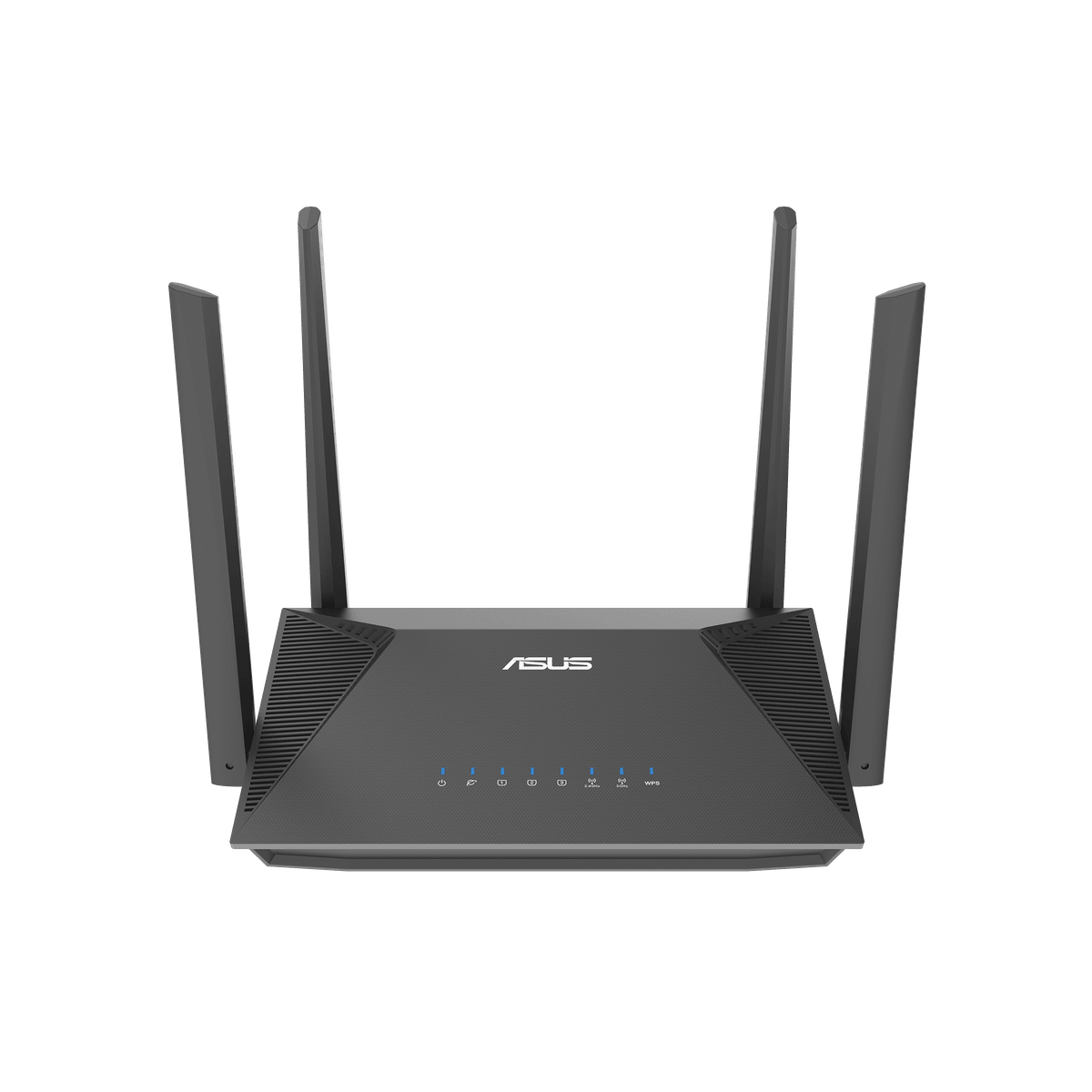
Pick 1 - Best budget
ASUS RT-AX52 AX1800 Dual-Band WiFi 6 Router
At a glance:A source-bound standalone-router comparison where exact model, ISP setup and port checks matter.
Trade-off:The entry price and published features do not prove whole-home coverage, child safety, employer VPN approval, ISP compatibility or full line-rate throughput.
Official reference; not an affiliate buying link.
Compare all 4 picks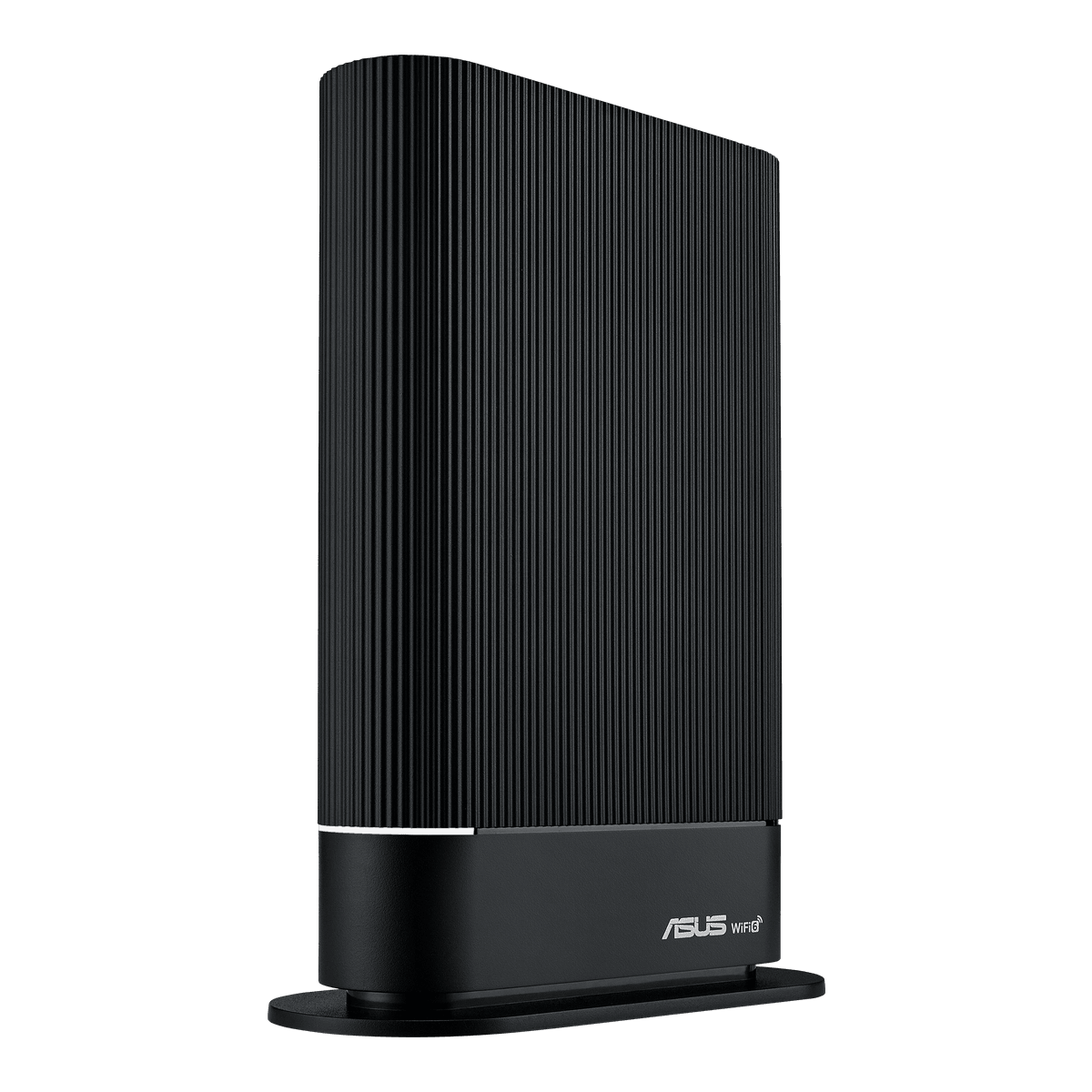
Pick 2 - Best overall
ASUS RT-AX59U AX4200 Dual-Band WiFi 6 Router
At a glance:A source-bound standalone-router comparison where exact model, ISP setup and port checks matter.
Trade-off:The broader published feature set does not prove universal smart-home fit, child safety, employer VPN approval, USB workflow quality, ISP compatibility or measured throughput.
Official reference; not an affiliate buying link.
Compare all 4 picks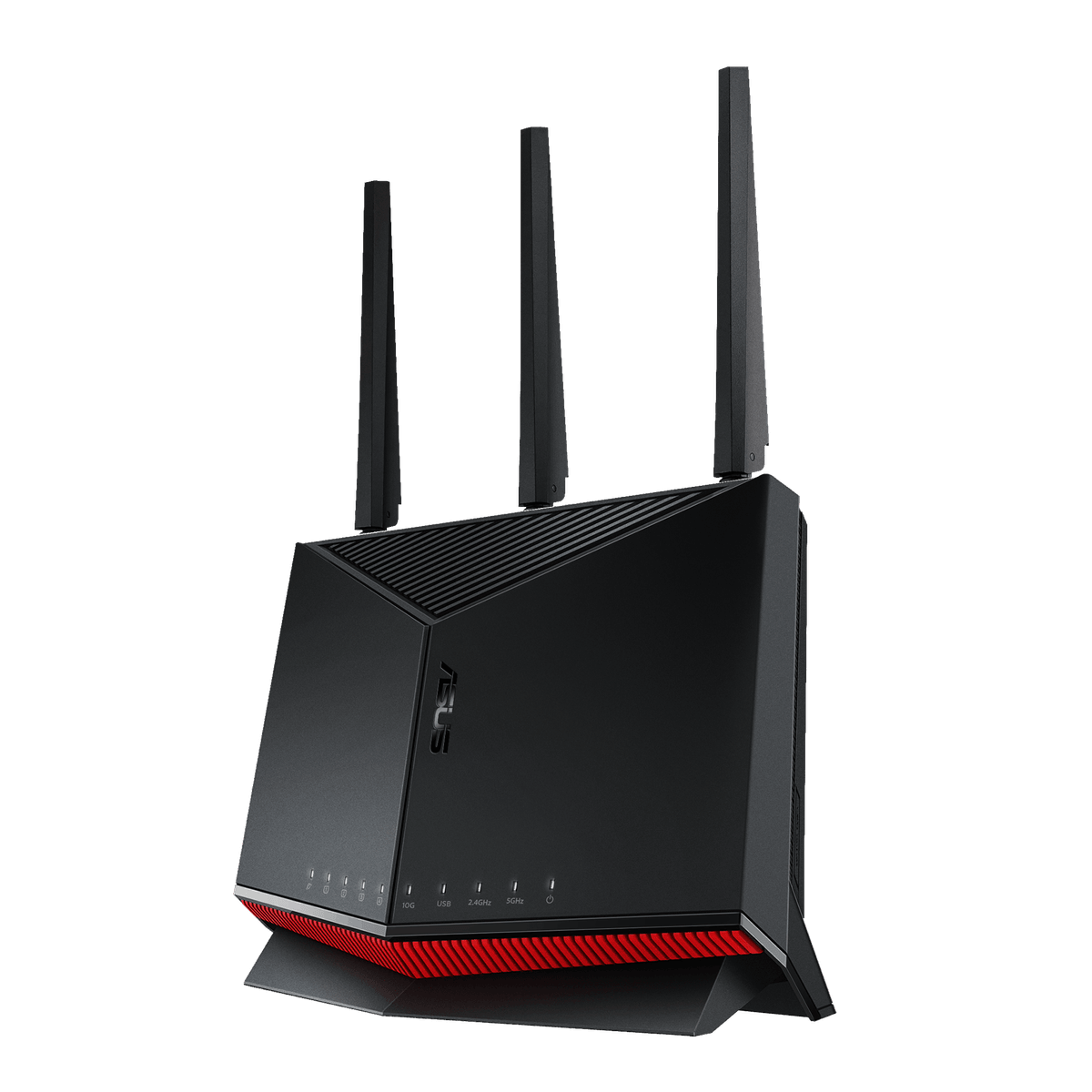
Pick 3 - Best specialist or alternative
ASUS RT-BE86U Dual-Band WiFi 7 Router
At a glance:10G and multi-gigabit dual-band step-up
Trade-off:High-speed port labels and an auto-update option do not prove ISP compatibility, end-to-end throughput, safe configuration, automatic recovery or indefinite security support.
Official reference; not an affiliate buying link.
Compare all 4 picks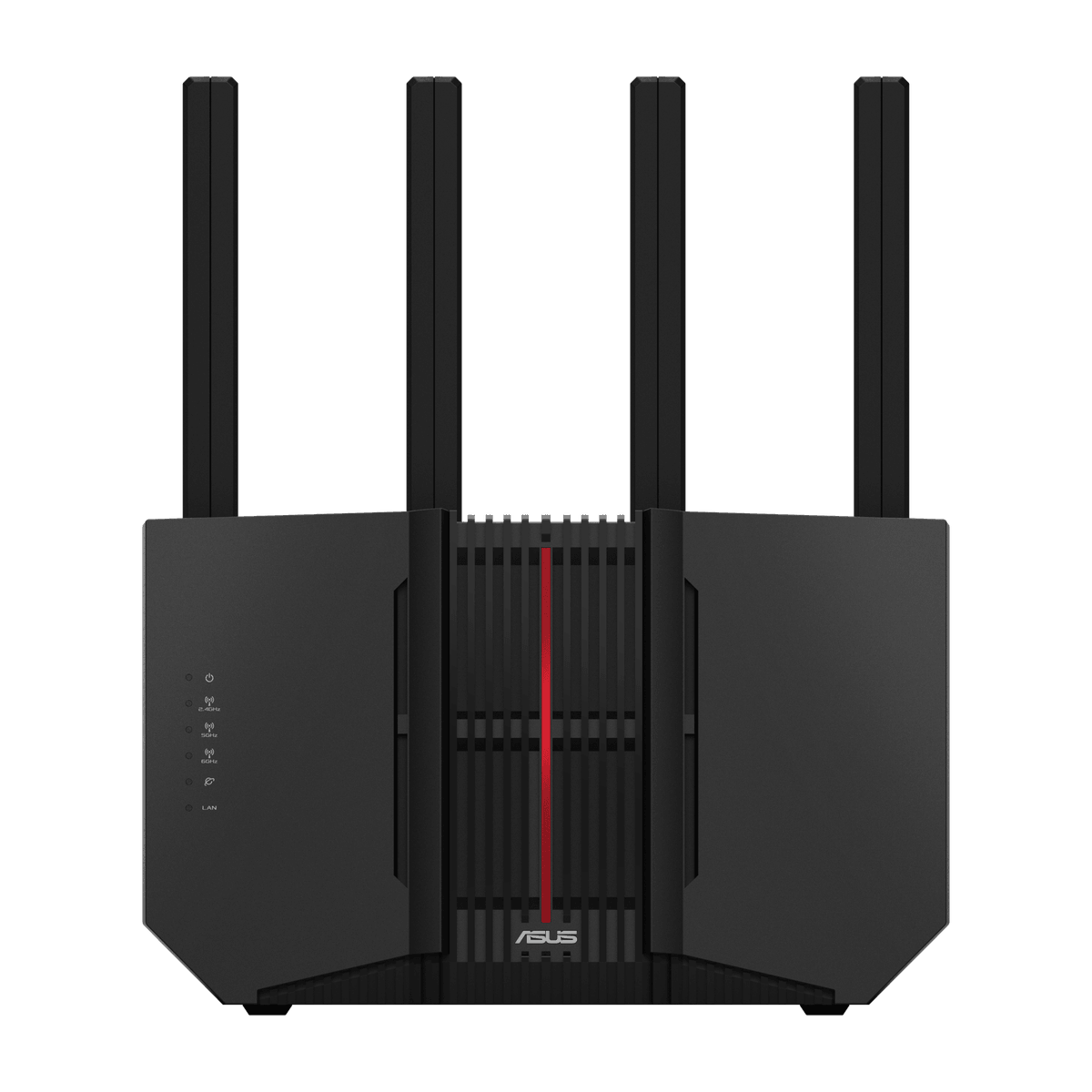
Pick 4 - Best premium
ASUS RT-BE92U Tri-Band WiFi 7 Router
At a glance:6GHz tri-band and 10G step-up
Trade-off:The 6GHz band requires compatible clients and local conditions; high-speed port and auto-update labels do not guarantee coverage, threat prevention, recovery or a future support duration.
Official reference; not an affiliate buying link.
Compare all 4 picksHome Technology Desk: before you choose: Check the exact connection, account, mounting or installation requirement before opening a retailer link.
Decision checks: compatibility · setup and accounts · realistic use context
Compare the four configurations and rule out a poor fit before choosing a retailer.
Compare all fourThe shortlist
Four options, with the trade-offs visible
Use the fit, limitations and checkout checks before opening a retailer page. Confirm the current price, stock, delivery and returns with the retailer.
Pick 1
Best budget
ASUS RT-AX52 AX1800 Dual-Band WiFi 6 Router
A lower-cost WiFi 6 option for adding a separate access point while retaining the supported BT service edge. Its one-gigabit WAN and LAN topology is not a multi-gigabit upgrade and does not prove whole-home coverage. Confirm exact RT-AX52, BT service dependencies, current destination, rollback and returns.
Highlights
- Exact current official Product, image, offer and technical-specification record: AX1800 dual-band WiFi 6 extendable-router identity with Instant Guard, parental-control scheduling, built-in VPN and AiMesh compatibility.
Drawbacks
- The entry price and published features do not prove whole-home coverage, child safety, employer VPN approval, ISP compatibility or full line-rate throughput.
Buyer fit
Best for
- A source-bound standalone-router comparison where exact model, ISP setup and port checks matter.
Not for you if
- Buyers who need guaranteed coverage, managed installation, automatic failover or an ISP-supported voice replacement.
Check before buying
- Confirm exact RT-AX52, current offer, ONT or modem handoff, ISP authentication and VLAN, digital voice, ports, placement, firmware support, warranty and returns.
Pick 2
First comparison point
Best overall
ASUS RT-AX59U AX4200 Dual-Band WiFi 6 Router
The balanced starting point when wall placement, WiFi 6 capacity and a documented access-point or router-mode rollback matter. Its gigabit wired ports can become the ceiling on faster service tiers, and BT does not provide the third-party support route. Confirm exact RT-AX59U, BT service dependencies, current destination, rollback and returns.
Highlights
- Exact current official Product, image, offer and technical-specification record: dual-band WiFi 6 smart-home and SMB identity with 4200 Mbps class, easy setup, free network security, VPN, parental controls and wall-mount format.
Drawbacks
- The broader published feature set does not prove universal smart-home fit, child safety, employer VPN approval, USB workflow quality, ISP compatibility or measured throughput.
Buyer fit
Best for
- A source-bound standalone-router comparison where exact model, ISP setup and port checks matter.
Not for you if
- Buyers who need guaranteed coverage, managed installation, automatic failover or an ISP-supported voice replacement.
Check before buying
- Confirm exact RT-AX59U, current offer, ONT or modem handoff, ISP authentication and VLAN, digital voice, ports, placement, firmware support, warranty and returns.
Pick 3
Best specialist or alternative
ASUS RT-BE86U Dual-Band WiFi 7 Router
The dual-band WiFi 7 option when the wired plan benefits from 10G and 2.5G-capable ports and 6GHz is not required. Higher port labels do not establish BT approval, line-rate throughput, coverage or retention of Digital Voice and TV. Confirm exact RT-BE86U, BT service dependencies, current destination, rollback and returns.
Highlights
- Exact current ASUS specification and UK retailer record: dual-band WiFi 7, one 10G WAN/LAN port, four 2.5G-capable ports and an Administration option labelled Auto Firmware Update.
Drawbacks
- High-speed port labels and an auto-update option do not prove ISP compatibility, end-to-end throughput, safe configuration, automatic recovery or indefinite security support.
Buyer fit
Best for
- 10G and multi-gigabit dual-band step-up
Not for you if
- Buyers who need guaranteed security outcomes, managed installation, automatic failover or an ISP-supported voice replacement.
Check before buying
- Confirm exact RT-BE86U, current retailer availability, ISP handoff, firmware status and auto-update setting, ports, warranty and returns.
Pick 4
Best premium
ASUS RT-BE92U Tri-Band WiFi 7 Router
The premium option when compatible 6GHz clients and a tri-band design matter alongside 10G and 2.5G-capable ports. 6GHz is shorter-range and client-dependent, while neither WiFi 7 nor IPTV controls prove BT service compatibility. Confirm exact RT-BE92U, BT service dependencies, current destination, rollback and returns.
Highlights
- Exact current ASUS specification and UK retailer record: tri-band WiFi 7 with 6GHz, one 10Gbps WAN/LAN port, four 2.5Gbps-capable ports and an Administration option labelled Auto Firmware Update.
Drawbacks
- The 6GHz band requires compatible clients and local conditions; high-speed port and auto-update labels do not guarantee coverage, threat prevention, recovery or a future support duration.
Buyer fit
Best for
- 6GHz tri-band and 10G step-up
Not for you if
- Buyers who need guaranteed security outcomes, managed installation, automatic failover or an ISP-supported voice replacement.
Check before buying
- Confirm exact RT-BE92U, current retailer availability, ISP handoff, firmware status and auto-update setting, ports, warranty and returns.
Top 4 comparison
Compare the useful differences, trade-offs and final checks side by side.
Before you compare
Check these first
- 1Decide whether the router will sit behind the BT Hub in Access Point mode or replace it as a self-supported service edge.
- 2Confirm Digital Voice, BT TV, Complete Wi-Fi, Hybrid Connect and support implications with BT before changing topology.
- 3Confirm the ONT Ethernet handoff, current authentication and VLAN requirements, wired ports, placement, firmware, warranty and returns.
Your four roles
View specs & trade-offs
Trade-off:The entry price and published features do not prove whole-home coverage, child safety, employer VPN approval, ISP compatibility or full line-rate throughput.
Not ideal for:Buyers who need guaranteed coverage, managed installation, automatic failover or an ISP-supported voice replacement.
Check:Confirm exact RT-AX52, current offer, ONT or modem handoff, ISP authentication and VLAN, digital voice, ports, placement, firmware support, warranty and returns.
Warranty and support:Confirm the manufacturer's current UK warranty and returns for exact RT-AX52. • Exact official UK Product and technical-specification records checked 2026-08-29.
Sources:https://www.asus.com/uk/networking-iot-servers/wifi-routers/asus-wifi-routers/rt-ax52/.
View specs & trade-offs
Trade-off:The broader published feature set does not prove universal smart-home fit, child safety, employer VPN approval, USB workflow quality, ISP compatibility or measured throughput.
Not ideal for:Buyers who need guaranteed coverage, managed installation, automatic failover or an ISP-supported voice replacement.
Check:Confirm exact RT-AX59U, current offer, ONT or modem handoff, ISP authentication and VLAN, digital voice, ports, placement, firmware support, warranty and returns.
Warranty and support:Confirm the manufacturer's current UK warranty and returns for exact RT-AX59U. • Exact official UK Product and technical-specification records checked 2026-08-29.
Sources:https://www.asus.com/uk/networking-iot-servers/wifi-routers/asus-wifi-routers/rt-ax59u/.
View specs & trade-offs
Trade-off:High-speed port labels and an auto-update option do not prove ISP compatibility, end-to-end throughput, safe configuration, automatic recovery or indefinite security support.
Not ideal for:Buyers who need guaranteed security outcomes, managed installation, automatic failover or an ISP-supported voice replacement.
Check:Confirm exact RT-BE86U, current retailer availability, ISP handoff, firmware status and auto-update setting, ports, warranty and returns.
Warranty and support:Confirm the current UK guarantee and returns for exact RT-BE86U. • Exact ASUS specification and Scan UK product record checked 2026-08-29.
Sources:https://www.asus.com/uk/networking-iot-servers/wifi-routers/asus-wifi-routers/rt-be86u/.
View specs & trade-offs
Trade-off:The 6GHz band requires compatible clients and local conditions; high-speed port and auto-update labels do not guarantee coverage, threat prevention, recovery or a future support duration.
Not ideal for:Buyers who need guaranteed security outcomes, managed installation, automatic failover or an ISP-supported voice replacement.
Check:Confirm exact RT-BE92U, current retailer availability, ISP handoff, firmware status and auto-update setting, ports, warranty and returns.
Warranty and support:Confirm the current UK guarantee and returns for exact RT-BE92U. • Exact ASUS specification and Scan UK product record checked 2026-08-29.
Sources:https://www.asus.com/uk/networking-iot-servers/wifi-7/all-series/asus-rt-be92u/.
| Pick | Pick role | Best for | Avoid if | Key trade-off | Check before buying | Warranty/support status | Review/evidence basis |
|---|---|---|---|---|---|---|---|
| 1. ASUS RT-AX52 AX1800 Dual-Band WiFi 6 Router | Best budget | A source-bound standalone-router comparison where exact model, ISP setup and port checks matter. | Buyers who need guaranteed coverage, managed installation, automatic failover or an ISP-supported voice replacement. | The entry price and published features do not prove whole-home coverage, child safety, employer VPN approval, ISP compatibility or full line-rate throughput. | Confirm exact RT-AX52, current offer, ONT or modem handoff, ISP authentication and VLAN, digital voice, ports, placement, firmware support, warranty and returns. | Confirm the manufacturer's current UK warranty and returns for exact RT-AX52. • Exact official UK Product and technical-specification records checked 2026-08-29. | https://www.asus.com/uk/networking-iot-servers/wifi-routers/asus-wifi-routers/rt-ax52/ |
| 2. ASUS RT-AX59U AX4200 Dual-Band WiFi 6 Router | Best overall | A source-bound standalone-router comparison where exact model, ISP setup and port checks matter. | Buyers who need guaranteed coverage, managed installation, automatic failover or an ISP-supported voice replacement. | The broader published feature set does not prove universal smart-home fit, child safety, employer VPN approval, USB workflow quality, ISP compatibility or measured throughput. | Confirm exact RT-AX59U, current offer, ONT or modem handoff, ISP authentication and VLAN, digital voice, ports, placement, firmware support, warranty and returns. | Confirm the manufacturer's current UK warranty and returns for exact RT-AX59U. • Exact official UK Product and technical-specification records checked 2026-08-29. | https://www.asus.com/uk/networking-iot-servers/wifi-routers/asus-wifi-routers/rt-ax59u/ |
| 3. ASUS RT-BE86U Dual-Band WiFi 7 Router | Best specialist or alternative | 10G and multi-gigabit dual-band step-up | Buyers who need guaranteed security outcomes, managed installation, automatic failover or an ISP-supported voice replacement. | High-speed port labels and an auto-update option do not prove ISP compatibility, end-to-end throughput, safe configuration, automatic recovery or indefinite security support. | Confirm exact RT-BE86U, current retailer availability, ISP handoff, firmware status and auto-update setting, ports, warranty and returns. | Confirm the current UK guarantee and returns for exact RT-BE86U. • Exact ASUS specification and Scan UK product record checked 2026-08-29. | https://www.asus.com/uk/networking-iot-servers/wifi-routers/asus-wifi-routers/rt-be86u/ |
| 4. ASUS RT-BE92U Tri-Band WiFi 7 Router | Best premium | 6GHz tri-band and 10G step-up | Buyers who need guaranteed security outcomes, managed installation, automatic failover or an ISP-supported voice replacement. | The 6GHz band requires compatible clients and local conditions; high-speed port and auto-update labels do not guarantee coverage, threat prevention, recovery or a future support duration. | Confirm exact RT-BE92U, current retailer availability, ISP handoff, firmware status and auto-update setting, ports, warranty and returns. | Confirm the current UK guarantee and returns for exact RT-BE92U. • Exact ASUS specification and Scan UK product record checked 2026-08-29. | https://www.asus.com/uk/networking-iot-servers/wifi-7/all-series/asus-rt-be92u/ |
Choose this if / Avoid this if
Rule out poor-fit options before comparing finer details.
Avoid if
- You need BT to support a third-party router as the service edge.
- Digital Voice, BT TV, Complete Wi-Fi or diagnostics depend on the BT Hub and no supported retention plan is documented.
- You cannot identify the Openreach ONT handoff, authentication, VLAN, current firmware and rollback route.
Dealbreakers
- The exact model or destination differs from the selected record.
- Access Point mode, PPPoE or the required multicast controls are absent from the current specification.
- Replacing the BT Hub would remove an essential phone, TV, support or accessibility service.
Check before buying
- Decide whether the router will sit behind the BT Hub in Access Point mode or replace it as a self-supported service edge.
- Confirm Digital Voice, BT TV, Complete Wi-Fi, Hybrid Connect and support implications with BT before changing topology.
- Confirm the ONT Ethernet handoff, current authentication and VLAN requirements, wired ports, placement, firmware, warranty and returns.
Choose another shortlist if
- Keep the BT Hub and use BT-supported coverage hardware when provider support is the priority.
- Use a mesh shortlist when dead zones, not service-edge control, are the main problem.
- Use a competent network installer when phone, TV, accessibility or business continuity makes downtime unacceptable.
Detailed buyer guidance
Start with the service path
BT Full Fibre terminates at an Openreach ONT, and BT documents an Ethernet connection from that ONT to its Smart Hub. BT also documents Digital Voice through the Smart Hub and limits its consumer Fibre support guidance to named BT hubs. That makes topology the first decision:
- Supported service path: keep the BT Hub as the service edge and use a separate router in Access Point mode when you mainly want different WiFi placement or features.
- Self-supported replacement: connect an exact router to the ONT only after documenting the current authentication, any VLAN or TV requirement, Digital Voice impact, support boundary and a documented rollback to the BT Hub.
The four products below publish Access Point mode, PPPoE and IGMP Snooping/IPTV controls. Those labels make the comparison possible; they do not make any product BT-approved.
Quick decision
- Choose RT-AX52 when retaining the BT Hub and adding a lower-cost WiFi 6 access point is enough.
- Choose RT-AX59U for the balanced access-point or carefully documented self-supported route.
- Choose RT-BE86U when wired multi-gigabit headroom matters more than a 6GHz band.
- Choose RT-BE92U when compatible 6GHz clients and tri-band WiFi 7 justify the extra complexity.
Top 4 evidence and trade-offs
1. ASUS RT-AX52 — Budget access-point option
A lower-cost WiFi 6 option for adding a separate access point while retaining the supported BT service edge.
The exact ASUS specification publishes Access Point mode, PPPoE, IGMP Snooping and IPTV controls. Its one-gigabit WAN and LAN topology is not a multi-gigabit upgrade and does not prove whole-home coverage.
The checked action is an exact non-affiliate product reference. Re-check exact model RT-AX52, current availability, the intended BT topology, firmware, warranty and returns before purchase.
2. ASUS RT-AX59U — All-rounder access-point or self-supported option
The balanced starting point when wall placement, WiFi 6 capacity and a documented access-point or router-mode rollback matter.
The exact ASUS specification publishes Access Point mode, PPPoE, IGMP Snooping and IPTV controls. Its gigabit wired ports can become the ceiling on faster service tiers, and BT does not provide the third-party support route.
The checked action is an exact non-affiliate product reference. Re-check exact model RT-AX59U, current availability, the intended BT topology, firmware, warranty and returns before purchase.
3. ASUS RT-BE86U — Multi-gigabit wired-headroom option
The dual-band WiFi 7 option when the wired plan benefits from 10G and 2.5G-capable ports and 6GHz is not required.
The exact ASUS specification publishes Access Point mode, PPPoE, IGMP Snooping and IPTV controls. Higher port labels do not establish BT approval, line-rate throughput, coverage or retention of Digital Voice and TV.
The checked action is an exact non-affiliate product reference. Re-check exact model RT-BE86U, current availability, the intended BT topology, firmware, warranty and returns before purchase.
4. ASUS RT-BE92U — Tri-band 6GHz option
The premium route when compatible 6GHz clients and a tri-band design matter alongside 10G and 2.5G-capable ports.
The exact ASUS specification publishes Access Point mode, PPPoE, IGMP Snooping and IPTV controls. 6GHz is shorter-range and client-dependent, while neither WiFi 7 nor IPTV controls prove BT service compatibility.
The checked action is an exact non-affiliate product reference. Re-check exact model RT-BE92U, current availability, the intended BT topology, firmware, warranty and returns before purchase.
Digital Voice, BT TV and support boundary
Do not remove the BT Hub merely because a router accepts PPPoE. BT ties Digital Voice setup to the Smart Hub, and its current consumer support route names BT hardware. IGMP Snooping and IPTV settings are useful configuration evidence, but they do not prove the current BT TV profile, multicast behaviour or provider support.
Keep the BT Hub powered and available until broadband, phone, TV, accessibility devices and rollback have been checked. If the home phone is safety-critical or used with an alarm or pendant, follow BT and the device provider’s supported instructions rather than this shortlist.
What would change the order
The order changes when BT service dependencies, 6GHz clients, multi-gigabit wired devices, room layout, access-point placement or the supported rollback route become decisive. A current exact router from another brand could broaden the cohort if it passes the same source, image, destination and handoff proof. Temporary price and commission did not establish the order.
Check again before buying
Re-open the exact product and BT help pages. Confirm the exact model, current UK destination, whether the BT Hub must remain, the ONT connection, current authentication and VLAN details, Digital Voice and BT TV implications, firmware, warranty and returns. Stop if the seller substitutes a sibling model or the intended topology is not supportable.
What would change the winner?
The lead pick remains the right starting point only while this shortlist matches your priorities. Reconsider it when a different use case or fit requirement matters more.
Known limitations
No UK Shortlists hands-on testing was performed for this guide; evidence is limited to official provider guidance, exact manufacturer specifications and current destination checks.
How we chose
The checks behind the four picks
We required one exact model record, current UK destination, official image and published Access Point, PPPoE and IGMP/IPTV controls, then ranked topology and ownership fit rather than price or commission.
- Step 1: Supported BT service path before router replacement
- Step 2: Exact Access Point and PPPoE operating controls
- Step 3: Exact IGMP Snooping and IPTV controls
- Step 4: Wired-port and radio-band fit
- Step 5: Current exact UK product destination
Disclosure
Last reviewed: 29/08/2026
UK Shortlists may earn a commission when you use some retailer links. This does not increase the price you pay.
As an Amazon Associate we earn from qualifying purchases.
Retailers cannot pay to change which products we recommend or their order.
Prices, stock, delivery and returns can change. Confirm the final details with the retailer before buying.
Read more about how UK Shortlists makes money, retailer checks, and how corrections are handled.
Who checked this shortlist?
- Written / compiled by:
- Home Technology Desk
- Reviewed by:
- UK Shortlists Editorial Team
- Last reviewed:
- 29/08/2026
- Review basis:
- Criteria-based comparison
We compare published product information, retailer details and the buying criteria shown above. UK Shortlists does not currently publish claims based on first-party product use, laboratory testing or long-term testing.
FAQs & alternatives
Are these routers approved by BT?
No. BT consumer help documents its supported Fibre hub route around named BT hardware. These exact models are compared for access-point use or a self-supported replacement only.
Can I keep Digital Voice with a third-party router?
Do not assume so. BT documents Digital Voice through the Smart Hub. Keep the supported hub unless BT confirms another supported arrangement for your service.
Do PPPoE and IPTV settings guarantee BT TV?
No. They prove configurable controls on the exact router, not the current BT service profile or a successful installation.
Also consider
- Keep the supported BT Hub and add an access point.
- Use BT Complete Wi-Fi when provider-owned support matters more than router control.
- Compare /shortlists/best-routers-for-full-fibre-gigabit-uk-2026 for a provider-neutral full-fibre screen.
Newsletter
Want the next useful buying check?
Get occasional UK Shortlists updates for decisions like this. Unsubscribe at any time.
Related shortlists
- Best Parental Control Routers in the UK (2026)
Use this related shortlist to compare trade-offs before finalising your Top 4 pick.
- Best Routers for Families in the UK (2026)
Use this related shortlist to compare trade-offs before finalising your Top 4 pick.
- Best Mesh Wi‑Fi Systems in the UK (2026)
Use this if whole-home coverage stability matters more than single-router simplicity.
- Best Routers for Family Device Setup Weekends in the UK (2026)
Use this related shortlist to compare trade-offs before finalising your Top 4 pick.
- Best Mesh Wi-Fi with Ethernet Backhaul in the UK (2026)
Use this if whole-home coverage stability matters more than single-router simplicity.
- Best Routers for Full Fibre Gigabit in the UK (2026)
Use this related shortlist to compare trade-offs before finalising your Top 4 pick.