
UK buying shortlist
Best Portable Monitors in the UK (2026)
Written by Everyday Technology Desk Everyday technology editorial desk · Monitors & Displays beat · reviewed 29/08/2026
Four exact currently purchasable UK portable monitors compared by portable display format, connection and ownership roles with host-device checks kept explicit.
Quick answer · Top 4
Compare all four options
Retailer buttons are affiliate links and may earn commission. Official references and product details explain identity, specifications and buying checks; they do not confirm live price, stock or universal fit.
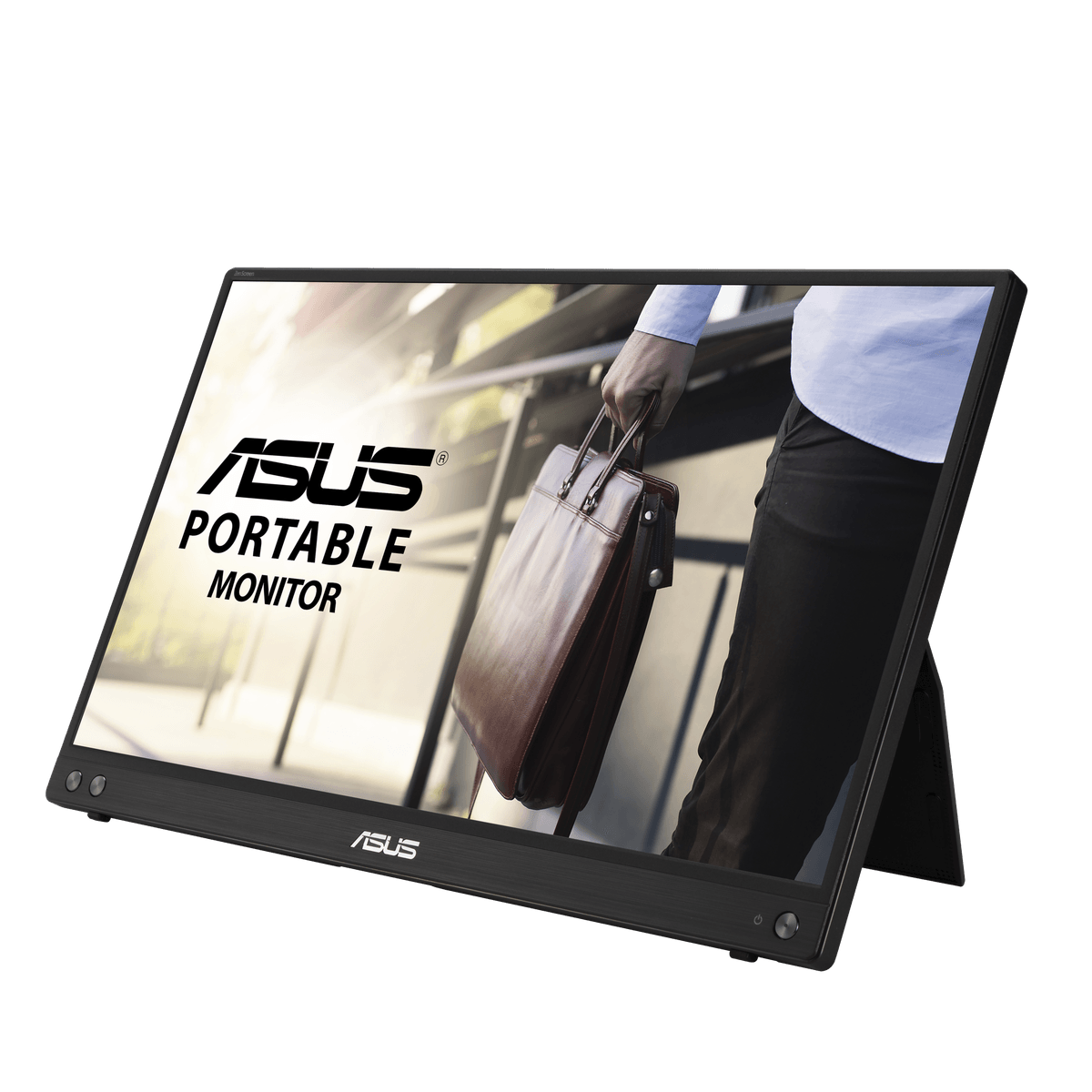
Pick 1 - Laptop-work baseline
ASUS ZenScreen MB16ACV 15.6-inch Portable USB Monitor
At a glance:Published display size: 15.6" · Published resolution: Full HD
Trade-off:The source describes portability and its display format; it does not prove one-cable compatibility with every laptop, colour-critical accuracy or a stable stand on every surface.
Official reference; not an affiliate buying link.
Open lead details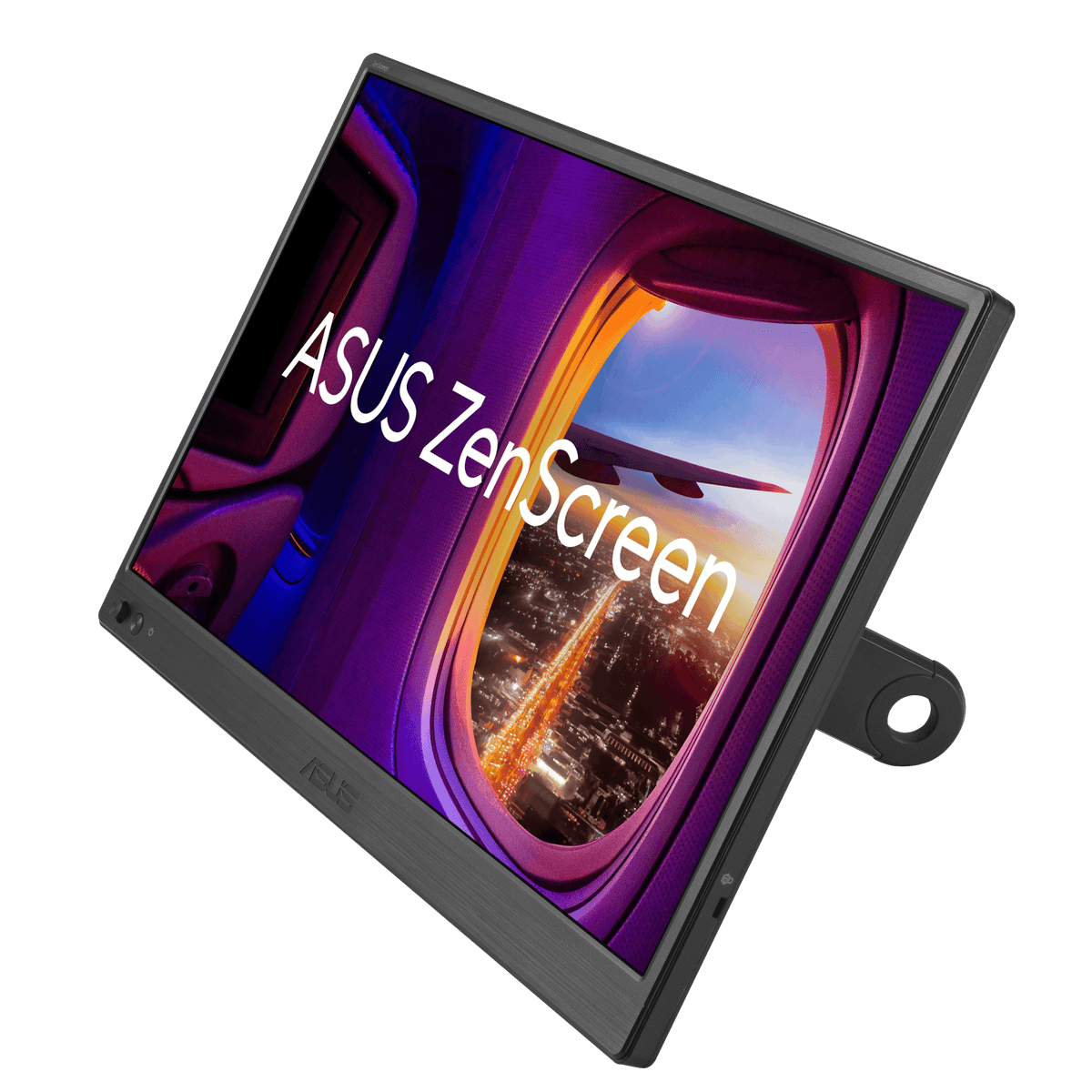
Pick 2 - Flexible-input alternative
ASUS ZenScreen MB169CK 15.6-inch Portable Monitor
Check price on AmazonAt a glance:Published display size: 15.6-inch · Published resolution: Full HD
Trade-off:The published inputs increase connection options, but the exact host output mode, supplied cables, power path and kickstand footprint still need checking.
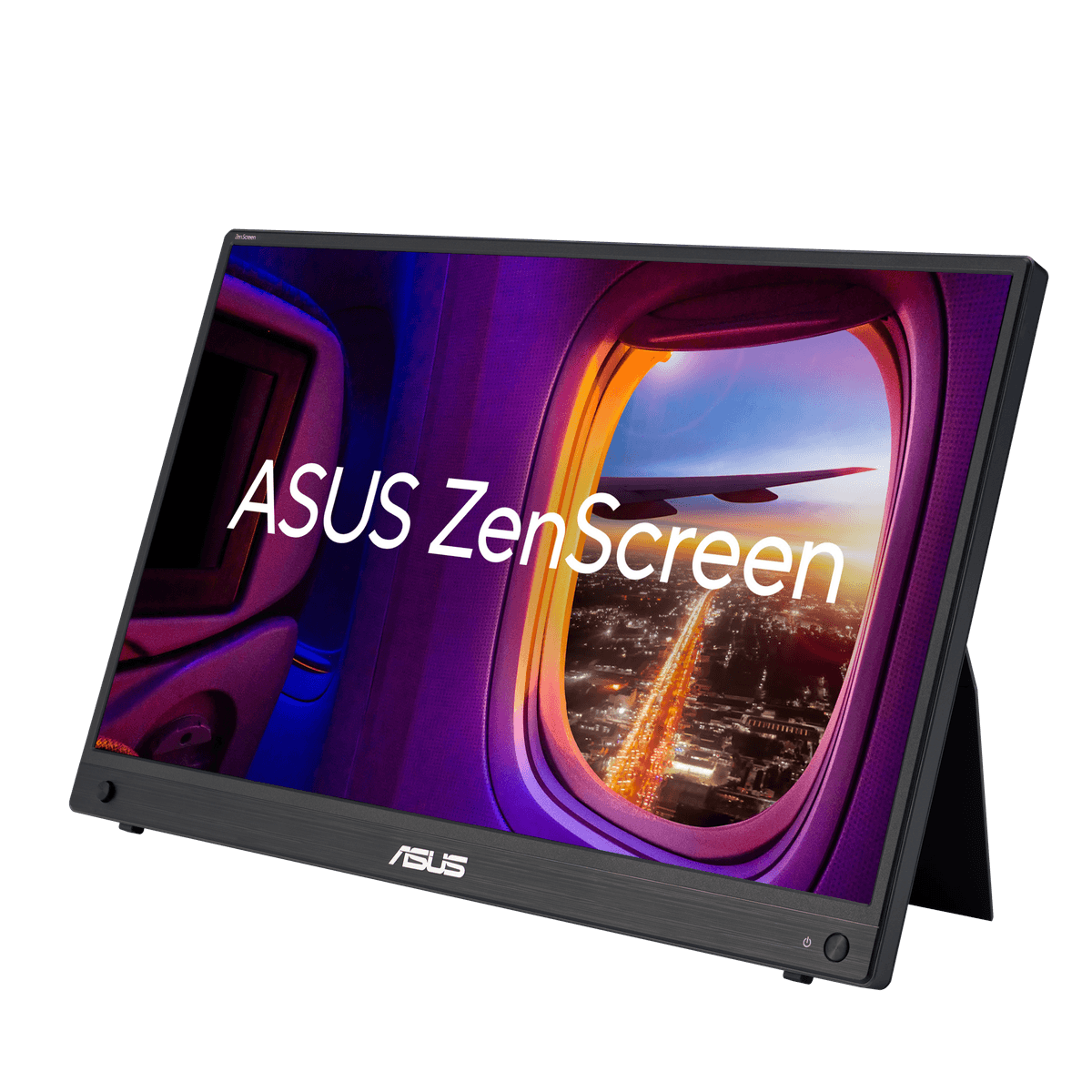
Pick 3 - High-refresh alternative
ASUS ZenScreen MB16AHG 15.6-inch 144Hz Portable Monitor
At a glance:Published display size: 15.6-inch · Published resolution: Full HD
Trade-off:A published 144Hz mode is not proof that a particular laptop, cable, game or power arrangement will negotiate that mode or improve a specific workflow.
Official reference; not an affiliate buying link.
Compare all 4 picks
Pick 4 - Compact 14-inch alternative
Lenovo ThinkVision M14 14-inch FHD Mobile Monitor — 61DDUAT6UK
At a glance:Published display size: 14" · Published resolution: FHD
Trade-off:The exact product record establishes the compact format and USB-C identity, not compatibility with every USB-C socket or better portability for every bag and desk.
Official reference; not an affiliate buying link.
Compare all 4 picksEveryday Technology Desk: before you choose: Check the exact device, port, app, operating-system and warranty fit before checkout.
Decision checks: device and port fit · portability · support and warranty
The shortlist
Four options, with the trade-offs visible
Use the fit, limitations and checkout checks before opening a retailer page. Confirm the current price, stock, delivery and returns with the retailer.
Pick 1
First comparison point
Laptop-work baseline
ASUS ZenScreen MB16ACV 15.6-inch Portable USB Monitor
15.6-inch Full HD IPS portable USB monitor with a hybrid-signal design. Trade-off: The source describes portability and its display format; it does not prove one-cable compatibility with every laptop, colour-critical accuracy or a stable stand on every surface. Confirm exact MB16ACV, host output, cable, power, stand, current purchase state and returns.
Highlights
- Exact current official product, image and purchase record: 15.6-inch Full HD IPS portable USB monitor with a hybrid-signal design.
Drawbacks
- The source describes portability and its display format; it does not prove one-cable compatibility with every laptop, colour-critical accuracy or a stable stand on every surface.
Buyer fit
Best for
- A source-bound portable-monitor comparison where exact model and connection checks matter.
Not for you if
- Buyers who need guaranteed one-cable compatibility, outdoor visibility, colour accuracy or desk stability.
Check before buying
- Confirm exact MB16ACV, the laptop connection mode and any required DisplayLink software, supplied cables, power, stand, dimensions, warranty and returns.
Pick 2
Flexible-input alternative
ASUS ZenScreen MB169CK 15.6-inch Portable Monitor
15.6-inch Full HD IPS portable monitor with USB-C, mini-HDMI and a 360-degree kickstand. Trade-off: The published inputs increase connection options, but the exact host output mode, supplied cables, power path and kickstand footprint still need checking. Confirm exact MB169CK, host output, cable, power, stand, current purchase state and returns.
Affiliate retailer link. Check current price, stock, delivery and returns before buying.
Highlights
- Exact current official product, image and purchase record: 15.6-inch Full HD IPS portable monitor with USB-C, mini-HDMI and a 360-degree kickstand.
Drawbacks
- The published inputs increase connection options, but the exact host output mode, supplied cables, power path and kickstand footprint still need checking.
Buyer fit
Best for
- A source-bound portable-monitor comparison where exact model and connection checks matter.
Not for you if
- Buyers who need guaranteed one-cable compatibility, outdoor visibility, colour accuracy or desk stability.
Check before buying
- Confirm exact MB169CK, USB-C DisplayPort Alt Mode or HDMI requirements, supplied cables, power, stand, dimensions, warranty and returns.
Pick 3
High-refresh alternative
ASUS ZenScreen MB16AHG 15.6-inch 144Hz Portable Monitor
15.6-inch Full HD portable IPS display with a published native 144Hz refresh rate, dual USB-C and mini-HDMI. Trade-off: A published 144Hz mode is not proof that a particular laptop, cable, game or power arrangement will negotiate that mode or improve a specific workflow. Confirm exact MB16AHG, host output, cable, power, stand, current purchase state and returns.
Highlights
- Exact current official product, image and purchase record: 15.6-inch Full HD portable IPS display with a published native 144Hz refresh rate, dual USB-C and mini-HDMI.
Drawbacks
- A published 144Hz mode is not proof that a particular laptop, cable, game or power arrangement will negotiate that mode or improve a specific workflow.
Buyer fit
Best for
- A source-bound portable-monitor comparison where exact model and connection checks matter.
Not for you if
- Buyers who need guaranteed one-cable compatibility, outdoor visibility, colour accuracy or desk stability.
Check before buying
- Confirm exact MB16AHG, USB-C DisplayPort Alt Mode or HDMI requirements, supplied cables, power, stand, dimensions, warranty and returns.
Pick 4
Compact 14-inch alternative
Lenovo ThinkVision M14 14-inch FHD Mobile Monitor — 61DDUAT6UK
exact 61DDUAT6UK 14-inch FHD mobile monitor with USB-C identity. Trade-off: The exact product record establishes the compact format and USB-C identity, not compatibility with every USB-C socket or better portability for every bag and desk. Confirm exact 61DDUAT6UK, host output, cable, power, stand, current purchase state and returns.
Highlights
- Exact current official product, image and purchase record: exact 61DDUAT6UK 14-inch FHD mobile monitor with USB-C identity.
Drawbacks
- The exact product record establishes the compact format and USB-C identity, not compatibility with every USB-C socket or better portability for every bag and desk.
Buyer fit
Best for
- A source-bound portable-monitor comparison where exact model and connection checks matter.
Not for you if
- Buyers who need guaranteed one-cable compatibility, outdoor visibility, colour accuracy or desk stability.
Check before buying
- Confirm exact 61DDUAT6UK, USB-C DisplayPort Alt Mode or HDMI requirements, supplied cables, power, stand, dimensions, warranty and returns.
Top 4 comparison
Compare the useful differences, trade-offs and final checks side by side.
Before you compare
Check these first
- 1Confirm the exact model code
- 2Check whether the host USB-C port supports DisplayPort Alt Mode or use the documented HDMI path
- 3Confirm supplied cable and power requirements
Your four roles
View specs & trade-offs
Trade-off:The source describes portability and its display format; it does not prove one-cable compatibility with every laptop, colour-critical accuracy or a stable stand on every surface.
Not ideal for:Buyers who need guaranteed one-cable compatibility, outdoor visibility, colour accuracy or desk stability.
Check:Confirm exact MB16ACV, the laptop connection mode and any required DisplayLink software, supplied cables, power, stand, dimensions, warranty and returns.
Warranty and support:Confirm the manufacturer's current UK warranty and return terms for exact MB16ACV. • Exact official UK product and purchase record checked 2026-08-29.
Sources:https://www.asus.com/uk/displays-desktops/monitors/zenscreen/zenscreen-mb16acv/.
View specs & trade-offs
Trade-off:The published inputs increase connection options, but the exact host output mode, supplied cables, power path and kickstand footprint still need checking.
Not ideal for:Buyers who need guaranteed one-cable compatibility, outdoor visibility, colour accuracy or desk stability.
Check:Confirm exact MB169CK, USB-C DisplayPort Alt Mode or HDMI requirements, supplied cables, power, stand, dimensions, warranty and returns.
Warranty and support:Confirm the manufacturer's current UK warranty and return terms for exact MB169CK. • Exact official UK product and purchase record checked 2026-08-29.
Sources:https://www.asus.com/uk/displays-desktops/monitors/zenscreen/asus-zenscreen-mb169ck/.
View specs & trade-offs
Trade-off:A published 144Hz mode is not proof that a particular laptop, cable, game or power arrangement will negotiate that mode or improve a specific workflow.
Not ideal for:Buyers who need guaranteed one-cable compatibility, outdoor visibility, colour accuracy or desk stability.
Check:Confirm exact MB16AHG, USB-C DisplayPort Alt Mode or HDMI requirements, supplied cables, power, stand, dimensions, warranty and returns.
Warranty and support:Confirm the manufacturer's current UK warranty and return terms for exact MB16AHG. • Exact official UK product and purchase record checked 2026-08-29.
Sources:https://www.asus.com/uk/displays-desktops/monitors/zenscreen/asus-zenscreen-mb16ahg/.
View specs & trade-offs
Trade-off:The exact product record establishes the compact format and USB-C identity, not compatibility with every USB-C socket or better portability for every bag and desk.
Not ideal for:Buyers who need guaranteed one-cable compatibility, outdoor visibility, colour accuracy or desk stability.
Check:Confirm exact 61DDUAT6UK, USB-C DisplayPort Alt Mode or HDMI requirements, supplied cables, power, stand, dimensions, warranty and returns.
Warranty and support:Confirm the manufacturer's current UK warranty and return terms for exact 61DDUAT6UK. • Exact official UK product and purchase record checked 2026-08-29.
Sources:https://www.lenovo.com/gb/en/p/accessories-and-software/monitors/office/61dduat6uk.
| Pick | Pick role | Best for | Avoid if | Key trade-off | Check before buying | Warranty/support status | Review/evidence basis | Retailer |
|---|---|---|---|---|---|---|---|---|
| 1. ASUS ZenScreen MB16ACV 15.6-inch Portable USB Monitor | Laptop-work baseline | A source-bound portable-monitor comparison where exact model and connection checks matter. | Buyers who need guaranteed one-cable compatibility, outdoor visibility, colour accuracy or desk stability. | The source describes portability and its display format; it does not prove one-cable compatibility with every laptop, colour-critical accuracy or a stable stand on every surface. | Confirm exact MB16ACV, the laptop connection mode and any required DisplayLink software, supplied cables, power, stand, dimensions, warranty and returns. | Confirm the manufacturer's current UK warranty and return terms for exact MB16ACV. • Exact official UK product and purchase record checked 2026-08-29. | https://www.asus.com/uk/displays-desktops/monitors/zenscreen/zenscreen-mb16acv/ | No retailer link |
| 2. ASUS ZenScreen MB169CK 15.6-inch Portable Monitor | Flexible-input alternative | A source-bound portable-monitor comparison where exact model and connection checks matter. | Buyers who need guaranteed one-cable compatibility, outdoor visibility, colour accuracy or desk stability. | The published inputs increase connection options, but the exact host output mode, supplied cables, power path and kickstand footprint still need checking. | Confirm exact MB169CK, USB-C DisplayPort Alt Mode or HDMI requirements, supplied cables, power, stand, dimensions, warranty and returns. | Confirm the manufacturer's current UK warranty and return terms for exact MB169CK. • Exact official UK product and purchase record checked 2026-08-29. | https://www.asus.com/uk/displays-desktops/monitors/zenscreen/asus-zenscreen-mb169ck/ | Check retailer price |
| 3. ASUS ZenScreen MB16AHG 15.6-inch 144Hz Portable Monitor | High-refresh alternative | A source-bound portable-monitor comparison where exact model and connection checks matter. | Buyers who need guaranteed one-cable compatibility, outdoor visibility, colour accuracy or desk stability. | A published 144Hz mode is not proof that a particular laptop, cable, game or power arrangement will negotiate that mode or improve a specific workflow. | Confirm exact MB16AHG, USB-C DisplayPort Alt Mode or HDMI requirements, supplied cables, power, stand, dimensions, warranty and returns. | Confirm the manufacturer's current UK warranty and return terms for exact MB16AHG. • Exact official UK product and purchase record checked 2026-08-29. | https://www.asus.com/uk/displays-desktops/monitors/zenscreen/asus-zenscreen-mb16ahg/ | No retailer link |
| 4. Lenovo ThinkVision M14 14-inch FHD Mobile Monitor — 61DDUAT6UK | Compact 14-inch alternative | A source-bound portable-monitor comparison where exact model and connection checks matter. | Buyers who need guaranteed one-cable compatibility, outdoor visibility, colour accuracy or desk stability. | The exact product record establishes the compact format and USB-C identity, not compatibility with every USB-C socket or better portability for every bag and desk. | Confirm exact 61DDUAT6UK, USB-C DisplayPort Alt Mode or HDMI requirements, supplied cables, power, stand, dimensions, warranty and returns. | Confirm the manufacturer's current UK warranty and return terms for exact 61DDUAT6UK. • Exact official UK product and purchase record checked 2026-08-29. | https://www.lenovo.com/gb/en/p/accessories-and-software/monitors/office/61dduat6uk | No retailer link |
Choose this if / Avoid this if
Rule out poor-fit options before comparing finer details.
Avoid if
- You need guaranteed one-cable compatibility
- You cannot establish the host video-output mode
- The stand or cable path does not fit the intended surface
- The exact product identity or current purchase state is unclear
Dealbreakers
- The exact model differs
- The laptop port cannot output the required display signal
- Required cables or power cannot be supplied safely
- The current exact purchase action is no longer available
Check before buying
- Confirm the exact model code
- Check whether the host USB-C port supports DisplayPort Alt Mode or use the documented HDMI path
- Confirm supplied cable and power requirements
- Measure stand footprint and viewing angle
- Check dimensions weight and protective carry method
- Confirm current UK purchase warranty and returns
Choose another shortlist if
- Use a fixed home-working monitor route when the screen will stay on one desk
- Use a USB-C docking route when charging and peripherals matter more than portability
- Defer purchase when the host output or return path cannot be verified
Detailed buyer guidance
Start with the laptop or source-device output
A USB-C-shaped socket does not automatically send video. Check the exact laptop, tablet or console specification for DisplayPort Alt Mode, Thunderbolt or another documented display output, then match that path to the exact monitor and supplied cable. If the verified path is HDMI, include the monitor’s power requirement and adapter limitations before comparing portability.
Quick decision
- Choose ASUS ZenScreen MB16ACV for the laptop-work baseline role. The source describes portability and its display format; it does not prove one-cable compatibility with every laptop, colour-critical accuracy or a stable stand on every surface.
- Choose ASUS ZenScreen MB169CK for the flexible-input alternative role. The published inputs increase connection options, but the exact host output mode, supplied cables, power path and kickstand footprint still need checking.
- Choose ASUS ZenScreen MB16AHG for the high-refresh alternative role. A published 144Hz mode is not proof that a particular laptop, cable, game or power arrangement will negotiate that mode or improve a specific workflow.
- Choose Lenovo ThinkVision M14 61DDUAT6UK for the compact 14-inch alternative role. The exact product record establishes the compact format and USB-C identity, not compatibility with every USB-C socket or better portability for every bag and desk.
Who this is for
This route is for UK buyers who want a second screen that can move between desks and who will verify the host output, cable, power, stand and carry constraints before purchase.
Who this is not for
It is not a guarantee of universal compatibility, colour-critical accuracy, outdoor readability, gaming response, stand stability or long-session ergonomics. Choose a fixed display route when desk use is the dominant job.
What this route proves
The source records establish exact model identity, the published portable display format, one exact official image and one current UK purchase state. They do not establish performance in a particular bag, desk, room, laptop, cable or power arrangement.
1. ASUS ZenScreen MB16ACV — Laptop-work baseline
15.6-inch Full HD IPS portable USB monitor with a hybrid-signal design.
The source describes portability and its display format; it does not prove one-cable compatibility with every laptop, colour-critical accuracy or a stable stand on every surface.
The checked action is a non-affiliate official product reference. Re-check exact identity MB16ACV, host output, cable, power, stand, current availability, warranty and returns before purchase.
2. ASUS ZenScreen MB169CK — Flexible-input alternative
15.6-inch Full HD IPS portable monitor with USB-C, mini-HDMI and a 360-degree kickstand.
The published inputs increase connection options, but the exact host output mode, supplied cables, power path and kickstand footprint still need checking.
The checked action is a non-affiliate official product reference. Re-check exact identity MB169CK, host output, cable, power, stand, current availability, warranty and returns before purchase.
3. ASUS ZenScreen MB16AHG — High-refresh alternative
15.6-inch Full HD portable IPS display with a published native 144Hz refresh rate, dual USB-C and mini-HDMI.
A published 144Hz mode is not proof that a particular laptop, cable, game or power arrangement will negotiate that mode or improve a specific workflow.
The checked action is a non-affiliate official product reference. Re-check exact identity MB16AHG, host output, cable, power, stand, current availability, warranty and returns before purchase.
4. Lenovo ThinkVision M14 61DDUAT6UK — Compact 14-inch alternative
exact 61DDUAT6UK 14-inch FHD mobile monitor with USB-C identity.
The exact product record establishes the compact format and USB-C identity, not compatibility with every USB-C socket or better portability for every bag and desk.
The checked action is a non-affiliate official product reference. Re-check exact identity 61DDUAT6UK, host output, cable, power, stand, current availability, warranty and returns before purchase.
Cable, power and stand checks
Record the exact port used on both devices. A USB-C cable can carry power without video, video without enough power, or neither required mode. Use the manufacturer’s specified cable type and check whether the monitor is powered by the host or needs another supply. Measure the kickstand footprint at the angle you will use, including cable bend radius and the space behind the screen.
Carry and workspace checks
Measure the monitor, sleeve, cables and adapter as one travel kit. A larger panel can add useful space but may not fit the same bag or hotel desk. Check that the protective cover separates the display from plugs and hard objects. On a narrow surface, verify that the stand cannot be pushed beyond the edge by cable tension.
What would change the order
The order changes when smaller bag fit, mixed-input support, smoother published refresh, a different stand arrangement or a verified host limitation becomes decisive. Current source evidence for another brand could broaden the cohort; MSI and Acer remained excluded here because their official records did not pass the automated live proof path. Price and commission did not establish the order.
Before checkout
Record the exact model token, laptop or source-device video output, required cable, power path, stand footprint, carry protection and current warranty and returns. Re-open the official Product page and stop if the page substitutes a sibling model or no longer presents a current purchase state.
When another role fits better
The first option is a useful starting point, not a universal winner. Move another role ahead when its use case, fit or ownership trade-offs match you better.
Known limitations
UK Shortlists has not tested host compatibility, supplied cables, power draw, stand stability, bag protection, outdoor visibility, colour accuracy, latency, long-term reliability or return handling.
How we chose
The checks behind the four picks
Check the product details, limitations and retailer terms before deciding.
- Step 1: Exact current product identity
- Step 2: Portable display format
- Step 3: Host connection path
- Step 4: Stand and carry trade-offs
- Step 5: Exact official image
- Step 6: Current exact UK purchase state
Disclosure
Last reviewed: 29/08/2026
UK Shortlists may earn a commission when you use some retailer links. This does not increase the price you pay.
As an Amazon Associate we earn from qualifying purchases.
Retailers cannot pay to change which products we recommend or their order.
Prices, stock, delivery and returns can change. Confirm the final details with the retailer before buying.
Read more about how UK Shortlists makes money, retailer checks, and how corrections are handled.
Who checked this shortlist?
- Written / compiled by:
- Everyday Technology Desk
- Reviewed by:
- UK Shortlists Editorial Team
- Last reviewed:
- 29/08/2026
- Review basis:
- Criteria-based comparison
We compare published product information, retailer details and the buying criteria shown above. UK Shortlists does not currently publish claims based on first-party product use, laboratory testing or long-term testing.
FAQs & alternatives
Does a USB-C socket guarantee video output?
No. Confirm DisplayPort Alt Mode or another documented video path for the exact laptop and monitor.
Can a portable monitor replace a fixed desktop display?
It can suit some workflows but this evidence does not establish ergonomics colour accuracy brightness or long-session comfort for a particular user.
Why are three picks from ASUS?
Each exact current record fills a different route role. Brand concentration is disclosed and no whole-market claim is made.
Did affiliate commission set the order?
No. All four checked actions are non-affiliate official references and order follows route evidence.
Also consider
- Use a fixed monitor for a permanent ergonomic desk
- Use a tablet-based second-screen workflow when supported
- Defer until device output cable power and returns are confirmed
Newsletter
Want the next useful buying check?
Get occasional UK Shortlists updates for decisions like this. Unsubscribe at any time.
Related shortlists
- Best Portable Monitors for Laptops in the UK (2026)
Use this related shortlist to compare trade-offs before finalising your Top 4 pick.
- Best QHD Monitors for Detailed Desktop Work in the UK (2026)
Use this related shortlist to compare trade-offs before finalising your Top 4 pick.
- Best Portable Monitors for Hotel Workspaces in the UK (2026)
Use this related shortlist to compare trade-offs before finalising your Top 4 pick.
- Best QHD Monitors for Work in the UK (2026)
Use this related shortlist to compare trade-offs before finalising your Top 4 pick.
- Best Portable Monitors for Hotel Desk Workdays in the UK (2026)
Use this related shortlist to compare trade-offs before finalising your Top 4 pick.
- Best QHD Monitors with Height Adjustment in the UK (2026)
Use this related shortlist to compare trade-offs before finalising your Top 4 pick.