
UK buying shortlist
Best Laptops for Home Working in the UK (2026)
Written by Everyday Technology Desk Everyday technology editorial desk · Laptops & Computing beat · reviewed 12/08/2026
Four exact laptop configurations compared by documented webcam and desk-connection evidence, with screen size, Ethernet and carry trade-offs kept explicit.
Quick answer · Top 4
Compare all four options
Open a product to review its fit, limitations and buying checks before choosing a retailer.
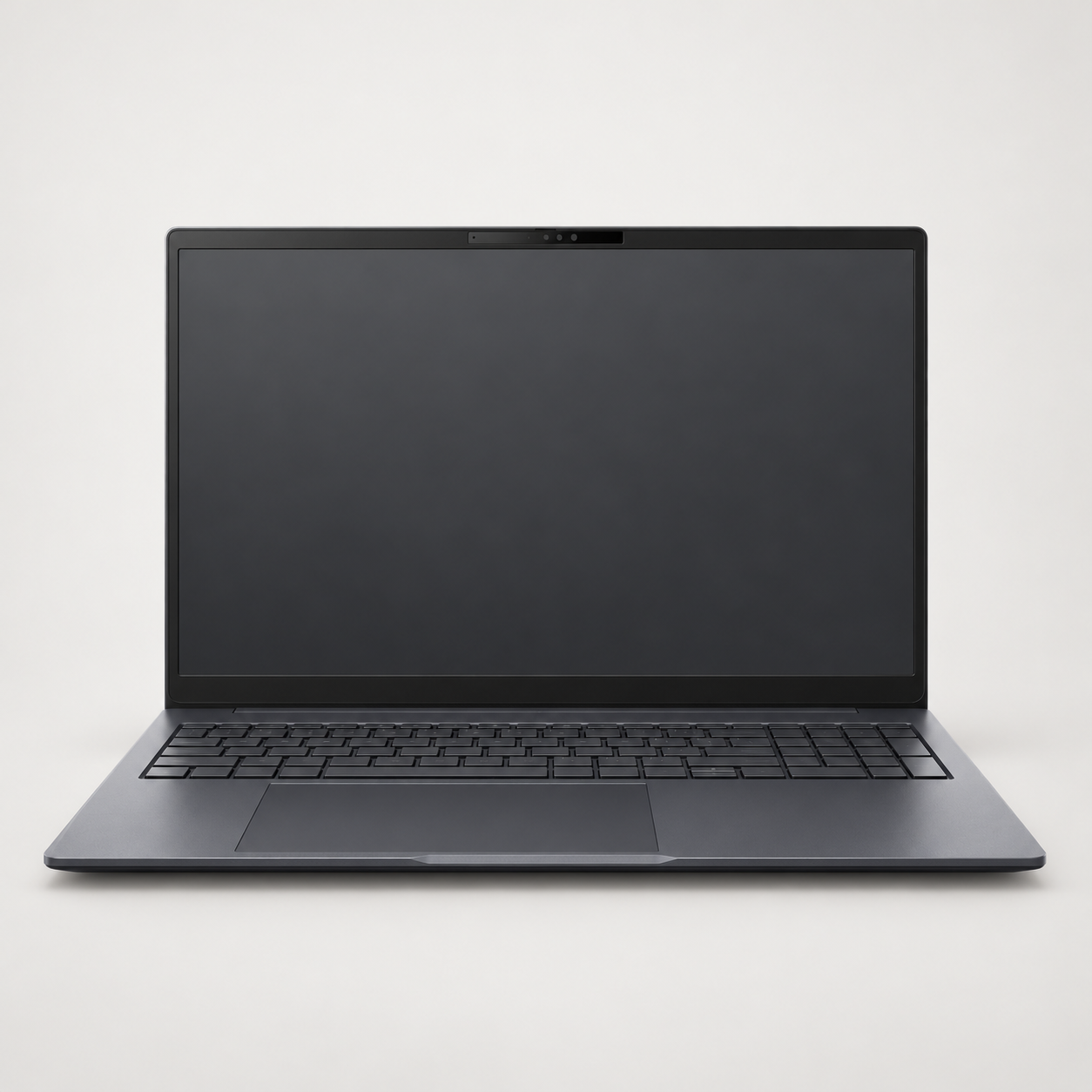
Pick 1 - Best full desk I/O with 1080p IR camera
ASUS ExpertBook B5 B5605CC-MBU715X 16GB 512GB
At a glance:Full desk I/O with a 1080p IR camera.
Trade-off:Port presence does not establish dock compatibility with every accessory.
Official reference; not an affiliate buying link.
Compare all 4 picks
Pick 2 - Best 5MP camera with built-in Ethernet
HP EliteBook 6 G1a 14 A26Y9EA#ABU 16GB 512GB, Quzo SKU 420985, GTIN 0199251561122
At a glance:A 5MP camera with built-in Ethernet.
Trade-off:Camera resolution does not establish image quality under every room condition.
Official reference; not an affiliate buying link.
Compare all 4 picks
Pick 3 - Best large-screen 5MP desk setup
HP OmniBook X 17.3" Laptop Next Gen AI PC 17-de0001nax DQ9H5EA#ABU 32GB 1TB
At a glance:A large-screen 5MP desk setup.
Trade-off:The exact listing has no built-in RJ45 and the large chassis is less portable.
Official reference; not an affiliate buying link.
Compare all 4 picksPick 4 - Best wired workstation desk setup
HP ZBook X G1i 16 8T179EA#ABU 64GB 1TB
At a glance:A 64GB discrete-GPU photo configuration or wired workstation desk setup.
Trade-off:At 2.04kg it is a desk-oriented choice and the facts do not establish editing speed.
Official reference; not an affiliate buying link.
Compare all 4 picksEveryday Technology Desk: before you choose: Check the exact device, port, app, operating-system and warranty fit before checkout.
Decision checks: device and port fit · portability · support and warranty
Compare the four configurations and rule out a poor fit before choosing a retailer.
Compare all fourThe shortlist
Four options, with the trade-offs visible
Use the fit, limitations and checkout checks before opening a retailer page. Confirm the current price, stock, delivery and returns with the retailer.
Pick 1
First comparison point
Best full desk I/O with 1080p IR camera
ASUS ExpertBook B5 B5605CC-MBU715X 16GB 512GB
This exact laptop configuration suits home working with a 1080p IR webcam and HDMI 2.1, two Thunderbolt 4 ports, two USB-A ports and RJ45 Ethernet for an evidenced desk connection path.
Highlights
- A 1080p IR camera and broad desk I/O are explicit for the exact listing.
Drawbacks
- Port presence does not establish dock compatibility with every accessory.
Buyer fit
Best for
- Full desk I/O with a 1080p IR camera.
Not for you if
- A minimal-port ultraportable.
Check before buying
- Confirm exact model, camera, ports, display outputs, keyboard and warranty.
Pick 2
Best 5MP camera with built-in Ethernet
HP EliteBook 6 G1a 14 A26Y9EA#ABU 16GB 512GB, Quzo SKU 420985, GTIN 0199251561122
This exact laptop configuration suits home working with a 5MP IR webcam and HDMI 2.1, two Thunderbolt 4 ports, two USB-A ports and RJ45 Ethernet for direct wired desk use.
Highlights
- The exact listing combines a 5MP camera with built-in wired networking and display ports.
Drawbacks
- Camera resolution does not establish image quality under every room condition.
Buyer fit
Best for
- A 5MP camera with built-in Ethernet.
Not for you if
- A claim of meeting quality without room and network checks.
Check before buying
- Confirm exact MPN, Quzo SKU, camera, ports, display outputs, UK keyboard and warranty.
Pick 3
Best large-screen 5MP desk setup
HP OmniBook X 17.3" Laptop Next Gen AI PC 17-de0001nax DQ9H5EA#ABU 32GB 1TB
This exact laptop configuration suits home working with a 5MP IR HDR webcam and HDMI 2.1, two Thunderbolt 4 ports and three USB-A ports, but it has no built-in RJ45 Ethernet.
Highlights
- Large display, 5MP IR camera and multiple display-capable ports are explicit.
Drawbacks
- The exact listing has no built-in RJ45 and the large chassis is less portable.
Buyer fit
Best for
- A large-screen 5MP desk setup.
Not for you if
- A desk that requires built-in Ethernet or compact storage.
Check before buying
- Confirm exact SKU, camera, ports, dock needs, dimensions and warranty.
Pick 4
Best wired workstation desk setup
HP ZBook X G1i 16 8T179EA#ABU 64GB 1TB
This exact laptop configuration suits home working with a 5MP IR webcam and HDMI 2.1, two Thunderbolt 4 ports, two USB-A ports and RJ45 Ethernet, with a listed 2.04kg carry trade-off.
Highlights
- Exact 64GB workstation configuration combines a documented wide-gamut display and discrete GPU.
Drawbacks
- At 2.04kg it is a desk-oriented choice and the facts do not establish editing speed.
Buyer fit
Best for
- A 64GB discrete-GPU photo configuration or wired workstation desk setup.
Not for you if
- Light commuting or an evidence-free performance claim.
Check before buying
- Confirm exact SKU, panel, memory, GPU, ports, camera and warranty.
Top 4 comparison
Compare the useful differences, trade-offs and final checks side by side.
Before you compare
Check these first
- 1Confirm exact model memory storage and display
- 2Check webcam resolution privacy shutter and microphone needs
- 3Map monitors network and peripherals to the listed ports
Your four roles
View specs & trade-offs
Trade-off:Port presence does not establish dock compatibility with every accessory.
Not ideal for:A minimal-port ultraportable.
Check:Confirm exact model, camera, ports, display outputs, keyboard and warranty.
Warranty and support:Confirm ASUS and Technoworld warranty terms. • Official ASUS evidence and exact Technoworld source checked 2026-08-12.
Sources:Official ASUS family specification: https://www.asus.com/uk/laptops/for-work/expertbook/asus-expertbook-b5-b5605/techspec/.
View specs & trade-offs
Trade-off:Camera resolution does not establish image quality under every room condition.
Not ideal for:A claim of meeting quality without room and network checks.
Check:Confirm exact MPN, Quzo SKU, camera, ports, display outputs, UK keyboard and warranty.
Warranty and support:Confirm HP and Quzo terms for A26Y9EA#ABU. • Official HP evidence and exact Quzo UK source checked 2026-08-14 with structured InStock status.
Sources:Official HP UK exact product evidence: https://www.hp.com/gb-en/shop/products/laptops/hp-elitebook-6-g1a-14-inch-notebook-ai-pc-a26y9ea-abu.
View specs & trade-offs
Trade-off:The exact listing has no built-in RJ45 and the large chassis is less portable.
Not ideal for:A desk that requires built-in Ethernet or compact storage.
Check:Confirm exact SKU, camera, ports, dock needs, dimensions and warranty.
Warranty and support:Confirm HP and retailer warranty terms for DQ9H5EA#ABU. • Official HP exact configuration and current HP UK Product Offer checked 2026-08-15; the existing Qual reference remains a non-primary alternative.
Sources:Official HP exact configuration: https://www.hp.com/gb-en/shop/api/getproductsbyskus?categoryId=Mw%3D%3D&skus=DQ9H5EA%23ABU.
View specs & trade-offs
Trade-off:At 2.04kg it is a desk-oriented choice and the facts do not establish editing speed.
Not ideal for:Light commuting or an evidence-free performance claim.
Check:Confirm exact SKU, panel, memory, GPU, ports, camera and warranty.
Warranty and support:Confirm HP and Technoworld warranty terms for 8T179EA#ABU. • Exact Technoworld UK source checked 2026-08-12.
Sources:Exact UK retailer listing: https://www.technoworld.com/hp-zbook-x-g1i-8t179ea-abu-laptop.
| Pick | Pick role | Best for | Avoid if | Key trade-off | Check before buying | Warranty/support status | Review/evidence basis |
|---|---|---|---|---|---|---|---|
| 1. ASUS ExpertBook B5 B5605CC-MBU715X 16GB 512GB | Best full desk I/O with 1080p IR camera | Full desk I/O with a 1080p IR camera. | A minimal-port ultraportable. | Port presence does not establish dock compatibility with every accessory. | Confirm exact model, camera, ports, display outputs, keyboard and warranty. | Confirm ASUS and Technoworld warranty terms. • Official ASUS evidence and exact Technoworld source checked 2026-08-12. | Official ASUS family specification: https://www.asus.com/uk/laptops/for-work/expertbook/asus-expertbook-b5-b5605/techspec/ |
| 2. HP EliteBook 6 G1a 14 A26Y9EA#ABU 16GB 512GB, Quzo SKU 420985, GTIN 0199251561122 | Best 5MP camera with built-in Ethernet | A 5MP camera with built-in Ethernet. | A claim of meeting quality without room and network checks. | Camera resolution does not establish image quality under every room condition. | Confirm exact MPN, Quzo SKU, camera, ports, display outputs, UK keyboard and warranty. | Confirm HP and Quzo terms for A26Y9EA#ABU. • Official HP evidence and exact Quzo UK source checked 2026-08-14 with structured InStock status. | Official HP UK exact product evidence: https://www.hp.com/gb-en/shop/products/laptops/hp-elitebook-6-g1a-14-inch-notebook-ai-pc-a26y9ea-abu |
| 3. HP OmniBook X 17.3" Laptop Next Gen AI PC 17-de0001nax DQ9H5EA#ABU 32GB 1TB | Best large-screen 5MP desk setup | A large-screen 5MP desk setup. | A desk that requires built-in Ethernet or compact storage. | The exact listing has no built-in RJ45 and the large chassis is less portable. | Confirm exact SKU, camera, ports, dock needs, dimensions and warranty. | Confirm HP and retailer warranty terms for DQ9H5EA#ABU. • Official HP exact configuration and current HP UK Product Offer checked 2026-08-15; the existing Qual reference remains a non-primary alternative. | Official HP exact configuration: https://www.hp.com/gb-en/shop/api/getproductsbyskus?categoryId=Mw%3D%3D&skus=DQ9H5EA%23ABU |
| 4. HP ZBook X G1i 16 8T179EA#ABU 64GB 1TB | Best wired workstation desk setup | A 64GB discrete-GPU photo configuration or wired workstation desk setup. | Light commuting or an evidence-free performance claim. | At 2.04kg it is a desk-oriented choice and the facts do not establish editing speed. | Confirm exact SKU, panel, memory, GPU, ports, camera and warranty. | Confirm HP and Technoworld warranty terms for 8T179EA#ABU. • Exact Technoworld UK source checked 2026-08-12. | Exact UK retailer listing: https://www.technoworld.com/hp-zbook-x-g1i-8t179ea-abu-laptop |
Choose this if / Avoid this if
Rule out poor-fit options before comparing finer details.
Avoid if
- You require measured webcam microphone or keyboard performance
- Your monitor or dock cannot be verified against the selected ports
- Daily commuting makes the selected screen size or weight impractical
Dealbreakers
- The live model code differs
- Camera or required desk connection is absent
- Required Ethernet display dock or charging path cannot be confirmed
Check before buying
- Confirm exact model memory storage and display
- Check webcam resolution privacy shutter and microphone needs
- Map monitors network and peripherals to the listed ports
- Verify dock display and charging support separately
- Recheck stock delivery returns warranty and support
Choose another shortlist if
- Use the battery route when published mobile runtime decides the purchase
- Use the photo-editing route when display memory and storage set a higher configuration floor
- Use the 16-inch home-working route when screen size is already fixed
Detailed buyer guidance
Start with the desk connections
A home-working laptop should fit the desk before headline performance matters. This route starts with an exact webcam resolution and a documented route to monitors, wired networking or core peripherals. It does not infer call quality, keyboard comfort or universal dock compatibility from those specifications.
Who this is for
This route is for buyers who regularly work at one home desk and need a compact evidence-led comparison of camera, display output, Ethernet and USB connections. It suits readers prepared to map each monitor, dock, headset and network requirement to the exact configuration.
Who this is not for
It is not a webcam or microphone measurement. It is also unsuitable when daily commuting, published battery runtime, serious creative work or a fixed 16-inch format is the true first constraint. A separately verified camera or dock may be a lower-friction fix than replacing a capable laptop.
Quick decision
- ASUS ExpertBook B5 B5605CC-MBU715X: 1080p IR camera with shutter, two Thunderbolt 4 ports, HDMI 2.1, two USB-A ports, RJ45 Ethernet and microSD make this the broad-I/O starting point.
- HP EliteBook 6 G1a A26Y9EA#ABU: 5MP camera with manual shutter, two Thunderbolt 4 ports, HDMI 2.1, two USB-A ports and RJ45 Ethernet define the camera-and-wired-network alternative.
- HP OmniBook X 17 DQ9H5EA: 17.3-inch screen, 5MP IR HDR camera, two Thunderbolt 4 ports, HDMI 2.1 and three USB-A ports suit a larger desk, but there is no built-in RJ45 port.
- HP ZBook X G1i 8T179EA: 5MP IR camera, two Thunderbolt 4 ports, HDMI 2.1, two USB-A ports and RJ45 Ethernet provide a workstation-oriented wired setup, with a listed 2.04kg carry cost.
Camera resolution is only a filter
The ASUS publishes a 1080p IR camera, the EliteBook 6 publishes a 5MP camera with manual shutter, and the other two HP configurations publish 5MP IR cameras. That makes camera identity and resolution visible before checkout. It does not prove how each handles poor light, exposure, motion, microphones, conferencing software or a weak network. The shutters are useful documented privacy features, not a security outcome claim.
If calls are central to the job, test the real room conditions during the return window. Check where the screen sits relative to a window, whether the camera angle works on the desk and whether a headset or separate microphone is still needed. A higher resolution specification cannot repair room acoustics or connection instability.
Map every cable before buying
The ExpertBook is primary because it has the broadest documented desk I/O mix in this selected set, including built-in Ethernet and microSD. The EliteBook provides a similar core display-and-network path with a differently specified 5MP camera. Neither fact guarantees that a particular Thunderbolt or USB-C dock will drive the desired monitors and charge the laptop correctly.
The 17.3-inch OmniBook provides more built-in screen area and one extra USB-A port, but buyers needing wired Ethernet must verify an adapter or dock because RJ45 is absent. The ZBook restores built-in Ethernet and offers a workstation-oriented configuration, but its 2.04kg listed weight matters if home working regularly includes travel.
Write down monitor resolution and refresh rate, connection type, Ethernet need, charging power, headset, storage and any card-reader requirement. Match those needs against the exact ports rather than the family name. HDMI 2.1 and Thunderbolt 4 are useful source facts, but cable, dock, display and operating-system support still determine the working result.
Before checkout
Confirm the exact model code, memory, storage and screen on the live page. Check the camera and privacy-shutter wording, UK keyboard, charger, Ethernet, monitor outputs and number of usable USB ports after charging and display cables are connected. Verify any dock by exact model, power delivery and supported display modes.
Use 16-inch laptops for home working when that screen size is already fixed. Use the Laptop Configuration Checker if software, memory or connection requirements remain unsettled.
Known limitations
UK Shortlists has no first-party call, camera, keyboard, networking, dock or performance measurements for these configurations. Published camera and port specifications do not guarantee call quality, comfort, connection stability or accessory interoperability. Stock, bundles, commercial terms and specifications can change after review.
What would change the selection
A pick returns to hold if its exact UK identity, camera specification, desk-connection evidence or source destination drifts. A replacement must evidence a distinct home-working role without relying on a generic office label, live price, call-quality promise or universal-dock claim.
When another role fits better
The first option is a useful starting point, not a universal winner. Move another role ahead when its use case, fit or ownership trade-offs match you better.
How we chose
The checks behind the four picks
We required an exact current UK laptop with a published webcam resolution and a documented external-display or desk-connection path. Roles distinguish full desk I/O, a 5MP Ethernet configuration, a large-screen setup and a wired workstation setup.
- Step 1: Exact current UK configuration
- Step 2: Published camera resolution and privacy feature
- Step 3: External-display and desk connection path
- Step 4: Ethernet and USB port mix
- Step 5: Screen-size and carry trade-offs
Disclosure
Last reviewed: 12/08/2026
UK Shortlists may earn a commission when you use some retailer links. This does not increase the price you pay.
As an Amazon Associate we earn from qualifying purchases.
Retailers cannot pay to change which products we recommend or their order.
Prices, stock, delivery and returns can change. Confirm the final details with the retailer before buying.
Read more about how UK Shortlists makes money, retailer checks, and how corrections are handled.
Who checked this shortlist?
- Written / compiled by:
- Everyday Technology Desk
- Reviewed by:
- UK Shortlists Editorial Team
- Last reviewed:
- 12/08/2026
- Review basis:
- Criteria-based comparison
We compare published product information, retailer details and the buying criteria shown above. UK Shortlists does not currently publish claims based on first-party product use, laboratory testing or long-term testing.
FAQs & alternatives
Does a 5MP webcam guarantee better calls than 1080p?
No. Resolution is one published fact; optics processing light network microphone and software also affect calls.
Will every Thunderbolt or USB-C dock work?
No. Verify the exact dock power delivery display modes operating-system support and cable requirements separately.
Why is the ASUS the starting point?
Its exact configuration provides the broadest documented mix of camera Ethernet display USB and card connections in this selected set.
Also consider
- Keep a suitable laptop and add a separately verified camera or dock when that solves the actual gap
- Choose a mobile-first route when the machine will leave the desk every day
Newsletter
Want the next useful buying check?
Get occasional UK Shortlists updates for decisions like this. Unsubscribe at any time.
Related shortlists
- Best Creator Laptops in the UK (2026)
Use this related shortlist to compare trade-offs before finalising your Top 4 pick.
- Best Gaming Laptops in the UK (2026)
Use this related shortlist to compare trade-offs before finalising your Top 4 pick.
- Best Laptops for Family Shared Use in the UK (2026)
Use this related shortlist to compare trade-offs before finalising your Top 4 pick.
- Best Laptops for Hybrid Work Under 800 in the UK (2026)
Use this if your fixed price ceiling is more important than broad feature depth.
- Best Laptops for Commuting Bags in the UK (2026)
Use this related shortlist to compare trade-offs before finalising your Top 4 pick.
- Best Laptops for Hybrid Workers in the UK (2026)
Use this related shortlist to compare trade-offs before finalising your Top 4 pick.