
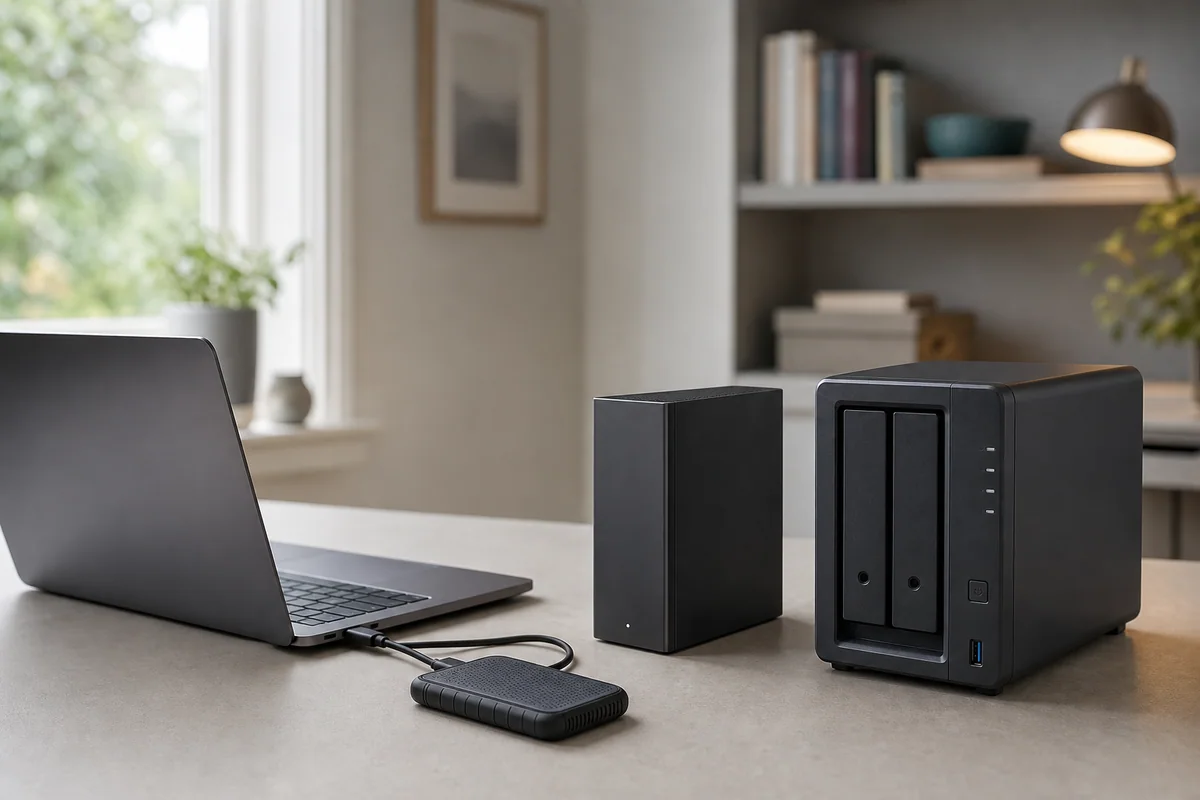
The best storage format is the one that removes your actual failure point. Start by writing one sentence:
I need to protect these files, created on these devices, against these failures, and I can maintain this routine.
Then choose the format below. A fast drive can still be the wrong backup; a two-bay NAS can still lose data; a large hard drive can still sit unused.
The Top 4 storage choices
1. Portable SSD — frequent transfer and light carry
Choose this when the immediate job is moving working files between a laptop and another device. It is compact, bus powered and typically the most convenient option for repeated transfers.
Hidden trade-off: USB-C is only the connector. Check whether the host provides 5Gbps, 10Gbps or native USB 3.2 Gen 2x2 20Gbps signalling. A portable SSD is also easy to keep connected beside the laptop, so one incident can affect both.
Before buying: Confirm the host interface, model number, capacity, included cable or adapter, file system and another independently managed copy.
Compare the four current portable SSD roles.
2. Powered external hard drive — fixed capacity for one computer
Choose this when one main computer needs a scheduled local copy and capacity matters more than carry convenience. A powered desktop drive can be a straightforward home backup destination.
Hidden trade-off: It needs mains power, desk space and a second independent copy. Encryption/password features also create a recovery-key responsibility.
Before buying: Confirm capacity headroom, power/cable needs, file-system compatibility, schedule, restore test and where another copy will live.
Compare the four fixed and portable hard-drive roles.
3. Portable external hard drive — higher-capacity carry copy
Choose this narrower option when a bus-powered copy must move between locations and a portable SSD’s capacity/value trade-off does not fit.
Hidden trade-off: It is a mechanical drive that will be moved. Handling, lower transfer performance and loss of both laptop and nearby drive remain practical risks.
Before buying: Confirm supplied cables, device power, file-system support, powered-off transport and a separately stored copy.
4. NAS system or enclosure — scheduled shared access
Choose this when several devices need scheduled network copies or shared household storage and someone will own setup, accounts, updates and recovery checks.
Hidden trade-off: Diskless enclosures require compatible drives and a usable-capacity calculation. Mirroring/RAID and snapshots do not replace an independent backup. An integrated single-drive appliance may be simpler but removes two-drive redundancy and expansion choice.
Before buying: Price the complete system, verify every client/app, confirm network limits, name the maintenance owner and choose an off-NAS backup destination.
Compare the four first NAS systems and enclosures.
Make the backup recoverable
Whichever format you choose:
- Keep the working files and at least one independently managed copy.
- Separate another copy from the first device or location where practical.
- Automate or schedule the copy and monitor failures.
- Protect encryption/password recovery information separately.
- Restore a sample file periodically; a successful copy notification is not proof that recovery works.
This is the difference between buying storage and creating a usable backup outcome.
Quick decision table
| If your binding job is… | Start with… | Stop and reconsider when… |
|---|---|---|
| Frequent laptop transfers | Portable SSD | The host interface cannot use the speed tier or there is no second copy |
| Fixed high-capacity copy for one computer | Powered external hard drive | Mains power, formatting or the copy schedule will not be maintained |
| A carry copy with more capacity | Portable external hard drive | Rough handling or frequent large transfers make a portable SSD more suitable |
| Shared scheduled copies from several devices | NAS system/enclosure | Nobody will own drives, updates, accounts, alerts and off-NAS backup |
What the evidence can and cannot establish
Manufacturer documents and dated UK product matches establish the named product and its published constraints. They do not establish real-world speed, long-term reliability, security, physical survival or successful data recovery. UK Shortlists has not tested those outcomes and does not treat price, stock, ratings, reviews or sales rank as stable evidence.
The NCSC recommends keeping backups of important data in a separate safe location, checking that important files can be restored, and disconnecting removable media when it is not in use. Its guidance for more resilient backups also recommends multiple separated copies, with at least one offline, plus regular backup and restore testing. Read the NCSC household backup guidance and NCSC offline-backup guidance.
Return to the Storage & Backup decision map to choose another format or read the category methodology for the full evidence and disqualification rules.